How to Set Up IPFoxy Proxies for Automated Web Scraping
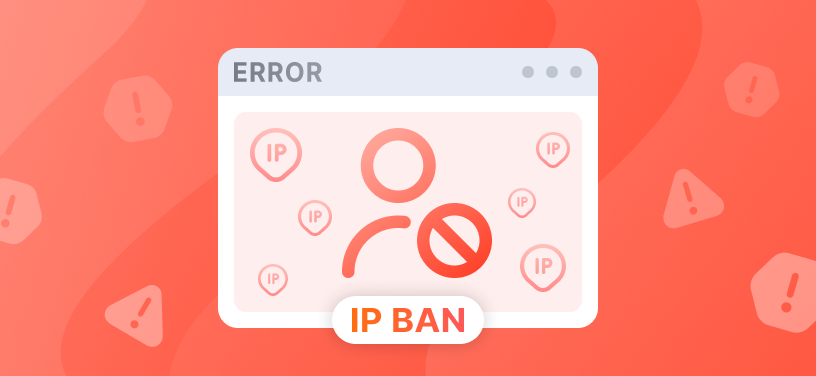
Scrapers rarely fail on the first request. They fail on the four hundredth. Everything runs fine in testing, you raise concurrency, and suddenly the logs fill up with 403s, 429s, and CAPTCHA pages instead of data. That's the target site noticing that a lot of traffic is coming from one address and deciding to slow you down.
The usual fix is a proper proxy layer: spread requests across many IPs so no single address looks suspicious, and keep concurrency where you need it.
This guide walks through setting up IPFoxy proxies in an automated scraping pipeline — the examples use Crawl4AI, but the same approach works with Playwright or Selenium.
About IPFoxy
IPFoxy is a proxy provider offering residential, datacenter, and mobile IPs. It's built for teams doing web scraping, social media management, and multi-account work, with broad geographic coverage and high-anonymity pools that help data pipelines get past anti-bot systems, rate limits, and regional restrictions.
Step 1: Get your proxy credentials
- Log in to the IPFoxy dashboard.
- Go to Get Rotating Residential Proxy.
- Pick your country/region, protocol (HTTP or SOCKS5), and rotation mode (rotating or sticky).
- Copy the endpoint details:
- Host: proxy.ipfoxy.com (or the server IP you were assigned)
- Port: 8888 (or your custom port)
- Username: your_proxy_username
- Password: your_proxy_password
Keep these out of your source code. The example below reads them from environment variables, which is one less thing to worry about when you push to a repo.
Step 2: Add the proxy to your code
Here's a working Python setup using Crawl4AI with IPFoxy:
import asyncio
import os

from crawl4ai import AsyncWebCrawler, BrowserConfig, CrawlerRunConfig

# Load credentials from environment variables for security
IPFOXY_HOST = os.getenv("IPFOXY_HOST", "proxy.ipfoxy.com")
IPFOXY_PORT = os.getenv("IPFOXY_PORT", "8888")
IPFOXY_USER = os.getenv("IPFOXY_USER", "your_username")
IPFOXY_PASS = os.getenv("IPFOXY_PASS", "your_password")


async def main():
    # 1. Build the proxy URL with authentication
    proxy_url = f"http://{IPFOXY_USER}:{IPFOXY_PASS}@{IPFOXY_HOST}:{IPFOXY_PORT}"

    # 2. Point the browser at the proxy
    browser_config = BrowserConfig(
        browser_type="chromium",
        headless=True,
        proxy=proxy_url
    )

    # 3. Crawler run settings
    run_config = CrawlerRunConfig(
        word_count_threshold=10
    )

    # 4. Run the task
    async with AsyncWebCrawler(config=browser_config) as crawler:
        result = await crawler.arun(
            url="https://httpbin.org/ip",  # test endpoint to check the exit IP
            config=run_config
        )

        if result.success:
            print("--- IPFoxy proxy connected successfully ---")
            print(result.markdown)
        else:
            print(f"Scraping failed: {result.error_message}")


if __name__ == "__main__":
    asyncio.run(main())
Step 3: Check that it actually works
Don't point this at your real targets yet. Send one request to https://httpbin.org/ip first and look at what comes back.
The IP in the response should match the region you selected in the dashboard. If you see your own network address instead, the proxy isn't being applied — usually a typo in the credentials or a config object that never made it to the browser.
Once the returned IP looks right, switch the script over to your target URLs.
Best practices
Scale up gradually. Start with a batch of one to five requests and confirm result.success before going anywhere near hundreds of parallel threads. It's much easier to spot a misconfiguration in five requests than in five hundred.
Match rotation to what you're scraping. Rotate on every request when you're pulling paginated indexes or stateless catalog pages — there's no session to protect. Use sticky sessions when you're behind a login or working through a multi-step form, because a new IP mid-flow usually means starting over.
Pair proxies with stealth settings. On sites running serious bot management such as Cloudflare, clean IPs alone won't carry you. Turn on fingerprint obfuscation (stealth mode) alongside IPFoxy's residential IPs so the browser profile and the exit IP tell the same story.
Plan for CAPTCHAs anyway. Good proxies reduce how often you get challenged, but they don't eliminate it. If a challenge appears on a protected step, an API solver like CapMonster Cloud can return a token so the same session continues instead of dying halfway through the job.
Troubleshooting
Connection timeouts. Take your code out of the equation and test the endpoint directly:
curl -x http://USERNAME:PASSWORD@HOST:PORT https://httpbin.org/ip
If curl fails too, the problem is the credentials or the network — some corporate firewalls and ISPs block non-standard proxy ports outright.
403s even though the proxy works. A working proxy only changes your exit IP. The site may still be reading your request headers — a missing or obviously static User-Agent is a common giveaway — or expecting content that only appears after the page finishes rendering. Add realistic headers and use wait_for so you're not grabbing an empty DOM.
Ready to scale your scraping? Head to IPFoxy to get started with high-performance residential proxies.