Building a Production-ready Multi-Account Workflow: Browser, Proxy, and Verification
Solving verification checks reliably is table stakes for running accounts at scale, but it isn't where the work ends. Platforms do not evaluate accounts in isolation. They evaluate them as users with a device, a location, and a behavior pattern that stays consistent over time, and a captcha solve only ever answers one question in that evaluation. An account can clear every check it's given and still get flagged, because its browser, network, and activity don't agree with one another.
That gap is easy to miss at a small scale. With a handful of accounts, you can compensate manually by rotating proxies, clearing state, and solving verification prompts as they appear. As the number of accounts grows, those manual fixes stop being exceptions and become the daily workload, and no amount of solving capacity fixes an identity that contradicts itself.
This article covers what a production-ready setup requires beyond verification, and how Incogniton addresses each requirement.
How to Achieve a Production-Ready Multi-Account Setup
A production-ready setup solves that by keeping each account internally consistent from one session to the next. CAPTCHA and other verification challenges are only a piece of that puzzle; they depend on two others working alongside them, which is what this article walks through:
- A stable browser identity
- A network that matches that identity
Getting the Browser Layer Right
Platforms don't rely on cookies alone to recognize accounts. Canvas rendering, WebGL, fonts, audio settings, hardware concurrency, timezone, language, and user agent details are all readable, and together they form a device profile.
Why Fingerprints Break Multi-Account Setups
Two failure modes account for most fingerprint problems. The first is reuse: several accounts sharing one fingerprint look like a single device running multiple identities. The second is contradiction: a timezone from one region paired with browser signals from another erodes trust the moment a platform checks.
Avoiding both means managing browser identity at the profile level, with a stable environment and aligned signals every time an account opens. The browser layer has to preserve that identity across sessions, operators, and account activity, so the profile continues to look like the same device instead of a rebuilt setup.
Using a Reliable Anti-fingerprinting Setup
This is where Incogniton comes into the workflow. Each account gets its own profile, with separate cookies, cache, session data, and fingerprint settings, so the browser identity is managed in one place.
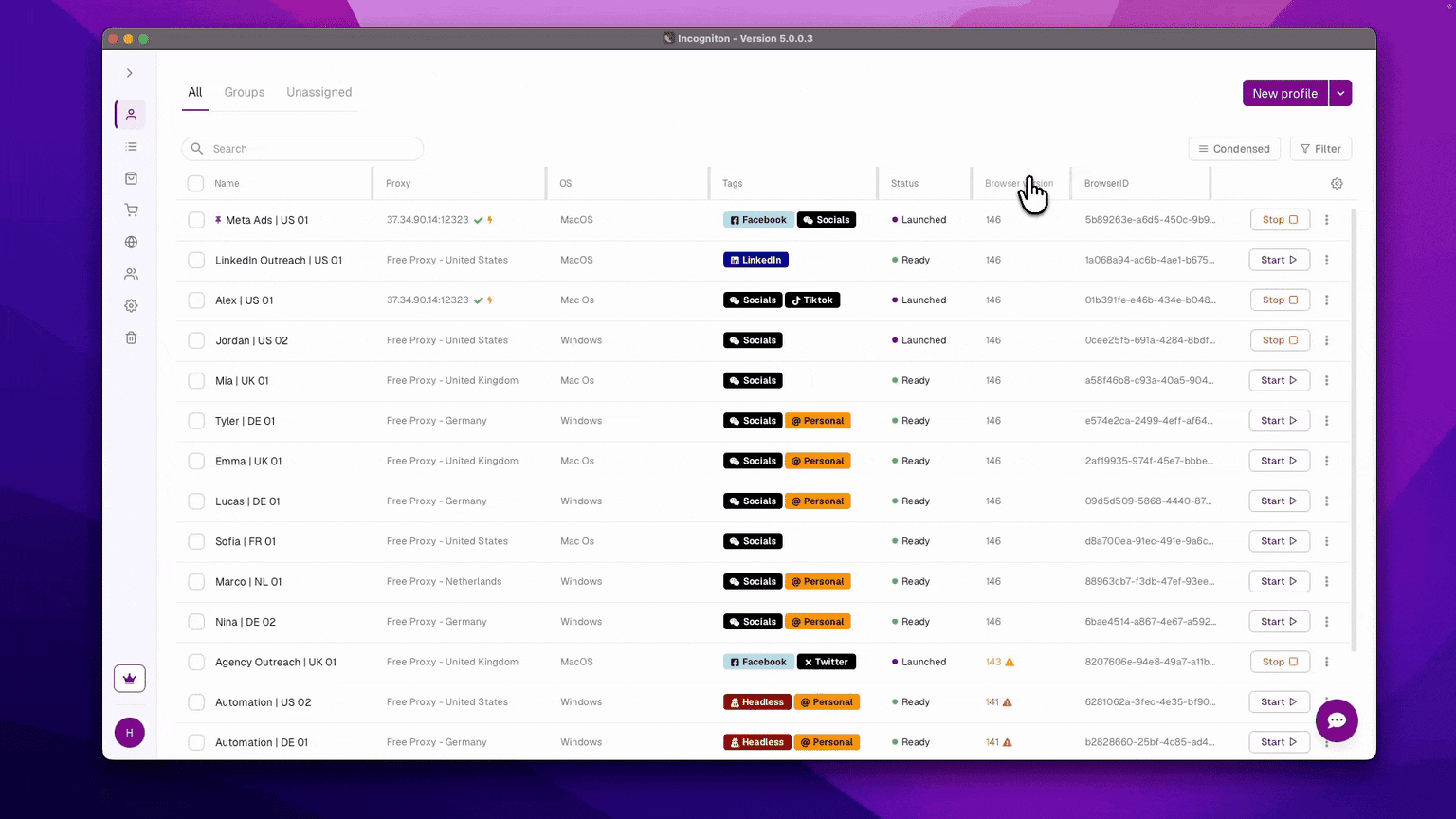
The profile synchronizer keeps that profile available across sessions, which matters once account work moves beyond a single device or operator.
Solving the Network Layer
A convincing fingerprint doesn't stop a platform from placing you by IP address. IP tracking locates the account on a real map regardless of what the browser reports, so a flawless browser identity can still get an account flagged the moment its network gives away a different location. Fixing the fingerprint alone leaves that gap open.
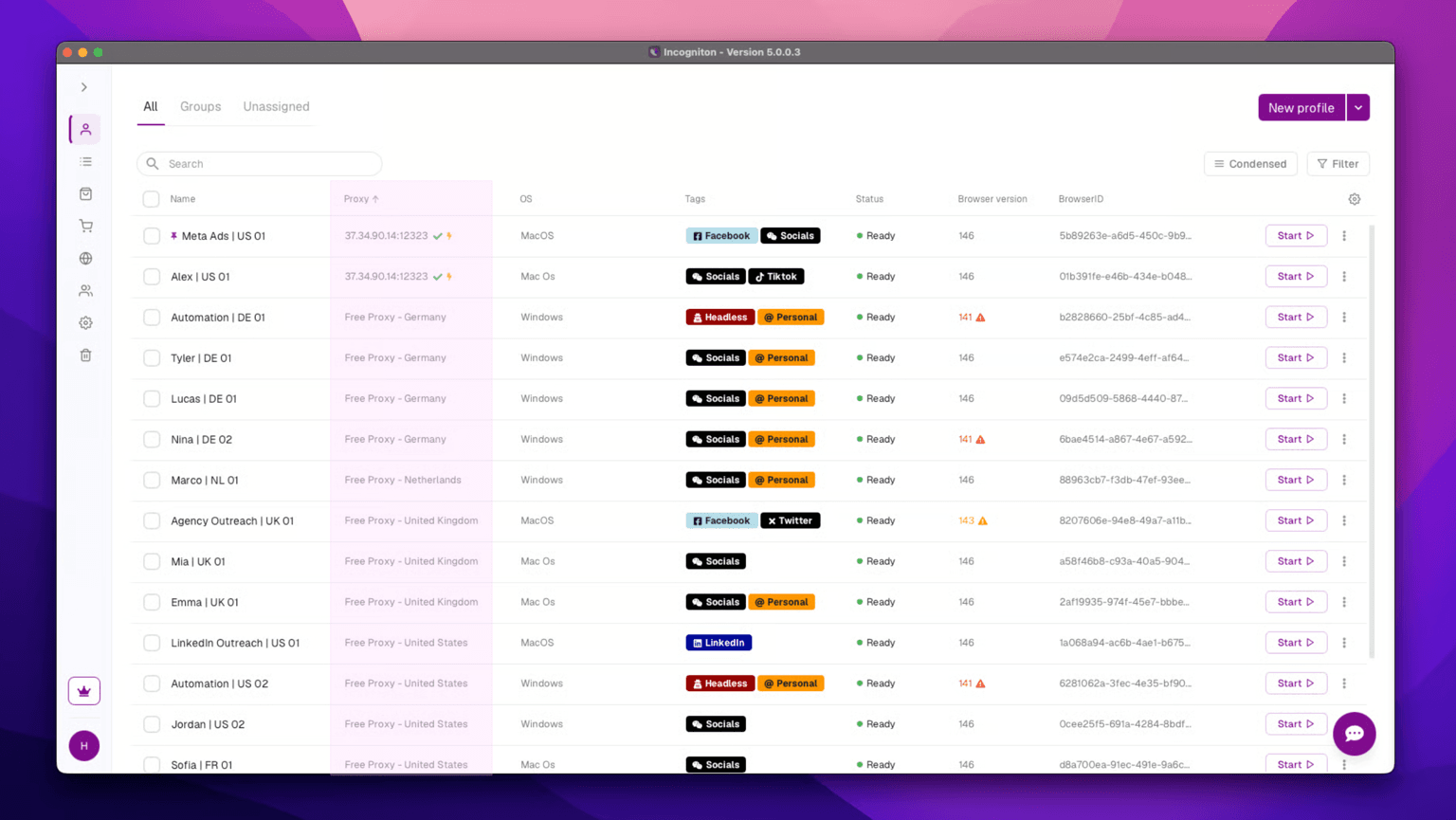
Incogniton fills this void, not by issuing proxies itself, but by giving each profile a choice of where its proxy comes from: a free built-in proxy, one bought through the proxy shop, or a third-party proxy plugged in directly. Whichever source, the account's location comes from the network instead of being guessed at by the browser.
Putting the Stack to Work
A session works when the three layers back each other up, not when each runs in isolation.
Incogniton launches the profile first, and its fingerprint, timezone, and language already match the account's last session, so the browser reads as the same device it always has. The proxy attached to that profile matches the location the browser claims, so the network backs up the same story instead of contradicting it.
If the platform responds with a captcha, CapMonster Cloud solves it. The solve holds because nothing before it gave the platform a reason to doubt the account in the first place.
Skip any one of these and the setup starts working against itself. A solved captcha on a leaked fingerprint still gets the account flagged next session. A clean fingerprint behind the wrong proxy fails a check no solver ever sees. Each piece is covering a gap the others can't.
Conclusion
Scaling past a handful of accounts isn't about adding more tools. It's about whether the tools you have answer one question: does this account look like the same user every time?
Incogniton keeps the browser and network consistent. CapMonster Cloud handles verification when it comes up. Together, that's what lets an account hold its story together at scale.