How to Solve Image CAPTCHAs in Web Scraping in 2025: A Detailed Guide and Top Recommendations
Image CAPTCHAs are one of the most popular website protection technologies. Although recently, the focus has shifted toward invisible methods—often, human verification happens in the background, and users may not even notice that a site has protection. Nevertheless, image CAPTCHAs are still widely used, especially in cases where background verification fails—the system suspects the user and requests an additional visual check, as seen with reCAPTCHA.
In web scraping and other internet-related tasks, encountering this obstacle is common. However, knowing how to bypass CAPTCHAs and using the right tools allows seamless data extraction from websites. In this article, we will explore what image CAPTCHAs are, their types, and how to handle them in web scraping.

Image CAPTCHAs (Image CAPTCHA) are a method of bot verification where the user must complete a task involving images. This can include selecting specific objects (e.g., cars or traffic lights), typing characters from a distorted image, assembling puzzles, or rotating image fragments to their correct positions.
While working on the internet, you may encounter various types of image CAPTCHAs. Let's take a look at the most popular ones:
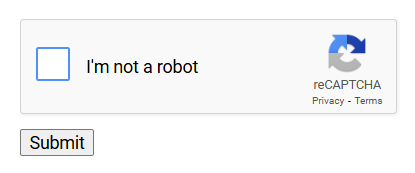
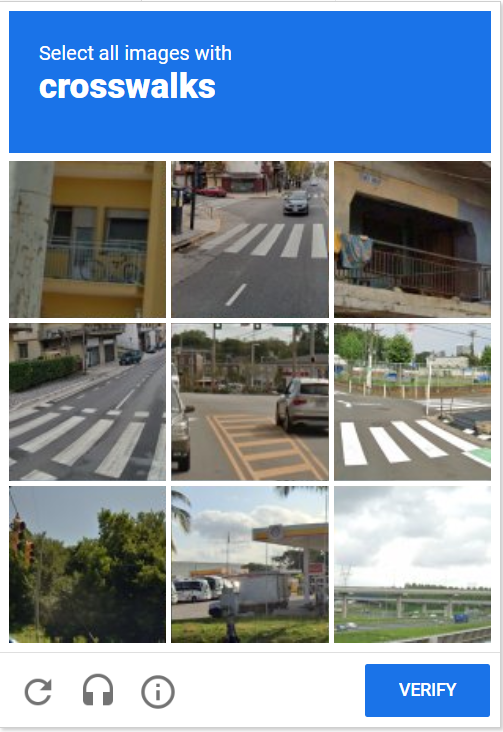
This is the classic CAPTCHA from Google, where the user needs to click "I'm not a robot." If the algorithm trusts the user, the CAPTCHA is immediately considered solved. Otherwise, an image-based test will appear.
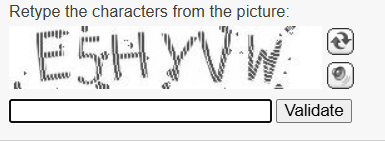
This type of CAPTCHA requires the user to decipher text from an image and enter it into a field.
ComplexImage CAPTCHA is an image CAPTCHA where the user must complete a non-standard task. It is more difficult than regular Image CAPTCHAs because it requires analyzing, moving, or altering elements of the image. Let's look at some examples of such tasks:
- Image Rotation (Rotate CAPTCHA)
The user is required to rotate the image to the correct orientation:

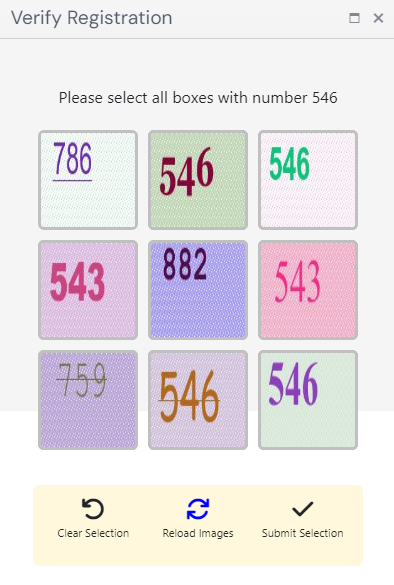
- Object Selection
The user needs to click on specific objects, selecting all items of a certain type (e.g., animals, fruits, etc.). Or, as in this case, find all the blocks with the required number:
- Puzzle CAPTCHA
The user needs to drag a part of the image into the correct position:
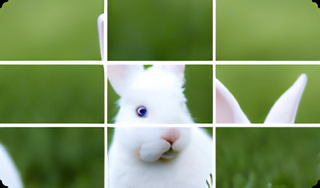
Yes, all of these types of checks are difficult to bypass automatically, but fortunately, there are special services like CapMonster Cloud that can easily and quickly handle this task. To integrate your scraper with CapMonster Cloud, you just need to get an API key from your personal account and create a task for solving and receiving the result from the server. You can also bypass such checks directly in the browser—simply download and install the extension for Chrome or Firefox.
Our service solves reCAPTCHA V2 using two methods – token and clicks:
- Token Method – you receive a ready g-recaptcha-response that can be directly inserted into the form and submitted. This method is faster and more convenient for automation and scripts.
- Click Method – here, user actions are simulated: clicking the "I'm not a robot" checkbox, solving additional tasks (if they appear), and confirming the CAPTCHA. This method is useful if real user behavior emulation is needed.
Depending on the chosen method, you need to create the task correctly. Here's an example request to create a task and receive the result for the token method:
POST https://api.capmonster.cloud/createTask

{
  "clientKey":"API_KEY",
  "task": {
	"type":"RecaptchaV2TaskProxyless",
	"websiteURL":"https://lessons.zennolab.com/captchas/recaptcha/v2_simple.php?level=high",
	"websiteKey":"6Lcg7CMUAAAAANphynKgn9YAgA4tQ2KI_iqRyTwd"
  }
}
You will need to specify the CAPTCHA type (with or without a proxy), the target page with the CAPTCHA, and the websiteKey – a special CAPTCHA identifier key. Here, you can find a detailed guide on how to locate it.
POST https://api.capmonster.cloud/getTaskResult

{
  "clientKey":"API_KEY",
  "taskId": 407533072
}
To get the result, send a request to https://api.capmonster.cloud/getTaskResult with your API key and the taskId of the task.
Now, let's provide an example request for solving and receiving the result using the click method:
POST https://api.capmonster.cloud/createTask


{
  "clientKey":"API_KEY",
  "task": {
	"type": "ComplexImageTask",
	"class": "recaptcha",
	"imageUrls":[ "https://i.postimg.cc/yYjg75Kv/payloadtraffic.jpg" ],
	"metadata": {
	  "Task": "Click on traffic lights",
	  "Grid": "3x3",
	  "TaskDefinition": "/m/015qff"
	},
	"userAgent": "Mozilla/5.0 (Windows NT 10.0; Win64; x64) AppleWebKit/537.36 (KHTML, like Gecko) Chrome/132.0.0.0 Safari/537.36",
	"websiteUrl": "https://lessons.zennolab.com/captchas/recaptcha/v2_simple.php?level=middle"
  }
}
Here, you will need to specify important parameters such as:
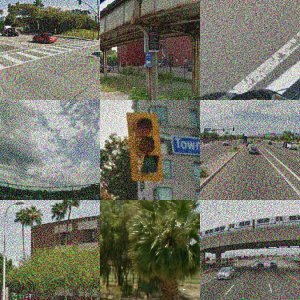
imageUrls – the URL of the CAPTCHA image (it can be a 3x3, 4x4, or 1x1 grid). For example: [“https://i.postimg.cc/yYjg75Kv/img1.jpg”], which looks something like this:
imagesBase64 (if imageUrls is not filled) – the complete image in 4x4, 3x3, or 1x1 grid in base64 format (in an array). Example: [ “/9j/4AAQSkZJRgABAQEAAAAAAAD…”]
Task – the instruction for the CAPTCHA (for example, select all traffic lights).
Grid – the grid size (3x3). It can also be 4x4 and others.
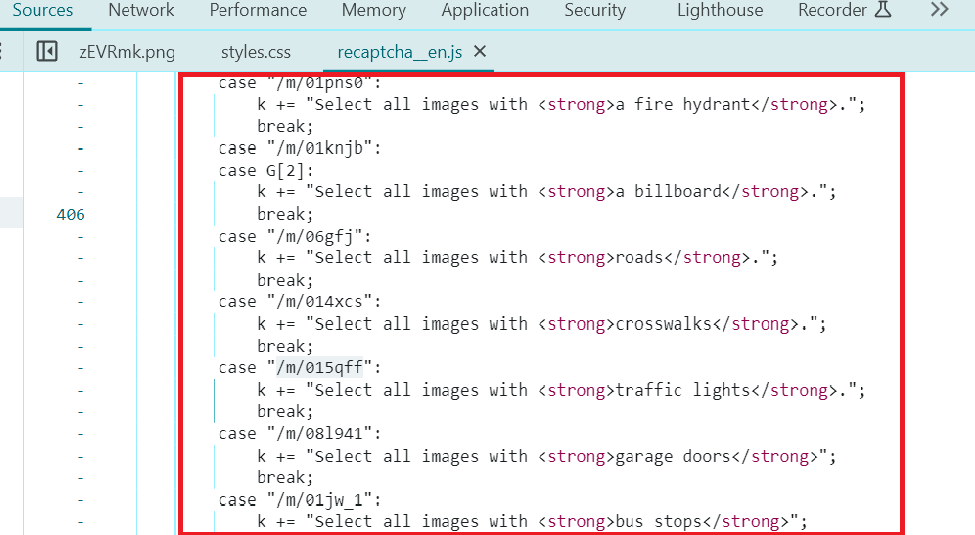
TaskDefinition (if Task is not filled) – the object code that needs to be found (in this example, "/m/015qff" means "traffic lights"). Other examples could be "/m/02y864" for a bus, "/m/0k4j" for a motorcycle, etc. This parameter can be found in Developer Tools:
Let's look at an example of creating a request and receiving the result for solving an ImageToText CAPTCHA:
POST https://api.capmonster.cloud/createTask

{
  "clientKey":"API_KEY",
  "task": {
	"type":"ImageToTextTask",
	"body":"BASE64_BODY_HERE!"
  }
}
POST https://api.capmonster.cloud/getTaskResult

{
  "clientKey":"API_KEY",
  "taskId": 407533072
}
For this type, you need to send the image encoded in base64. You can obtain this data in various ways, here's an example of how to get base64 directly from the browser console:
async function getBase64FromImageUrl(url) {
    const response = await fetch(url);
    const blob = await response.blob();
    const reader = new FileReader();

    return new Promise((resolve) => {
        reader.onloadend = () => resolve(reader.result.split(",")[1]);
        reader.readAsDataURL(blob);
    });
}

getBase64FromImageUrl("https://example.com/captcha.jpg").then(console.log);
To solve such tasks, you will mainly need the base64 parameter for all the images contained in the CAPTCHA. Let's look at an example request for a Betpunch CAPTCHA, where the user needs to rotate the image to the correct orientation. First, we find the base64 of all the images and pass them in the following order:
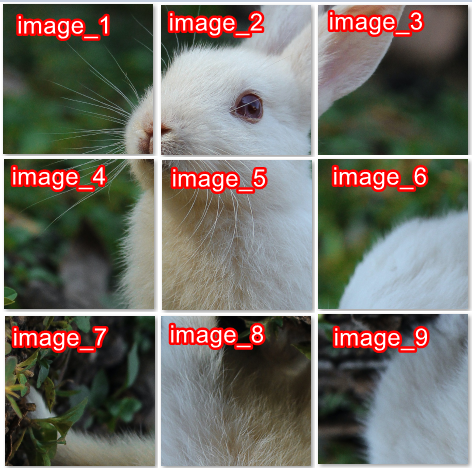
Example request:
{
	"clientKey": "API_KEY",
	"task": {
		"type": "ComplexImageTask",
		"class": "recognition",
		"imagesBase64": [
			"{image_1_Base64}",
			"{image_2_Base64}",
			"{image_3_Base64}",
			"{image_4_Base64}",
			"{image_5_Base64}",
			"{image_6_Base64}",
			"{image_7_Base64}",
			"{image_8_Base64}",
			"{image_9_Base64}",
		],
		"metadata": {
			"Task": "betpunch_3x3_rotate"
		}
	}
}
In the "Task" field, specify betpunch_3x3_rotate. To get the result, use the getTaskResult method, as shown in the previous examples. In response, if the solution is successful, you will receive an array of numbers representing the CAPTCHA solution. This JSON response should be used to confirm the solution. Here’s an example of how this can be implemented with Selenium:
from selenium import webdriver

# Example of using the JSON response
rotation_values = [4,4,4,4,4,3,1,2,2]

# Then use Selenium for clicks or data inputWe have covered the main steps for automatically solving image CAPTCHAs using CapMonster Cloud. However, you can further simplify this process and make it more convenient. Let's look at a few useful recommendations:
CapMonster Cloud provides its own libraries for developers, significantly reducing the amount of code compared to using standard HTTP libraries. They support various programming languages, including Python, JavaScript, C#, and others. This makes integration convenient for developers with different technology stacks. With ready-made methods for creating tasks and receiving results, developers don’t need to form long HTTP requests, process responses for long periods, or manage timeouts. This simplifies the process of working with the service and improves code stability. You can find examples and integration templates in the documentation.
In the click method, manually searching for and extracting parameters for the request to CapMonster Cloud is very inconvenient. In this case, automation can be used, for example, with Selenium. The script will automatically find the task text (e.g., "Click on traffic lights"), determine the grid size (3x3 or 4x4), and extract image URLs. These data are then passed to CapMonster Cloud for solving the CAPTCHA. This approach significantly speeds up the solving process.
Some websites may block CAPTCHA solutions if all requests come from the same IP address. Using proxies helps avoid this, providing greater anonymity and increasing the chance of successfully passing the CAPTCHA. Use reliable proxies with high speed; select geographically suitable IP addresses if the site checks location.
To speed up CAPTCHA processing, you can send multiple tasks in parallel. It is recommended to break the solutions into separate threads (multithreading), use asynchronous requests (such as asyncio in Python), and reduce delays between requests, but avoid making them too frequent to prevent blocking.
By following the main steps and recommendations outlined in this article, you will be able to significantly simplify the CAPTCHA solving process, reduce the likelihood of blocks, and speed up data collection. If you have any questions or want to learn more about specific methods, we recommend exploring the official CapMonster Cloud documentation and trying the integration in practice!
NB: As a reminder, the product is used to automate testing on your own sites and on sites to which you have legal access.