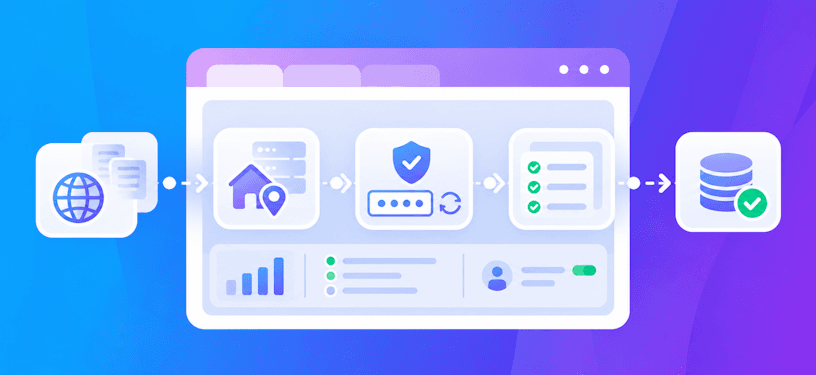
How to Integrate CAPTCHA Solving into Data Provider APIs with CapMonster Cloud
APIs used by data providers often implement protection mechanisms to prevent abuse, with CAPTCHA systems being a prevalent defense. While crucial for blocking malicious bots, these CAPTCHAs frequently disrupt legitimate automation workflows, such as product data extraction, account creation, or content scraping. Manual CAPTCHA solving is time-consuming and impractical for large-scale operations, while browser-based solvers can be slow and resource-intensive.
CapMonster Cloud offers a robust, cloud-based solution to automate CAPTCHA solving using a scalable, API-driven approach. It eliminates the need for manual intervention or complex browser setups, enabling seamless integration into your automation pipelines. In this comprehensive guide, you’ll learn how to:
Set up and authenticate with CapMonster Cloud
Submit and retrieve CAPTCHA solutions via API
Integrate CAPTCHA handling into your data collection workflows
Optimize request speed and error handling
Use proxy recommendations effectively

Why CAPTCHA Solving Is Essential for Data Provider APIs
Data provider APIs are integral to systems that:
Extract large datasets from retail, e-commerce, or media platforms
Simulate automated user interactions (e.g., form submissions)
Create and verify user accounts
Maintain uptime through automated task scheduling
However, many API endpoints employ CAPTCHA verification to restrict automation, leading to challenges such as incomplete data, HTTP errors (e.g., 403 Forbidden), or IP bans. According to the OWASP API Security Top 10 (2023), bot prevention layers like CAPTCHAs are critical for safeguarding API endpoints from excessive data exposure and abuse. Bypassing these protections efficiently is key to maintaining reliable automation workflows.
CapMonster Cloud Overview
CapMonster Cloud is a versatile, cloud-based CAPTCHA-solving service that supports a wide range of challenge types, including:
reCAPTCHA v2 / v3
GeeTest
Image-to-text CAPTCHAs
Tencent
and many other CAPTCHA types
Accessible via a modern HTTP API, it supports multiple SDKs (Python, Node.js, C#, etc.) and is ideal for security-critical applications like data aggregation, customer onboarding, or automated testing. CapMonster Cloud ensures high accuracy and speed, making it a go-to solution for scalable CAPTCHA handling.
For detailed documentation, refer to: docs.capmonster.cloud
Integration Workflow: CapMonster Cloud + Your API
Step 1: Get Your API Key
Create an account on CapMonster Cloud.
Retrieve your API key from the user dashboard. This key authenticates all API requests.
Step 2: Create a CAPTCHA Task
To submit a CAPTCHA challenge for solving, use the /createTask endpoint. Below is a Python example using the requests library to create a task for a reCAPTCHA v2 challenge:
import requests

API_KEY = "YOUR_API_KEY"
WEBSITE_URL = "https://example.com"
SITE_KEY = "SITE_KEY_HERE"

CREATE_TASK_URL = "https://api.capmonster.cloud/createTask"


def create_task():
    payload = {
        "clientKey": API_KEY,
        "task": {
            "type": "RecaptchaV2Task",
            "websiteURL": WEBSITE_URL,
            "websiteKey": SITE_KEY
        }
    }

    with requests.Session() as session:
        response = session.post(CREATE_TASK_URL, json=payload, timeout=30)
        data = response.json()

        if data.get("errorId") != 0:
            raise Exception(f"CapMonster error: {data}")

        return data["taskId"]


if __name__ == "__main__":
    task_id = create_task()
    print(f"Task created with ID: {task_id}")
Step 3: Poll for the Solution
Use the /getTaskResult endpoint to check the status of the CAPTCHA task and retrieve the solution when ready:
import requests
import time

while True:
    r = requests.post(
        "https://api.capmonster.cloud/getTaskResult",
        json={"clientKey": "api_key", "taskId": "task_id"},
        timeout=30
    ).json()

    if r.get("errorId") != 0:
        raise Exception(r)

    if r.get("status") == "ready":
        print("Solved CAPTCHA token:", r["solution"]["gRecaptchaResponse"])
        break

    time.sleep(3)
To solve the CAPTCHA, the retrieved gRecaptchaResponse token can be injected into your automation tool (e.g., Puppeteer, Selenium).
Optimization Tips
To maximize efficiency and reliability when using CapMonster Cloud, consider the following best practices:
Reduce Solving Time
- Use Proxyless Tasks: Opt for proxyless task types (e.g., RecaptchaV2Task) to avoid proxy-related latency.
Accurate Parameters: Ensure websiteKey and websiteURL are correct to prevent misclassification of CAPTCHAs.
Pre-Check CAPTCHA Presence: Use DOM inspection to confirm a CAPTCHA exists before submitting a task, avoiding unnecessary API calls.
Minimize API Errors
Validate Responses: Check status, taskId, and solution fields in API responses to ensure successful task creation and completion.
Handle Timeouts: If polling returns processing for too long, increase the polling interval (e.g., to 5 seconds).
Monitor Balance: Use the /getBalance endpoint to verify your account balance before running large batches of tasks.
Scale Effectively
Asynchronous Polling: Implement asynchronous or threaded polling to handle multiple CAPTCHA tasks concurrently.
Respect Rate Limits: Adhere to recommended polling intervals (2–3 seconds per task) to avoid throttling.
Track Usage: Monitor createTask and getTaskResult API calls to optimize resource allocation and avoid exceeding quotas.
Integrating CAPTCHA-solving into your data provider API workflows is essential for robust automation. CapMonster Cloud provides a reliable, scalable solution that minimizes manual intervention and ensures seamless operation across protected APIs. By following the guidelines outlined above, you can:
Automate CAPTCHA handling with minimal latency
Maintain system reliability under high load
Scale your data collection pipelines effectively
For advanced features, configuration options, and SDK references, visit the CapMonster Cloud documentation. This resource provides detailed examples and API specifications to further enhance your integration.
Note: This product is intended for automating testing on your own websites or on sites where you have legal permission to operate.