reCAPTCHA v2 vs v3 vs Enterprise: Key Differences
Choosing the wrong reCAPTCHA version is a surprisingly common and costly mistake. A blog protected with reCAPTCHA Enterprise is overkill. A banking login protected only with a free reCAPTCHA v2 checkbox may not be enough. This reCAPTCHA versions comparison gives developers, site owners, and security engineers a clear, practical map of what separates each version — so the decision becomes straightforward rather than a guessing game.
The three versions differ fundamentally in how they challenge users, what signals they analyze, how much backend logic they require, and what they cost. Understanding these differences is the first step to implementing the right level of protection for your context.
Expert Take — Vladlen Vlasov, Technical Cross-Domain Specialist
"The version debate is really a UX-vs-security trade-off. reCAPTCHA v2 puts the friction on the user. v3 puts the burden on you, the developer. Enterprise hands that burden to Google's risk engine — but at a price. You need to know your threat model before you pick a version."

What Is reCAPTCHA and Why the Version Matters
reCAPTCHA is Google's bot-detection service and one of the most widely deployed CAPTCHA systems on the web. The version you choose affects your users' experience, your backend architecture, your compliance posture, and your monthly costs. Get it wrong and you are either frustrating legitimate users with unnecessary puzzles, silently failing to block bots because no one is acting on the score, or paying for enterprise-grade features a low-traffic site will never use.
reCAPTCHA v2: The Checkbox and Invisible Variants
reCAPTCHA v2 is the most recognized form of bot protection on the web. It comes in two primary sub-types, each targeting a different integration scenario.
reCAPTCHA v2 Checkbox ("I'm not a robot")
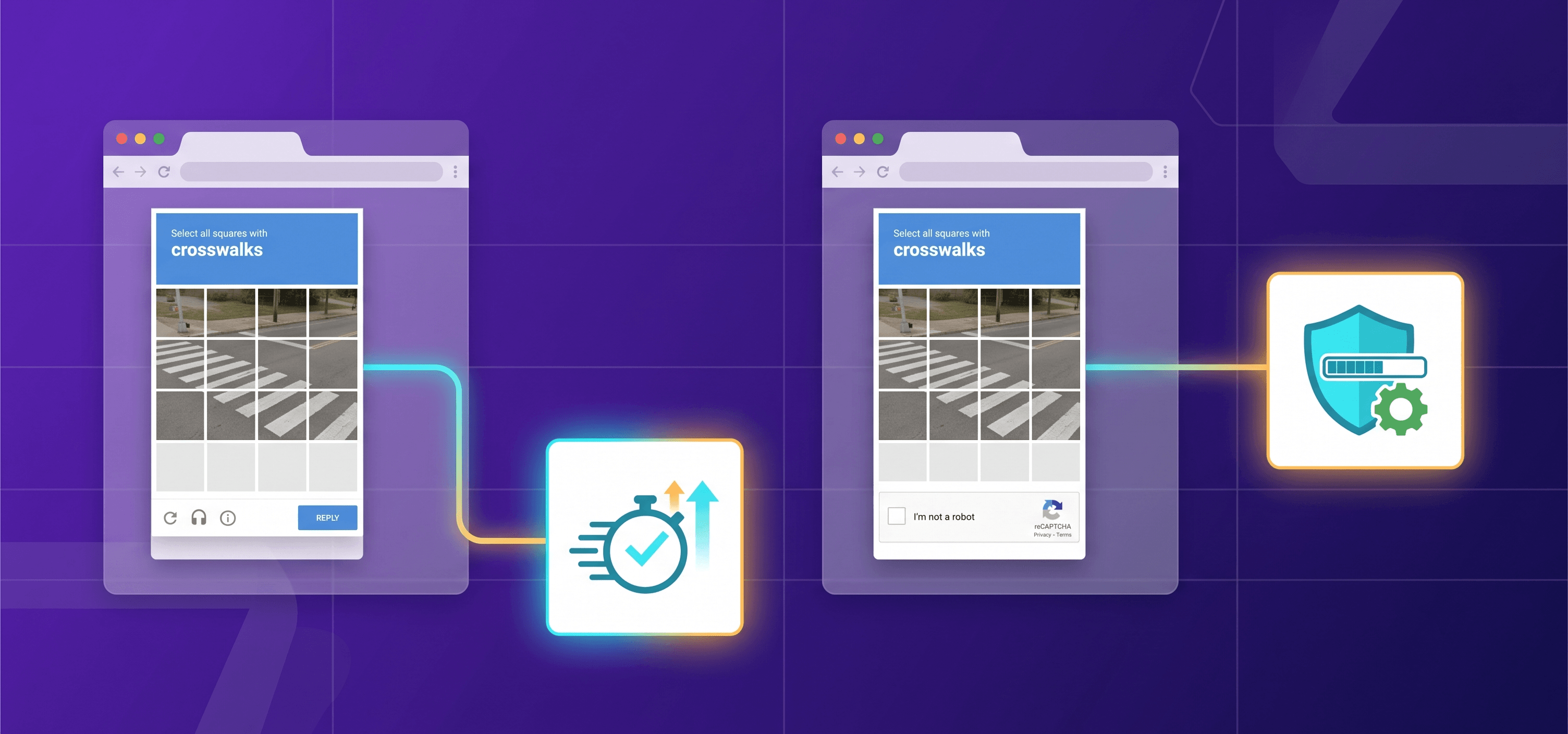
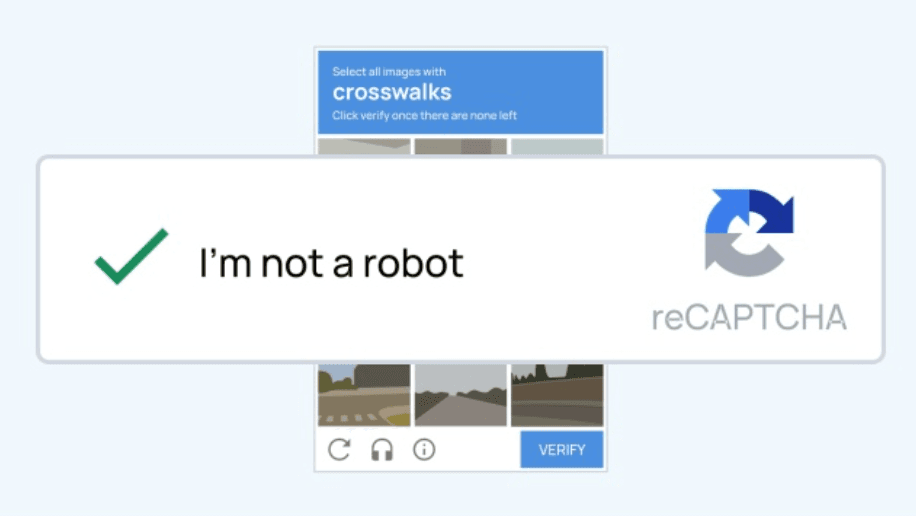
The reCAPTCHA v2 checkbox — the classic "I'm not a robot" widget — requires a user to click a checkbox before submitting a form. Google's risk engine evaluates the click and surrounding browser behavior. Low-risk users pass immediately with no challenge. Higher-risk users are served an image-selection puzzle (e.g., "select all traffic lights"). This is the simplest integration path: it requires as few as two lines of HTML and no backend score-handling logic.
Strengths:
- Extremely easy to integrate — minimal backend work required.
- Visible feedback loop: users know exactly what is expected of them.
- Free under the Essentials tier up to 10,000 assessments per month.
- Wide browser and screen-reader compatibility (audio alternative available).
Weaknesses:
- Adds friction for every user, including legitimate ones.
- Image challenges are solvable by CAPTCHA-solving services and some AI models.
- Binary pass/fail token provides no nuance — a passed token carries no risk signal to your backend.
For a deeper look at why many sites still choose this version despite its limitations, see Why Websites Still Use reCAPTCHA v2 in 2026.
Invisible reCAPTCHA (v2 Invisible)
The invisible reCAPTCHA variant removes the visible checkbox entirely. It is triggered programmatically when a user clicks a submit button or via a direct JavaScript API call. If Google's risk engine considers the interaction suspicious, it surfaces a challenge automatically. Otherwise, the user experiences no interruption at all. This variant sits between v2 checkbox and v3: lower friction than the checkbox, but still capable of presenting a hard challenge when warranted — with no backend score logic required.
reCAPTCHA v3: Risk Scores Without User Challenges
reCAPTCHA v3 fundamentally changes the interaction model. There is no checkbox, no puzzle, and no visible widget (only a small badge in the page corner, which can be repositioned or hidden per Google's terms). Instead, v3 runs as a pure JavaScript API that monitors the entire session — mouse movements, click patterns, scroll behavior, timing, and other browser signals — and returns a risk score between 0.0 and 1.0.
- 1.0 = Very likely a human.
- 0.0 = Very likely a bot.
The score is returned to your server via token verification. What you do with that score is entirely your responsibility.
How the Score Works in Practice
You define action names for each protected interaction (e.g., login, checkout, signup). Each action gets its own score, which lets you calibrate thresholds independently. A conservative starting threshold of 0.5 works for most sites:
| Score Range | Recommended Action |
| 0.7 – 1.0 | Allow the request through |
| 0.5 – 0.69 | Show a visible challenge or flag for manual review |
| 0.0 – 0.49 | Block or require secondary verification |
The score can also be combined with your own signals — such as user account history, transaction value, or IP reputation — to build a composite risk model.
When v3 Works Well — and When It Doesn't
| v3 works well when… | v3 falls short when… |
| UX is a priority and friction would hurt conversions | The site is new with little behavioral training data |
| You protect multiple page actions and need per-action scoring | No backend developer is available to act on the score |
| Secondary verification (email/SMS OTP) already exists | Sophisticated bots mimic human behavior to inflate scores |
| High-traffic pages where challenging all users is impractical | You need guaranteed uptime or compliance-grade data processing |
reCAPTCHA Enterprise: Advanced Bot Protection
reCAPTCHA Enterprise is not simply "v3 with a billing account." It is a structured product tier with substantially more capability, a formal SLA, and features that go well beyond bot scoring. As of 2026, Google organizes reCAPTCHA into three tiers: Essentials (free), Premium (pay-as-you-go), and Enterprise (subscription) — each unlocking progressively more advanced capabilities.
Google reCAPTCHA Enterprise Features at a Glance
Bot Protection Upgrades:
- Essentials tier bot defense operates on a 4-level classification model. Both Premium and Enterprise upgrade this to an 11-level model, providing significantly finer granularity for detecting borderline traffic.
- Explainability reasons: Essentials has none. Premium provides basic explainability. Enterprise provides advanced explainability — structured reason codes indicating why a score was assigned (e.g., network anomaly, behavioral anomaly, known bot fingerprint).
- Policy-based challenge triggering: Available in Premium and Enterprise, not Essentials. Automatically surfaces a challenge based on defined rules without requiring custom backend branching logic.
Account and Fraud Protection:
- Account defense: Premium includes basic explainability for account-level signals. Enterprise adds a dedicated account takeover risk score with advanced explainability — purpose-built to detect credential stuffing and ATO attacks.
- Password defense: Alerts when a user's credentials appear in known breach databases. Available in Premium and Enterprise (requires an extra assessment).
- SMS defense: Detects SMS toll-fraud and OTP abuse patterns. Available in Premium and Enterprise (requires an extra assessment).
- Carding and chargeback detection: Transaction-layer signals that flag payment fraud before a charge is processed. Available in Premium and Enterprise (requires an extra assessment).
- Annotation API: Allows you to write real-world outcomes back to an Assessment, enabling the model to improve over time for your specific site. Available in Premium and Enterprise.
- Related accounts API: Detects linked or clustered accounts sharing device or network fingerprints. Enterprise-only.
Analytics and Operational Features:
- Customer-specific fraud reports and attack investigation tooling: Enterprise-only.
- Dedicated account management and formal SLA/SLO commitments: Enterprise-only.
- iOS and Android SDKs are available across all three tiers.
- Enterprise is processed under Google Cloud Platform's Data Processing Addendum, supporting formal GDPR-compliant data processing agreements and data residency controls not available in lower tiers.
reCAPTCHA v2 vs v3: Head-to-Head
The reCAPTCHA v2 vs v3 choice is fundamentally about where you want to place the friction: on the user, or on your backend.
| Dimension | reCAPTCHA v2 Checkbox | reCAPTCHA v2 Invisible | reCAPTCHA v3 |
| User interaction | Explicit click + potential image puzzle | None (unless flagged) | None |
| UX friction | High | Low–Medium | None |
| Backend complexity | Low (binary token verify) | Low–Medium | High (score logic required) |
| Bot resistance | Moderate (bypassable) | Moderate | Moderate–High (with tuning) |
| Signal richness | Binary pass/fail | Binary pass/fail | 0.0–1.0 score per action |
| Accessibility | Best (visible, has audio alt) | Medium | Best (no interaction required) |
| Free tier | Yes (Essentials: 10k/month) | Yes | Yes (Essentials: 10k/month) |
| Integration effort | Very low (2 lines HTML) | Low | Medium–High |
Choose v2 checkbox when:
- Your integration resources are limited and you need something running in under an hour.
- Your user base expects and tolerates a visible checkpoint (e.g., admin portals, infrequently-used forms).
- You are protecting a single, discrete action rather than an entire session.
Choose v3 when:
- UX is a priority and any visible friction will hurt conversion rates.
- You have backend development capacity to implement score-based routing.
- You are protecting multiple page actions simultaneously and want per-action scoring.
For a practical breakdown of bypass techniques and their implications, see How to Solve reCAPTCHA v2 in 2026: Working Methods.
reCAPTCHA v2 vs Enterprise: What Changes at Scale
reCAPTCHA v2 vs Enterprise is not a close comparison — the two are not designed for the same threat surface. v2 was built as a general-purpose, low-barrier human verification tool. Enterprise was built for organizations where abuse has direct financial or compliance consequences.
| Dimension | reCAPTCHA v2 | reCAPTCHA Enterprise |
| Output | Binary pass/fail token | Multi-dimensional risk assessment object |
| Bot scoring values | 2 values: bot or not | 11 values: 0.0–1.0 |
| Fraud signals | None | Account takeover score, carding, chargeback, SMS fraud |
| Explainability | None | Advanced (with reason codes) |
| Annotation / model tuning | Not available | Available (Annotation API) |
| SLA | None | Yes (with financial credits) |
| SLO | None | 99.9% monthly uptime |
| Pricing | Free up to 10,000 assessments/month (Essentials); same paid tiers as v3 apply above that limit | Fixed monthly volume commitment at $1/1,000 assessments; 12-month subscription required |
| Compliance support | Limited | GCP DPA, data processing agreements, data residency |
| Integration complexity | Very low | High (Assessment API, annotation pipeline) |
The practical implication: if your site processes payments, handles account creation at scale, or operates in a regulated industry, the gap between v2 and Enterprise is the gap between rudimentary bot filtering and a purpose-built fraud prevention layer.
For a full breakdown of how reCAPTCHA pricing works across tiers, see reCAPTCHA v2 Pricing 2026: How Much Does It Cost?
reCAPTCHA v3 vs Enterprise: When the Score Isn't Enough
- reCAPTCHA v3 vs Enterprise is the subtlest comparison, because Enterprise builds directly on v3's scoring architecture. The free Essentials tier gives you a score. Premium and Enterprise give you a score plus context, accountability, and tuning. Three gaps drive most upgrade decisions:
- Signal depth. Essentials uses a 4-level bot defense classification. Premium and Enterprise expand this to 11 levels — finer granularity that matters when threshold logic needs to distinguish "moderately suspicious" from "clearly automated."
- Explainability. Essentials returns a number. Premium adds basic reason codes. Enterprise returns advanced reason codes — structured explanations for why the score was assigned (e.g., automation patterns, suspected carding behavior). This is essential for security analysts who need to investigate attack patterns, not just act on them.
- Account and transaction layer. Enterprise adds dedicated scoring models for account takeover risk and transaction fraud that run parallel to the baseline interaction score — trained on fraud intelligence derived from Google's global network of protected sites, something no independently-deployed Essentials v3 integration can replicate.
- When to stay on v3 (Essentials / Premium): Your use case is spam prevention on forms or comment sections; you don't need fraud-specific signals or compliance-level data guarantees; Premium's Annotation API and 11-level bot defense already satisfy your accuracy requirements without Enterprise overhead.
Practical Decision Framework: Which Version Should You Use?
Step 1 — What is your threat model?
- Spam on forms, scrapers, credential stuffing at low volume → v2 or v3 (Essentials/Premium).
- Account takeover, payment fraud, high-value API abuse → Enterprise.
Step 2 — What is your UX tolerance?
- Users can tolerate a visible checkpoint → v2 checkbox.
- Zero friction required → v2 invisible or v3.
Step 3 — What is your backend capacity?
- Minimal backend dev time → v2 checkbox (token verify only).
- Can implement score routing → v3.
- Can implement Assessment API + annotation pipeline → Enterprise.
Step 4 — What is your volume?
- Under 10,000 assessments/month → Any version, free (Essentials).
- 10,001–100,000/month → Premium — $8 flat fee.
- Over 100,000/month without fraud risk → Premium — $1.00/1,000 assessments, without subscription
- Any volume + fraud risk / ATO / compliance / SLA → Enterprise — fixed subscription based volume, $1/1,000 base price, volume discounts on demand
Use-Case Matrix
| Use Case | Recommended Version | Rationale |
| Personal blog / contact form | v2 Checkbox | Simple, free, no backend logic needed |
| SaaS registration form | v3 (Essentials/Premium) | Invisible, converts better, backend score routing feasible |
| E-commerce checkout | v3 Premium + fallback v2 challenge | 11-level bot signals, policy-based challenge triggering |
| Banking / fintech login | Enterprise | ATO risk score, advanced explainability, GCP compliance |
| High-volume API endpoint | Enterprise | Subscription model, Related accounts API, attack investigation |
| Mobile app (iOS/Android) | v2 or Enterprise SDK | SDK available across all tiers |
For implementation details on connecting the API, see reCAPTCHA v2 API Integration: How to Connect and Use.
Vladlen Vlasov, Technical Cross-Domain Expert:
"Because v3 uses the same siteverify endpoint as v2, developers familiar with v2 often end the integration at token verification. The critical addition in the v3 response is the score field: without server-side logic that acts on it, a technically complete v3 integration offers no practical bot protection."
Integration and Pricing Overview
reCAPTCHA Essentials (Free):
- Up to 10,000 assessments/month, aggregated across all your sites and accounts within the same organization.
- Supports v2 (checkbox and invisible) and v3. Bot defense for v3 operates on a 4-level classification model.
- Requests return an error after the monthly limit is exceeded if billing is not enabled.
reCAPTCHA Premium (Pay-As-You-Go):
- Enabled automatically when you add a billing instrument to your Google Cloud project.
- 0–10,000 assessments/month: free. 10,001–100,000/month: $8.00 flat. Over 100,000/month: $1.00 per 1,000 assessments.
- Unlocks 11-level bot defense for v3, basic explainability, policy-based challenges, Annotation API, password defense, SMS defense, and carding/chargeback detection.
reCAPTCHA Enterprise (Subscription):
- Requires a subscription contract via Google Cloud Sales; terms are negotiated individually.
- Billed at $1 per 1,000 assessments, with volume discounts available by contacting Google Cloud Sales.
- Unlocks the full feature set: advanced explainability, ATO risk scoring, Related accounts API, customer-specific fraud reports, attack investigation tooling, dedicated account management, and SLA.
For a detailed comparison of solving services that work with reCAPTCHA in automation and testing workflows, see Best reCAPTCHA v2 Solving Services in 2026.
For a complete technical reference on reCAPTCHA v2 — including key generation, widget embedding, and token verification — visit the reCAPTCHA v2 overview on CapMonster Cloud.
Accessibility and Privacy Considerations
Accessibility varies meaningfully across versions. The v2 checkbox is the most accessible interactive variant: it includes an audio alternative for visually impaired users and is operable by screen readers, though image grid challenges remain a barrier for users relying on assistive technology. v2 invisible and v3 are both invisible by design and place no interactive barrier in the user's path — a significant improvement for users with motor or cognitive impairments. Enterprise inherits the interaction model of whichever widget type you deploy.
Privacy is a consideration for all versions. Every reCAPTCHA variant collects behavioral data from users' browsers and sends it to Google for analysis. For v2 and v3 under Essentials/Premium, data is processed under Google's general privacy policy — you must disclose reCAPTCHA use in your privacy policy and, in GDPR-regulated markets, establish a valid legal basis for the behavioral data processing. Enterprise is processed under the Google Cloud Platform Data Processing Addendum, which includes commitments that data is processed only per customer instructions, plus data residency controls not available in lower tiers — a requirement for organizations operating under strict data localization regulations.
FAQ
Q: Which reCAPTCHA version is best for most websites in 2026?
For the majority of websites — blogs, contact forms, SaaS registration, and standard login flows — reCAPTCHA v3 offers the best balance of security and UX. It imposes no visible friction, supports per-action scoring, and is free up to 10,000 assessments per month under the Essentials tier. The main caveat is that it requires active backend logic to act on the score. For teams with minimal backend capacity, the v2 checkbox remains the practical choice: easier to implement, no score-handling code required, and reasonable protection for most common threat scenarios.
Q: How does reCAPTCHA v3 scoring actually work?
reCAPTCHA v3 monitors behavioral signals throughout a user's session — mouse movements, click timing, scroll patterns, interaction history, and browser fingerprint data — and synthesizes them into a score between 0.0 and 1.0. A score close to 1.0 indicates a very likely human; a score close to 0.0 indicates a very likely bot. You assign an action name to each protected interaction (e.g., login, signup), call the v3 API, and receive a token that your server verifies against Google's verify endpoint to retrieve the score. What you do with the score — allow, challenge, block, or flag — is entirely your server-side responsibility.
Q: What does reCAPTCHA Enterprise cost in 2026?
reCAPTCHA Enterprise requires a formal Google Cloud subscription with a minimum 12-month commitment, billed at $1 per 1,000 assessments, with volume discounts available via Google Cloud Sales. If your needs don't require a full Enterprise contract, the Premium tier (pay-as-you-go) unlocks most advanced features — including 11-level bot defense, Annotation API, and fraud protection signals — for $8 flat between 10,001 and 100,000 assessments/month, then $1 per 1,000 beyond that threshold, with no annual commitment required.
Q: Can reCAPTCHA v2 still be bypassed in 2026?
Yes. reCAPTCHA v2 — both the checkbox and invisible variants — can be bypassed through CAPTCHA-solving services that use human workers or machine learning models to complete challenges programmatically. Sophisticated bot operators routinely integrate these services into their automation pipelines. For most sites, the economic cost of bypassing challenges at scale still deters opportunistic bots. However, for high-value targets where a motivated attacker has reason to invest in bypass infrastructure, v2 alone is insufficient — v3 with backend logic or Enterprise-grade protection should be considered.
Q: Can you combine reCAPTCHA versions on the same site?
Yes, and it is often the recommended approach for higher-risk applications. A common pattern is to deploy v3 site-wide for passive scoring and trigger a v2 checkbox challenge only when the score falls below an acceptable threshold (e.g., below 0.5). This gives most legitimate users a frictionless experience while presenting a hard challenge to borderline sessions. Within the Premium and Enterprise tiers, policy-based challenge triggering automates this escalation logic without requiring custom backend branching code.
Conclusions
The reCAPTCHA version decision is a calibration exercise based on your threat exposure, user experience requirements, development resources, and budget. The natural upgrade path is: v2 → v3 → Premium → Enterprise.
- Start with v2 if you need fast, simple protection with minimal backend work.
- Move to v3 when UX friction becomes a measurable conversion problem and you have backend capacity to act on scores.
- Upgrade to Premium when you need 11-level bot defense, policy-based challenges, or fraud signals without committing to an annual contract.
- Go to Enterprise when your threat model includes account takeover, payment fraud, or regulatory compliance requirements that demand advanced explainability, the Related accounts API, or dedicated SLA coverage.
The right level is the lowest one that adequately addresses your actual threat model — not the most sophisticated one available.
Solve reCAPTCHA in Your Automation and Testing Workflows
If your development or QA workflow involves interacting with reCAPTCHA-protected pages — for testing, scraping, or automation — CapMonster Cloud provides a reliable solving API that supports reCAPTCHA v2 (checkbox and invisible), reCAPTCHA v3, and reCAPTCHA Enterprise. It integrates via a simple REST API and is compatible with all major automation frameworks.
For everything you need to know about reCAPTCHA v2 — including widget types, API setup, and CapMonster Cloud solving capabilities — visit the reCAPTCHA v2 resource hub on our website.