A-Parser and CapMonster Cloud: How to Quickly and Efficiently Solve CAPTCHAs During Parsing
In today’s fast-paced information environment, parsing has become an essential part of working with data. To simplify this process, you can use A-Parser — a convenient service with simple setup and a wide range of built-in parsers that does not require coding skills. However, when collecting data, users often encounter CAPTCHA challenges that slow down or block the process.
This issue can be solved with CapMonster Cloud — an automated CAPTCHA-solving service fully compatible with A-Parser. It eliminates the need to solve CAPTCHAs manually, even during multi-threaded operations.
In this article, we will explore the capabilities of A-Parser and CapMonster Cloud, as well as walk through their integration step by step for efficient and uninterrupted data collection.

A-Parser – a ready-made solution for data collection
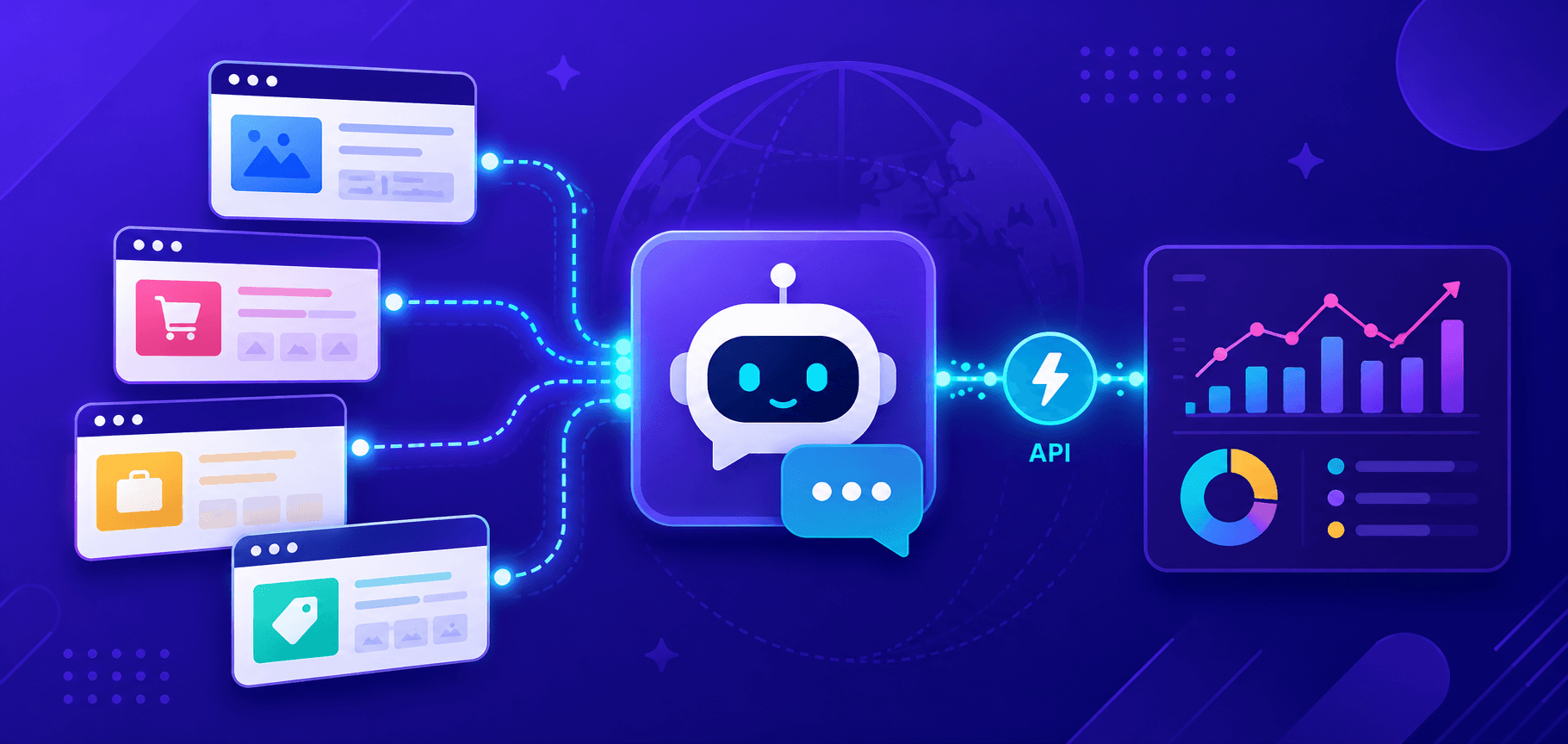
So, what is A-Parser? It is a universal multi-threaded parser, a program that helps collect and structure information from any web resources. It is useful, for example, for marketers, SEO specialists, content managers, and business analysts. At first glance, its settings may seem complicated, but once you spend a little time learning them, you will immediately appreciate how convenient the tool is. Here are the main advantages of this solution:
Multi-functional: A-Parser can collect data from various sources, including web pages, search engines, social networks, and messengers.
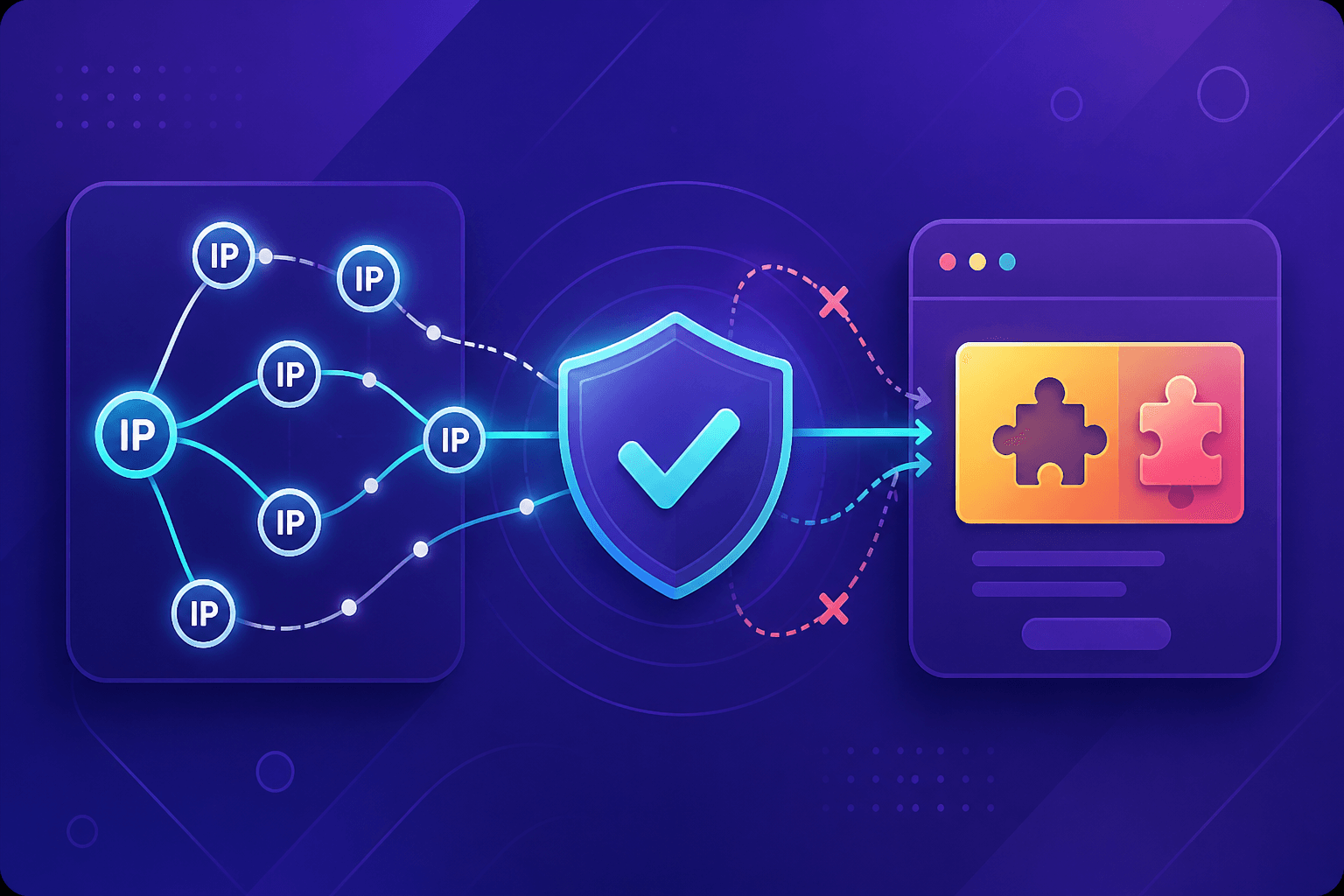
Proxy support: both built-in and custom proxies are supported.
Integrates with online CAPTCHA-solving services.
Scalable: suitable for collecting large volumes of data.
Flexible settings: users can configure the parser for different tasks and websites, including setting up custom data extraction rules.
A reliable CAPTCHA-solving tool – CapMonster Cloud
A-Parser does not solve CAPTCHAs on its own, so special services supported through integration are required. One of them is CapMonster Cloud — a cloud-based automated CAPTCHA-solving service designed to simplify and automate bypassing various CAPTCHA types, including in web scraping tasks. Let’s also highlight its main advantages:
Wide range of supported CAPTCHA types: reCAPTCHA v2, reCAPTCHA v3 (including Enterprise versions), GeeTest, and more.
High processing speed: CapMonster Cloud offers fast CAPTCHA solving, which helps reduce request processing time and improve the efficiency of automated workflows.
Uses artificial intelligence instead of manual solving: this improves both solving speed and accuracy while significantly reducing costs.
The service can be integrated with a wide range of automation tools and software. CapMonster Cloud provides both an API and browser extensions.
A-Parser and CapMonster Cloud Integration
We have reviewed the advantages of each of these tools, and now we can move on to their integration. First, it is a good idea to study A-Parser documentation on parser setup and captcha bypass. You should have the full version of the software installed, and you also need to register in the CapMonster Cloud system and obtain a personal API key for connection (it is located in your account, where you can also view statistics and captcha-solving logs).
Parser Configuration
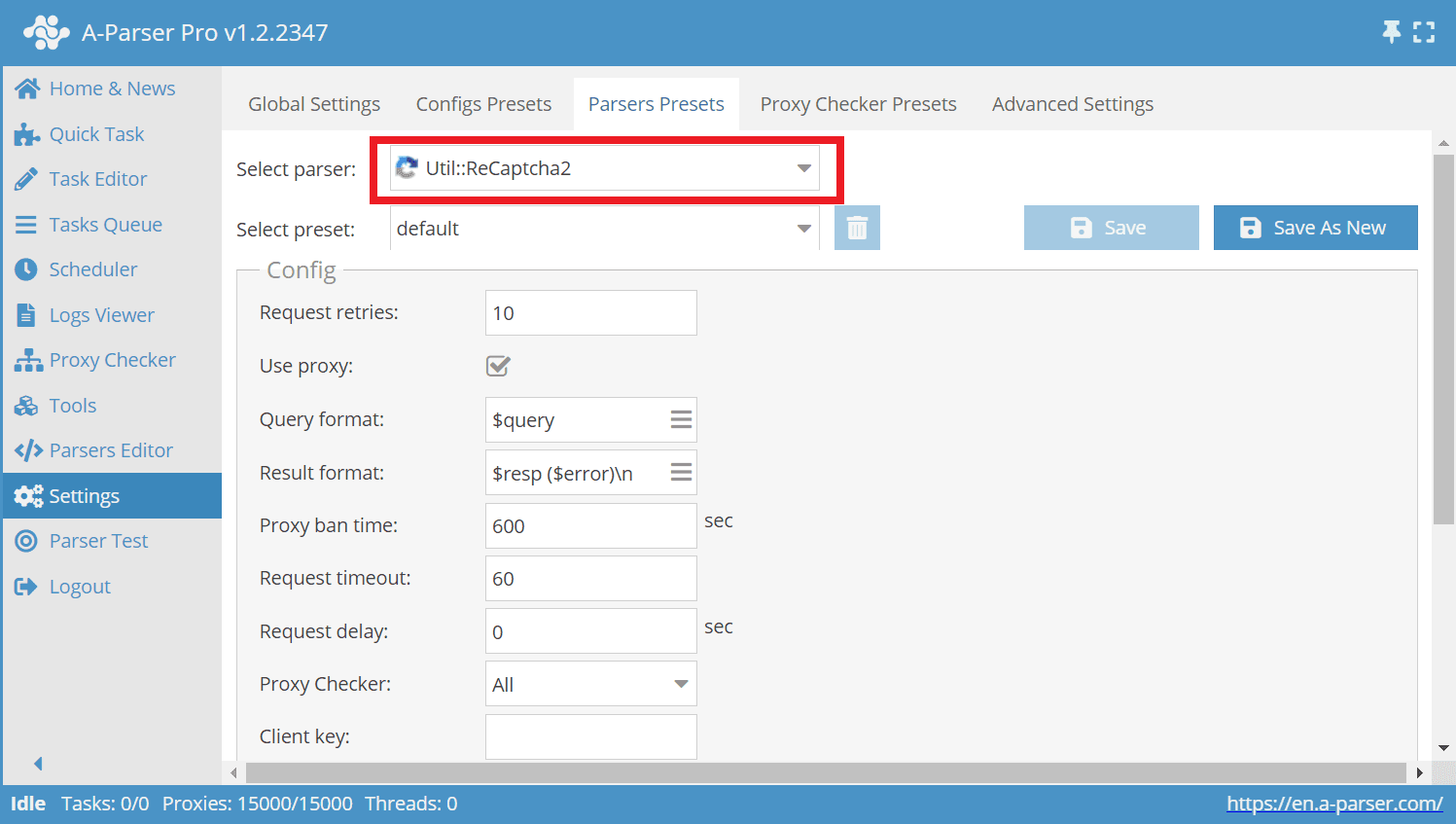
Launch A-Parser, open Settings and go to Parser Settings. Here we select the required parsers and set the necessary parameters. In our example, we will use the SE::Google parser — it extracts search engine results. This parser requires the Util::ReCaptcha2 component, so we select it from the list:
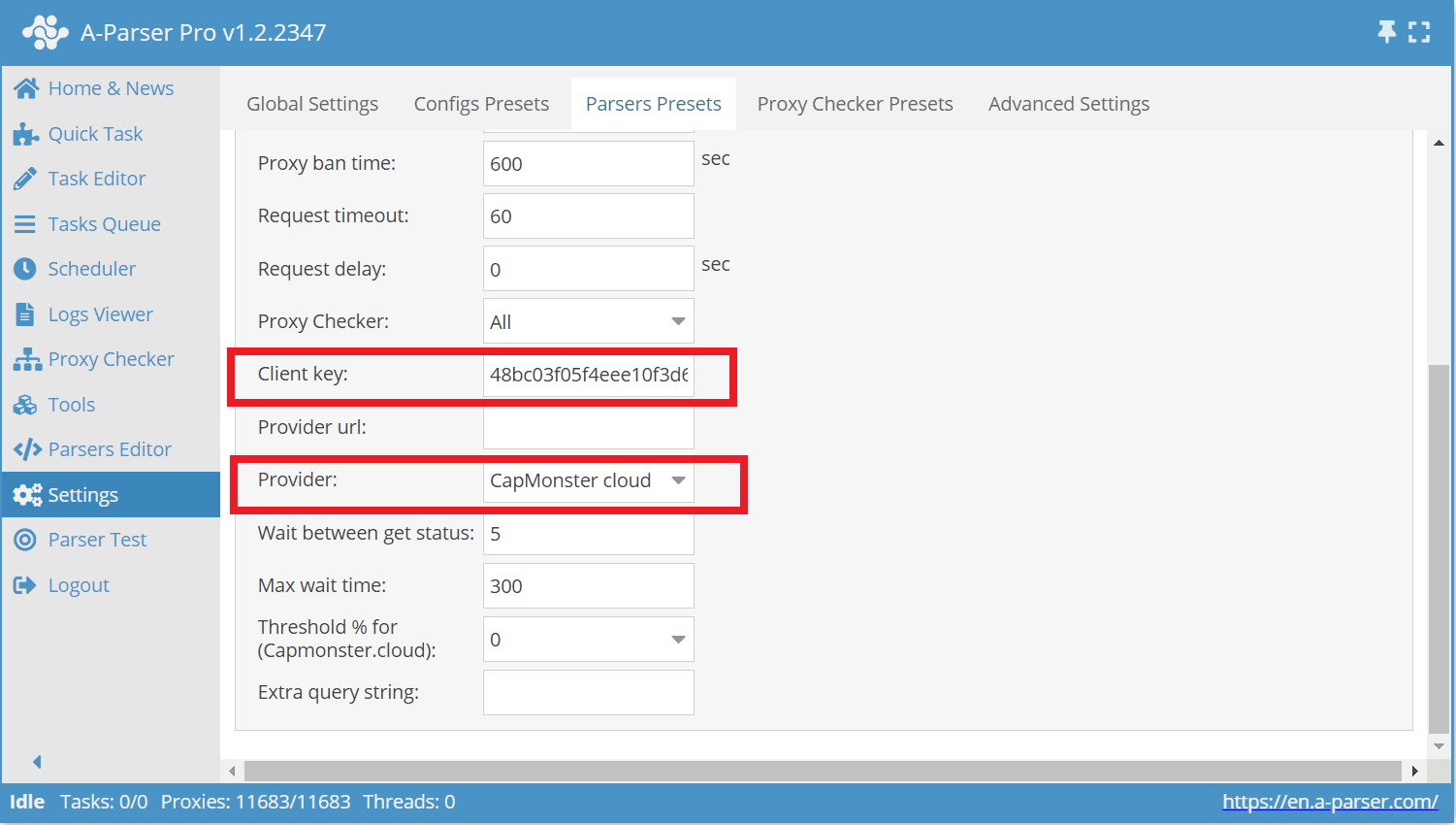
Next, select Provider – CapMonster Cloud and enter your CapMonster Cloud API key in the Client key field:
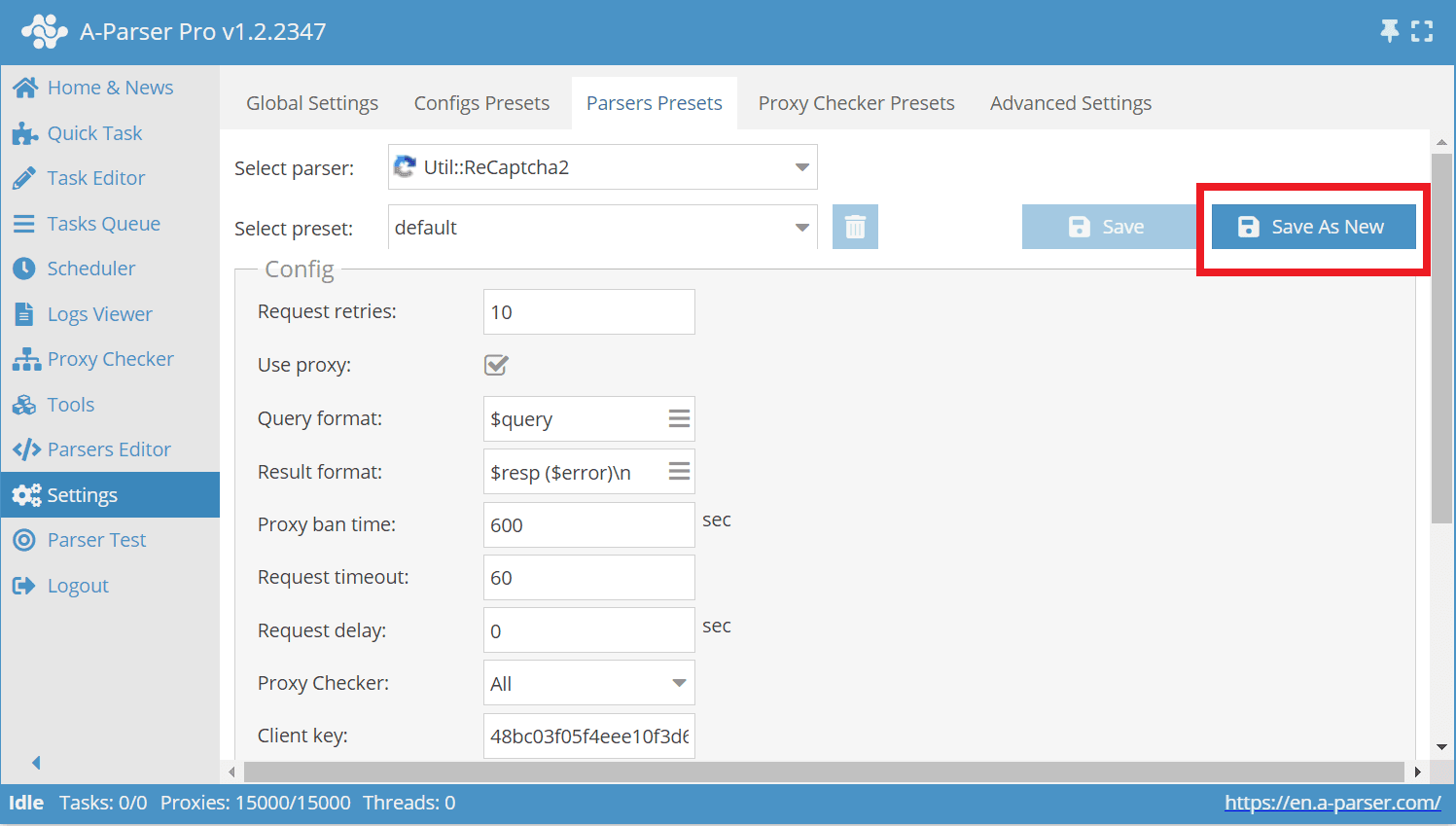
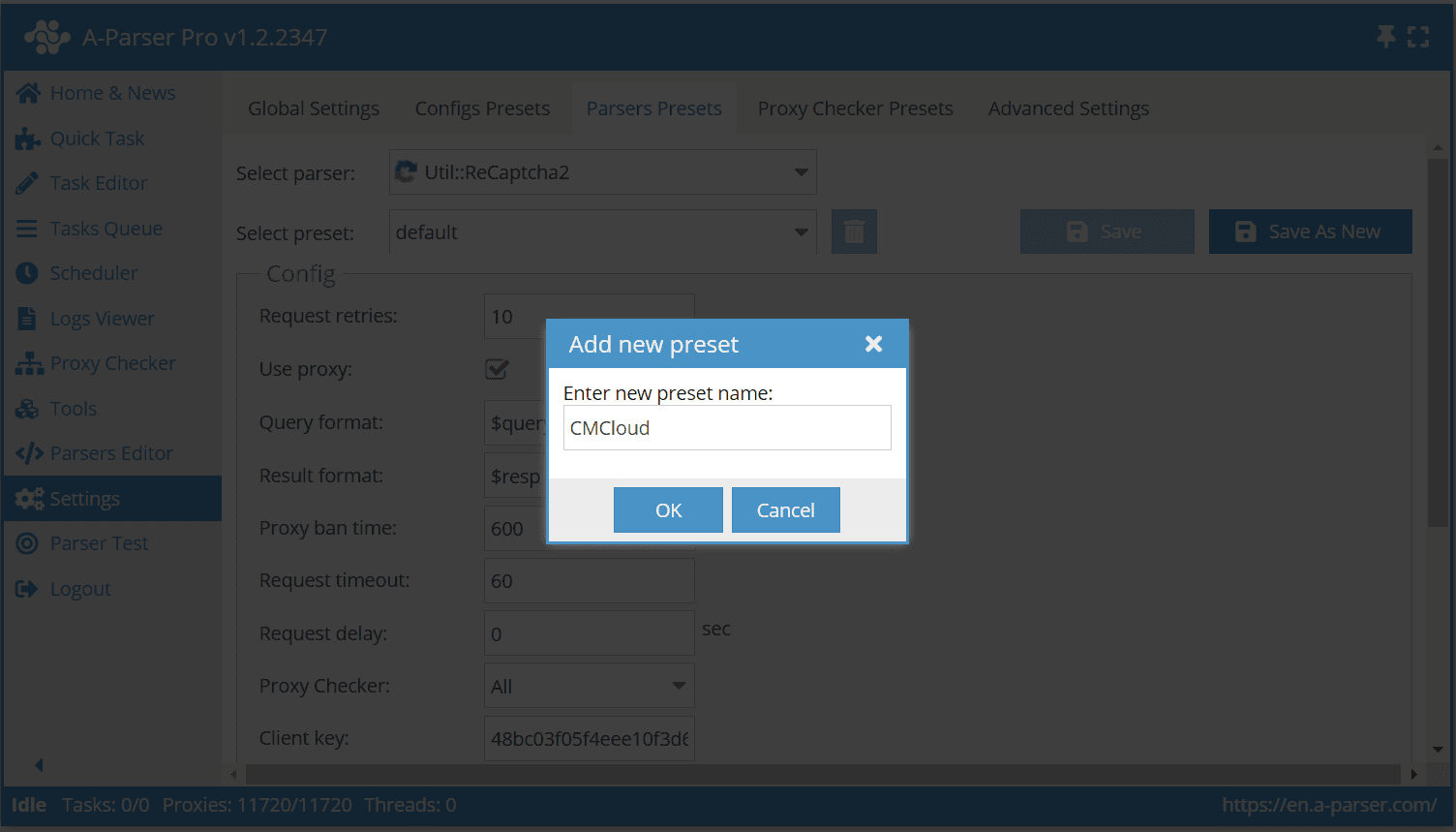
Now save the new preset and give it a name (for example, “CMCloud”):
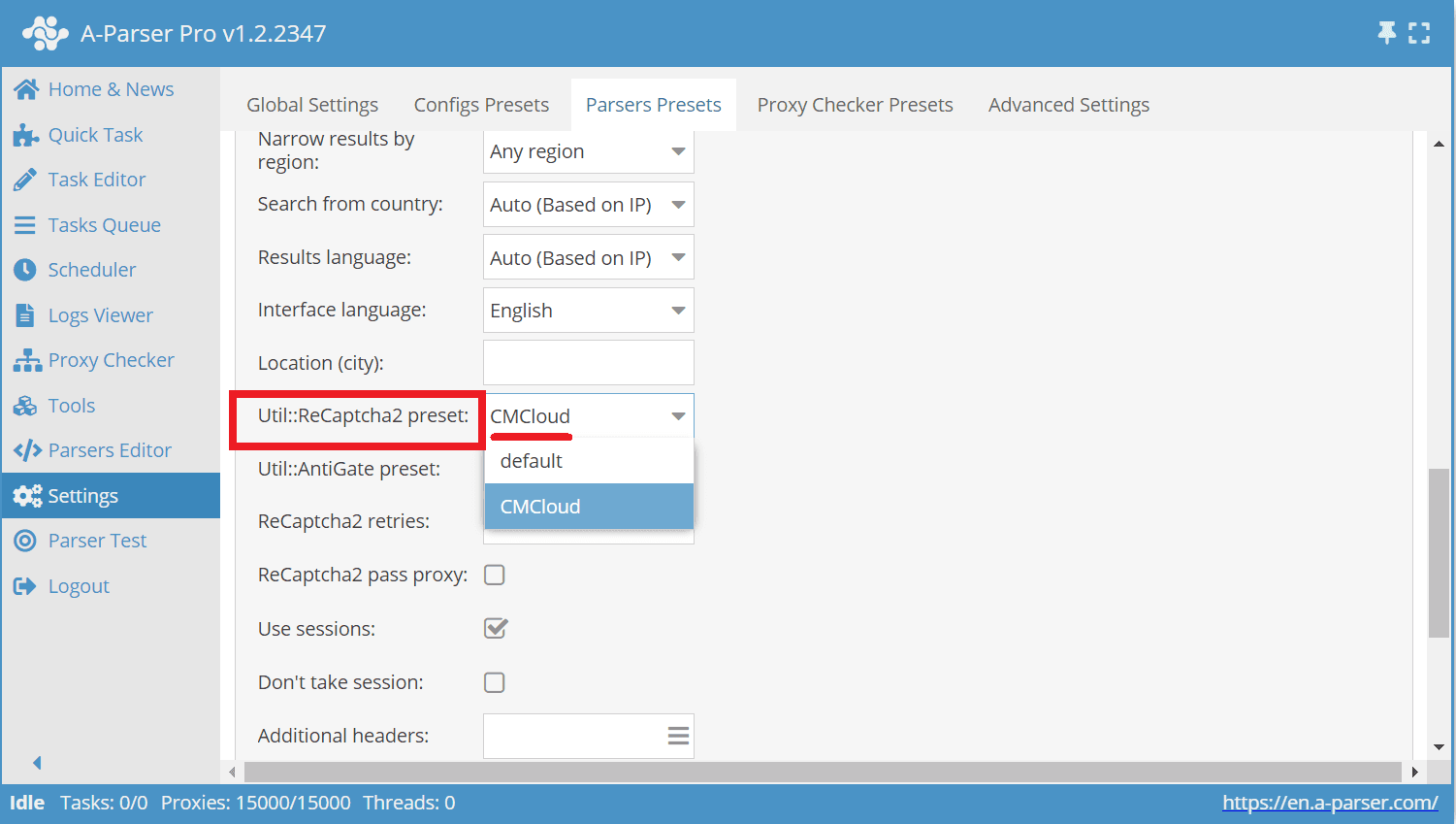
Now go to the SE::Google parser. In the same Parser Settings list, select it and choose your created “CMCloud” preset in the Util::ReCaptcha2 preset field:
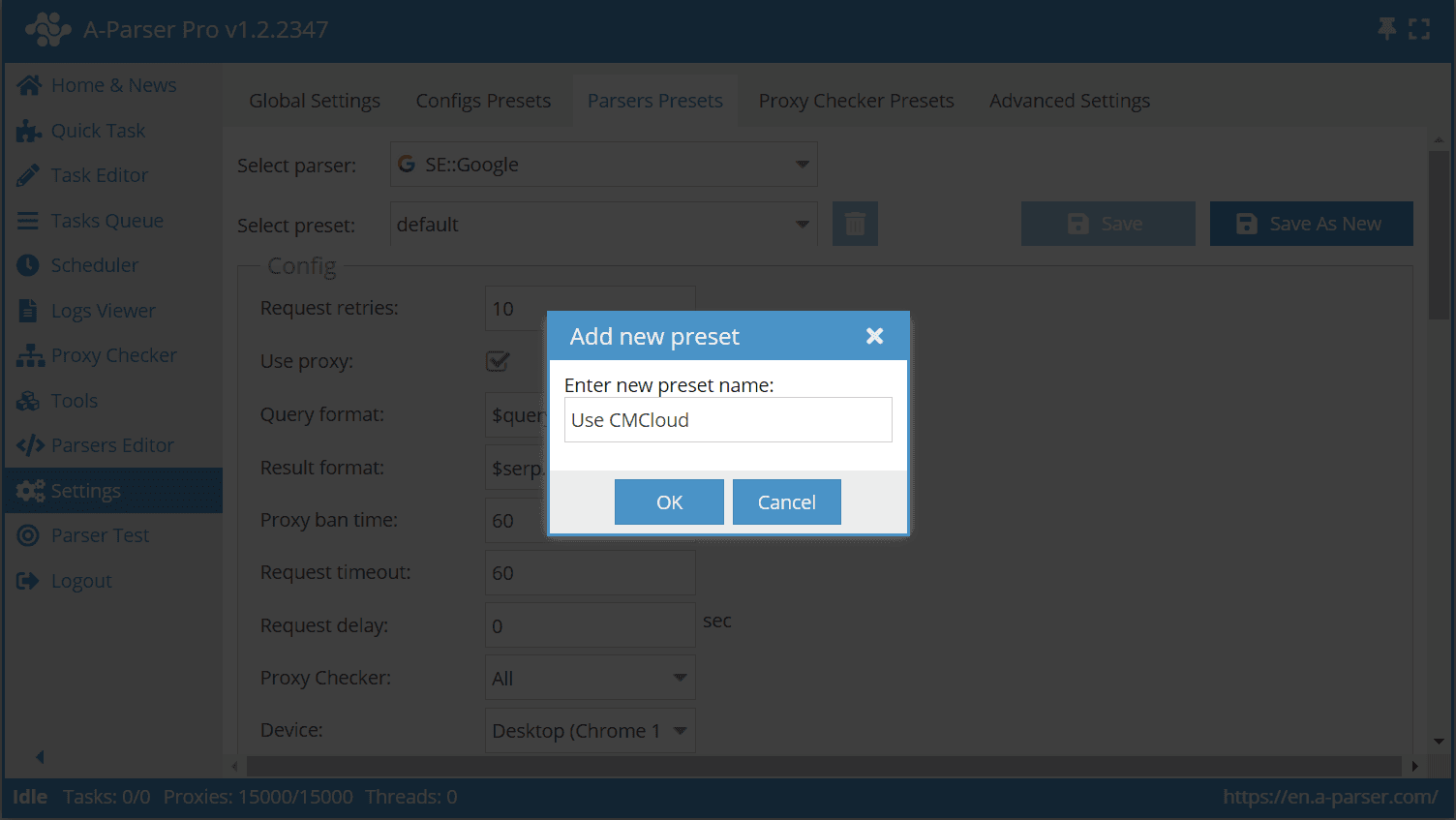
Save it as a new preset and give it any convenient name (in our example “Use CMCloud”):
Connecting to the parser in the Task Editor
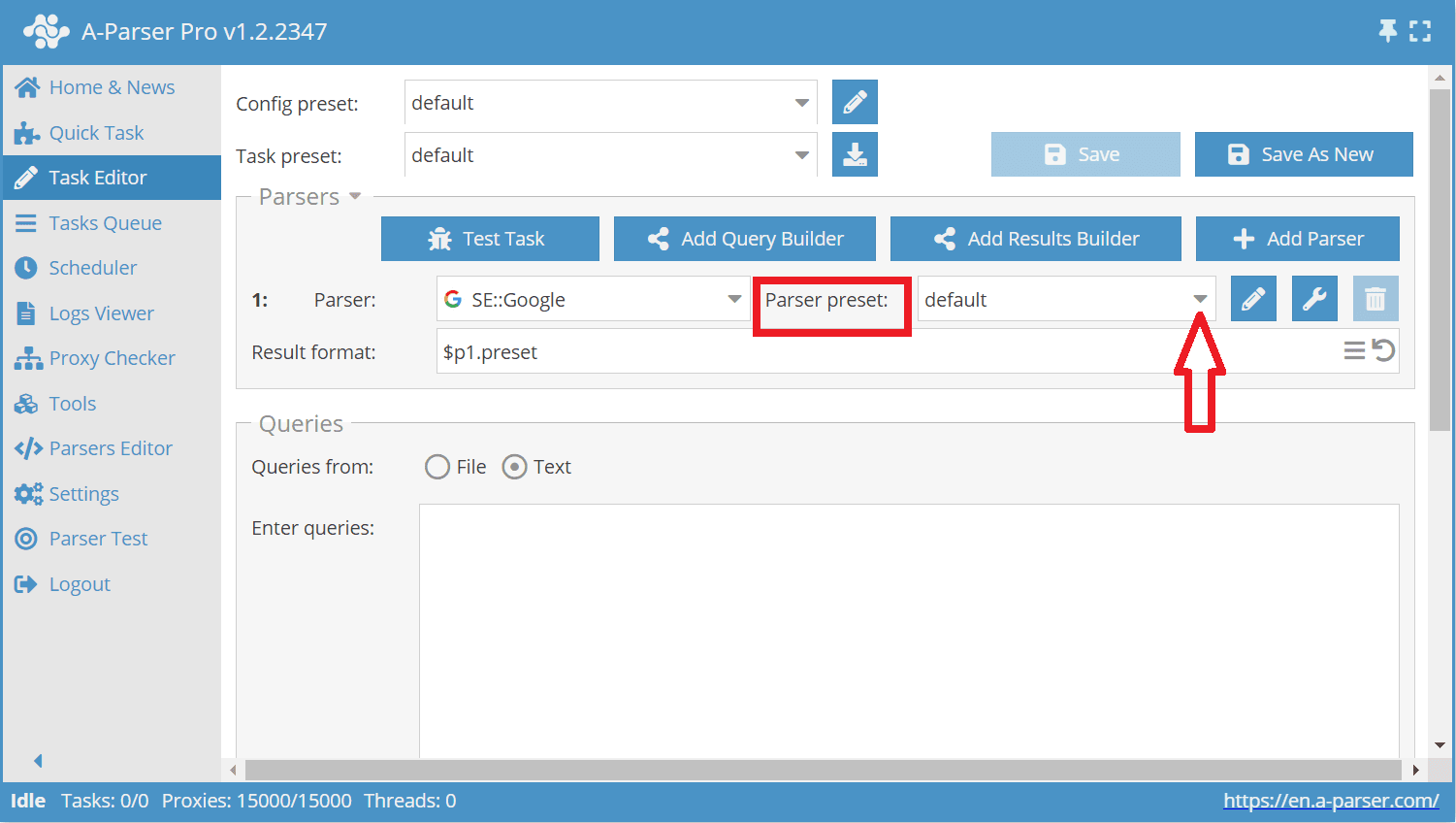
Then go to the Task Editor and select the last created preset (“Use CMCloud”) for the SE::Google parser:
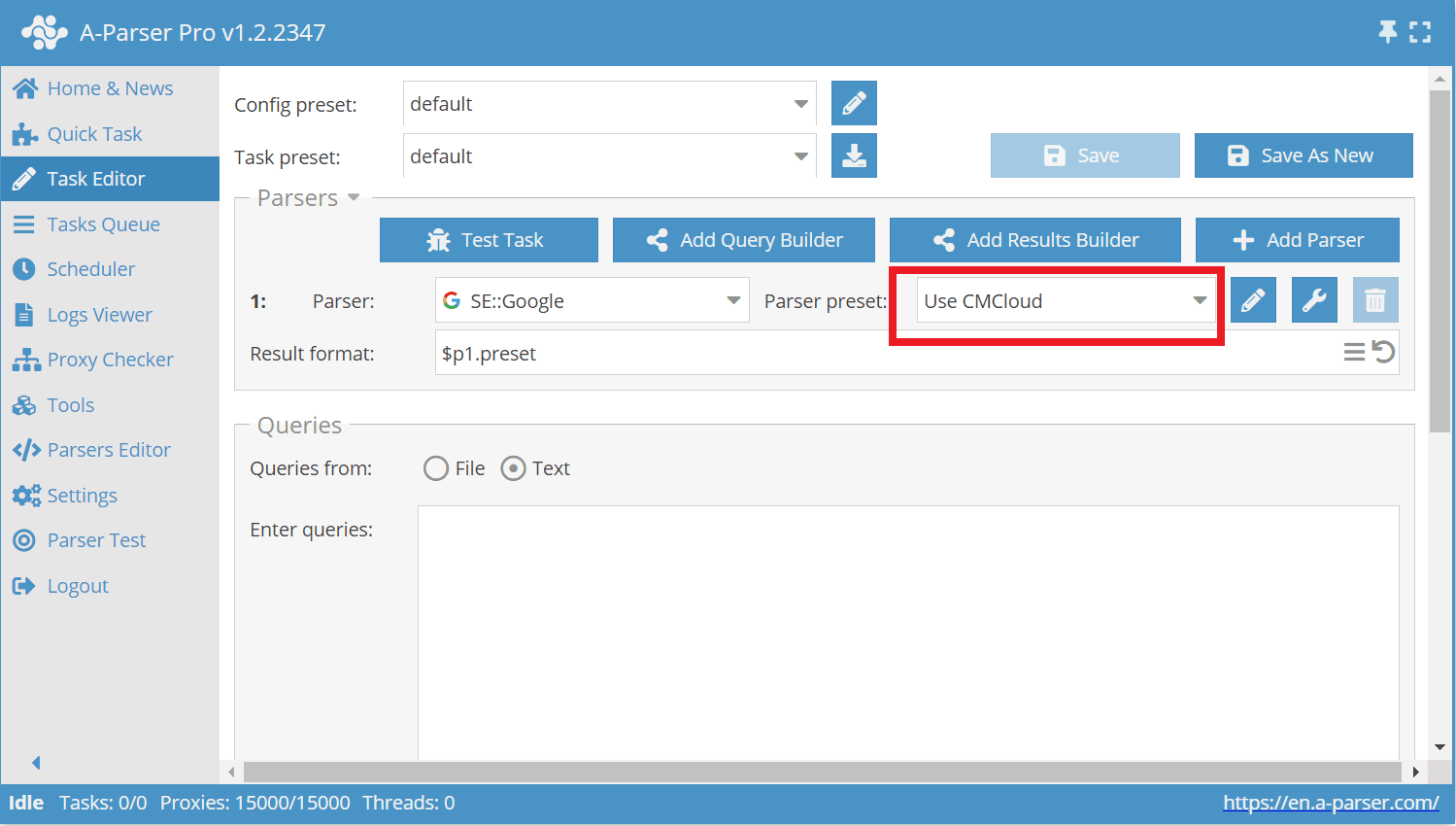
After that, you can enter any queries and adjust other settings. Start the task and test the parsers and the CapMonster Cloud integration.
Conclusion
As you can see, A-Parser and CapMonster Cloud are an excellent choice of tools for users who work with parsing and want to easily overcome common obstacles. They are easy to configure, regularly updated, and well supported, and users do not necessarily need programming skills or custom scripts. Together, they form a reliable duo that automates data collection processes, improves performance, and simplifies working with data overall.
NB: Please note that the product is intended for automated testing exclusively of your own websites and resources to which you have legal access rights.