CapMonster Cloud API
 Extension for browsers



How to Avoid CAPTCHA: Effective Methods That Actually Work
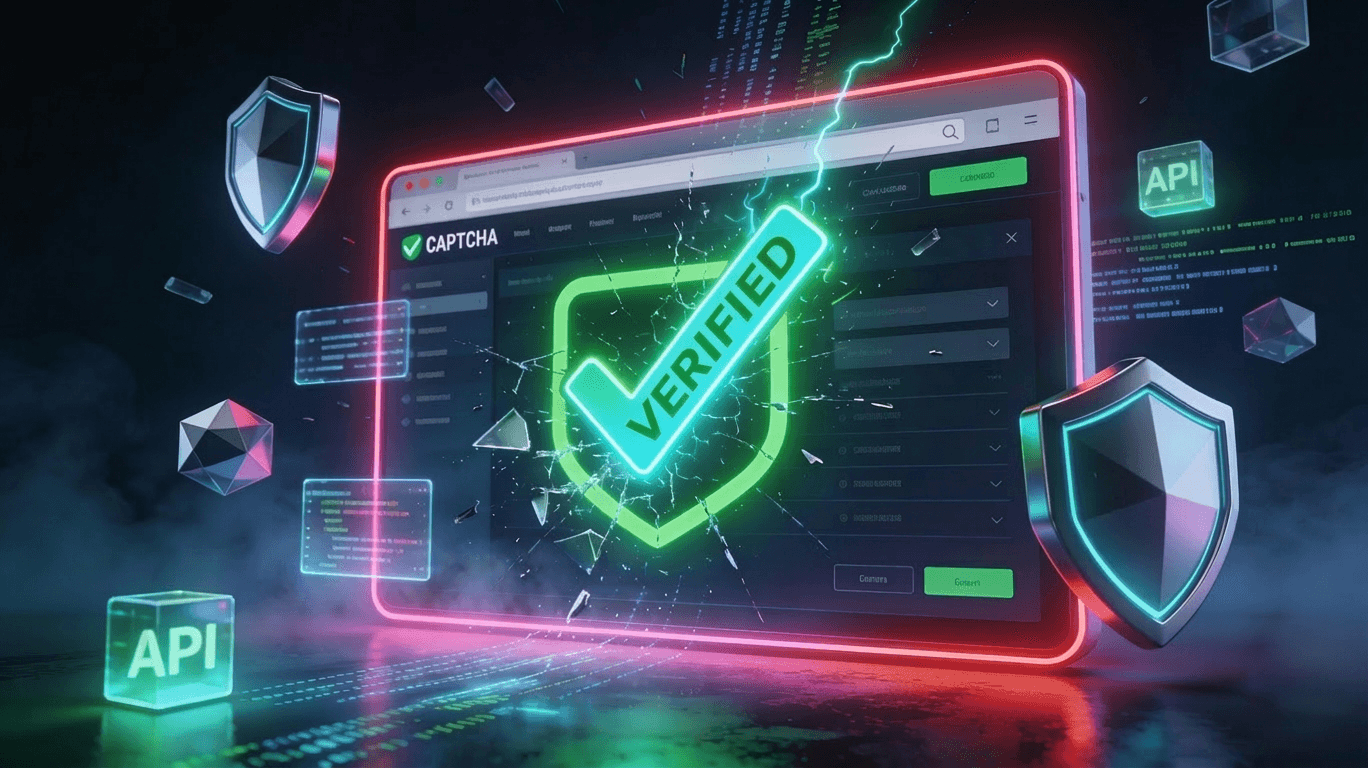
You are halfway through filling out a form or running an automated script, and then it appears — the image grid, the spinning wheel, the checkbox that refuses to stay checked. CAPTCHA challenges frustrate regular users and derail developer workflows alike. If you have ever searched for how to avoid CAPTCHA, you are far from alone.
This guide covers why CAPTCHAs appear in the first place, what signals trigger them, and what practical, legitimate approaches exist to reduce or eliminate friction — whether you are a regular internet user trying to pass a CAPTCHA test quickly or a developer who needs a reliable pipeline to pass CAPTCHA at scale.

Why CAPTCHAs Appear in the First Place
CAPTCHA stands for "Completely Automated Public Turing test to tell Computers and Humans Apart." Websites deploy them to protect login forms, checkout pages, comment sections, contact forms, and APIs from automated abuse — credential stuffing, scraping, spam submissions, and more.
Understanding why a CAPTCHA fires is the first practical step toward learning how to avoid CAPTCHA legally and efficiently. The most common triggers include:
- Suspicious IP reputation — IP addresses shared by VPN providers, data center ranges, or previously abused proxies are flagged immediately.
- Missing or inconsistent browser signals — a real browser sends hundreds of fingerprint signals (user-agent, screen resolution, canvas data, font list). Automated tools often omit these or set them to implausible values.
- Unusual request timing — a human completing a form takes seconds to minutes; a bot can submit the same form in milliseconds.
- No interaction history — reCAPTCHA and similar systems analyze mouse movements, scroll behavior, and time-on-page before a user even clicks "Submit."
- Cookie or session state — users who are logged into a Google or browser account accumulate trust signals that typically lower challenge frequency.
Understanding these triggers lets both users and developers address the root cause rather than fighting the symptom.
How to Avoid CAPTCHA as a Regular User
For everyday browsing, the most effective way to avoid CAPTCHA is to look and behave like a trusted user. That is not a trick — it is simply how these systems are designed to reward legitimate traffic.
Use a mainstream, up-to-date browser. Chrome and Firefox with JavaScript enabled pass the vast majority of invisible checks without any visible challenge. Niche or heavily modified browsers can often fail fingerprint checks.
Stay signed into your Google account when using reCAPTCHA-protected sites. Google's risk engine assigns a score based on your account's history. A real, active account with normal browsing patterns will typically receive a low-risk score, resulting in no visible challenge — this is the essence of the "no CAPTCHA" experience that reCAPTCHA v3 aims to deliver to trusted users.
Avoid consumer VPNs on sensitive forms. VPN exit nodes are shared among thousands of users, some of whom may have triggered abuse flags. Switching off your VPN before submitting a form is often enough to skip the CAPTCHA entirely.
Move your mouse naturally before clicking. On reCAPTCHA v2 sites, small, organic cursor movements before clicking the checkbox can improve your chance of passing with a single click rather than being shown an image challenge.
How to pass a CAPTCHA test when one does appear: read the instructions carefully, select all matching tiles (including partial overlaps at the edges), and click "Verify" only once. Multiple rapid clicks or hesitant back-and-forth selections can increase the challenge difficulty. If the images are ambiguous, it is usually better to mark it.
How to Avoid CAPTCHA as a Developer or Automation User
Developers face a different problem: scripts and automated pipelines lack the organic behavior that CAPTCHA systems reward. Knowing how to block CAPTCHA interference from breaking your workflow requires addressing signals at the infrastructure level.
Control your IP reputation. Residential proxies rotate through real consumer IP addresses and carry far better reputation scores than data center IPs. If your automation triggers CAPTCHAs consistently, your IP pool is almost certainly the first place to investigate.
Mimic real browser fingerprints. Tools such as Playwright and Puppeteer support stealth plugins that patch common fingerprint leaks — inconsistent WebGL renderers, missing AudioContext, absent plugin lists, and more. Getting these signals right is often one of the most effective optimizations for those trying to figure out how to get around reCAPTCHA.
Rate-limit your own requests. Sending requests at human-like intervals (with randomized delays) can significantly reduce detection rates. A burst of many identical requests in one second is a strong bot signal; the same requests spread over several minutes are far harder to distinguish from organic traffic.
Handle cookies and sessions properly. Persist cookies across requests, maintain a realistic session lifecycle, and match your headers — Accept-Language, Accept-Encoding, Referer — to what a real browser would send.
Test your setup with a dedicated bot-detection checker. Tools that report which fingerprint signals your headless browser leaks (such as Sannysoft's bot detection test page — verify current availability before relying on it) give you a clear remediation list before you encounter live CAPTCHA challenges.
CAPTCHA Solving APIs: Automating the Pass with CapMonster Cloud
Even with perfect fingerprinting and residential proxies, some CAPTCHA implementations are aggressive enough that they cannot be avoided entirely — they must be solved. This is where CAPTCHA-solving APIs become the practical choice for developers who need to pass reCAPTCHA or pass a CAPTCHA test programmatically at scale.
CapMonster Cloud is an AI-powered CAPTCHA solving service built for exactly this scenario. It exposes a clean REST API and provides ready-to-use libraries in C#, Python, and JavaScript, so integration into an existing automation pipeline typically takes minutes rather than hours.
What CapMonster Cloud Supports
The platform handles a broad spectrum of CAPTCHA types, including:
- reCAPTCHA v2 and v3 (standard and Enterprise variants)
- Cloudflare Turnstile and Cloudflare Bot Challenge
- GeeTest, FunCaptcha, Amazon WAF, and DataDome
- Text / image CAPTCHAs, MTCaptcha, Tencent CAPTCHA, Imperva (Incapsula), Yidun, Altcha, and more
This breadth means a single integration can cover a wide range of challenge types a developer is likely to encounter across different target sites.
Transparent Pricing
CapMonster Cloud charges only for successfully solved CAPTCHAs — no hidden fees or mandatory subscription commitments. As an example of the pricing structure: reCAPTCHA v2 image solving starts at $0.04 per 1,000 images, while reCAPTCHA v2 token (proxyless) solving is priced at $0.60 per 1,000 tokens. Success rates reach up to 99% across many of the most commonly used CAPTCHA types. Always verify the current rates on the official pricing page before budgeting, as prices are subject to change.
Volume Bonus Program
CapMonster Cloud rewards high-usage customers with balance bonuses: 5% back after $500 in solved CAPTCHAs, 10% after $1,000, and 15% after $10,000. This makes it increasingly cost-effective as your automation volume grows.
Browser Extension for Regular Users
For non-developers who simply want to skip CAPTCHA while browsing, CapMonster Cloud also offers a browser extension for Chrome and Firefox. Once installed and linked to an account, it silently solves CAPTCHAs in the background — no manual interaction required.
Ethical Use Policy
CapMonster Cloud explicitly limits its service to legitimate use cases: testing websites you own or are authorized to test, computer-vision image recognition, and assisting users with accessibility needs such as visual impairments. This policy aligns with responsible automation standards and is worth reviewing before integrating any CAPTCHA-solving API into a production workflow.
Accessibility and the "No CAPTCHA" Movement
The push to reduce CAPTCHA friction is not only a developer concern — it is an accessibility issue. Users with visual impairments, cognitive disabilities, or motor difficulties can face significant barriers with traditional CAPTCHA challenges, which creates a conflict with WCAG 2.1 accessibility guidelines.
The industry has responded with a shift toward frictionless verification: reCAPTCHA v3 runs in the background and returns a risk score without presenting a visible challenge to most users. Cloudflare Turnstile similarly replaces intrusive challenges with passive browser checks. The ideal outcome — a genuine "no CAPTCHA" experience — is achievable for most legitimate users on sites that implement modern verification correctly.
For site owners, choosing the right CAPTCHA implementation has a measurable impact on conversion rates and inclusivity, not just security.
Ethical and Legal Boundaries
It is important to draw a clear line: the methods described in this article are intended for legitimate purposes — improving your own user experience, testing systems you own, building accessible tooling, or automating workflows on services where automation is explicitly permitted by the terms of service.
Bypassing CAPTCHA in order to perform unauthorized scraping, submit spam, conduct credential stuffing, or circumvent security measures you do not have permission to test falls outside ethical use and may violate applicable laws (including the Computer Fraud and Abuse Act in the US and equivalent legislation in other jurisdictions), as well as the terms of service of the target platform.
Always read the ToS of a site before automating interactions with it.
Implementation Checklist for Developers
Before you go live with any automation that needs to pass reCAPTCHA or another verification layer, run through this checklist:
IP quality — are you using residential or mobile proxies with clean reputation scores?
Browser fingerprint — does your headless browser pass common bot-detection checks?
Request pacing — are delays randomized and human-realistic?
Session management — are cookies persisted and headers consistent across requests?
CAPTCHA fallback — is a solving API (such as CapMonster Cloud) integrated for cases where a challenge cannot be avoided?
ToS compliance — have you confirmed the target site permits automated access?
Error handling — does your pipeline retry gracefully when a CAPTCHA solve fails rather than hammering the endpoint?
Monitoring — are you tracking solve rates and challenge frequency to detect when site-side changes require a configuration update?
FAQ
How do I skip CAPTCHA on a form I own? If you control the site, the most effective approach is to implement reCAPTCHA v3 or Cloudflare Turnstile, both of which are invisible to most trusted users. You can also whitelist specific IP addresses or authenticated user accounts in your backend to bypass the challenge entirely for known-good traffic.
How do I pass reCAPTCHA v3? reCAPTCHA v3 does not present a visible challenge — it returns a score between 0.0 and 1.0 representing the likelihood of human interaction. If your automation is receiving a low score, focus on improving browser fingerprinting, IP reputation, and session behavior rather than trying to solve a visible challenge. If you need to pass reCAPTCHA v3 in a testing context, CAPTCHA-solving APIs like CapMonster Cloud can return a valid v3 token that can be submitted alongside your form.
How do I get around reCAPTCHA when testing my own site? Add a server-side bypass for requests that carry a known test header or originate from a whitelisted internal IP. This is cleaner and more reliable than attempting to get around reCAPTCHA from the client side during development.
What is the easiest way to pass a CAPTCHA test automatically? For developers, integrating a solving API is the most reliable path. CapMonster Cloud offers quick-start libraries in multiple languages and handles the complexity of token generation transparently. For casual users, the CapMonster Cloud browser extension automates the process with no coding required.
What does "no CAPTCHA" mean? "No CAPTCHA" refers to the experience where a verification system runs silently in the background and trusted users never see a challenge at all. reCAPTCHA v3 and Cloudflare Turnstile both aim to deliver this experience for legitimate traffic.
Conclusion
Learning how to avoid CAPTCHA is really about understanding what signals these systems rely on and then addressing them at the right level — whether that means adjusting your browsing habits, improving your automation's fingerprint, or integrating a solving API for cases where a challenge cannot be sidestepped.
For regular users, the fastest path to a frictionless experience is to use a real browser, stay signed in to the Google account (to pass the most popular reCAPTCHA), and keep your IP clean. For developers, the combination of residential proxies, stealth fingerprinting, and a reliable CAPTCHA-solving API covers the vast majority of real-world scenarios.
Ready to eliminate CAPTCHA friction from your automation pipeline? Try CapMonster Cloud — set up your API key in minutes, integrate with your preferred language library, and benefit from up to 99% solve rates across a wide range of CAPTCHA types. You only pay for successfully solved challenges.