Choose a convenient format
Automatic Recognition
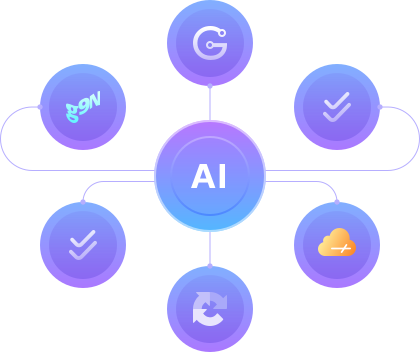
Captcha extensions simplify the process of passing checks, freeing users from the need to solve puzzles manually. CapMonster Cloud uses automated algorithms and neural networks for quick CAPTCHA recognition and completion.Fast Captcha Bypass
The anti-captcha extension is installed in the browser and intercepts verification requests, sending them to the cloud service. The system analyzes the image or text, recognizes it, and automatically fills in the captcha field. Using the CapMonster Cloud extension for browsers significantly speeds up work on websites where such checks are regularly required.
Which CAPTCHAs Can Be Automatically Recognized with the CapMonster Cloud Extension?

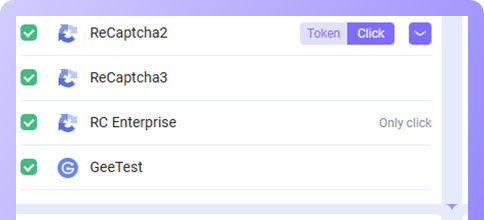
reCAPTCHA v2
Standard and Invisible. Popular image-based captcha and hidden checks.
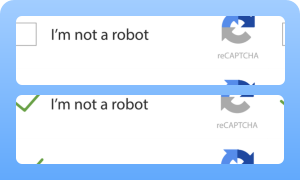
reCAPTCHA v3
Evaluates user behavior without requiring data input.

RC Enterprise
Enterprise version of reCAPTCHA with advanced verification algorithms.


GeeTest
Slide Intelligent Mode, Icon, and Space CAPTCHA.
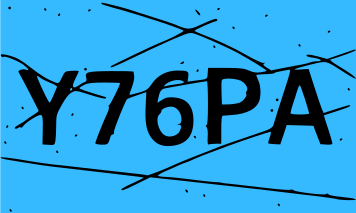

Text CAPTCHAs
Distorted characters.


Cloudflare Turnstile
User interaction-free captcha based on behavior analysis.


BLS
May include both text and graphic elements.
How to Install the CapMonster Cloud Extension for Chrome and Firefox
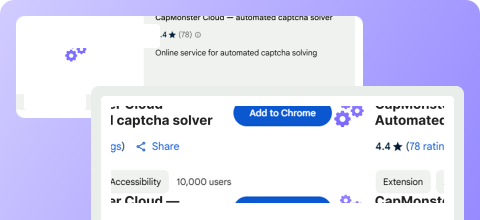
Step 1. Install the Extension
Step 2. API Setup
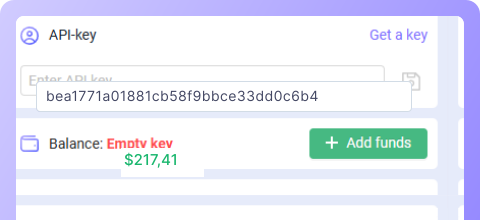
After installation, open the extension and enter your API key, which you can get from your CapMonster Cloud account. Save the changes. Ensure that your account balance is greater than 0. If not, top up your balance.
Step 3. Start Using
Now that the extension is installed and set up, you can use CapMonster Cloud to automatically solve CAPTCHAs. If needed, configure additional API settings in the extension and start using the convenient tool to bypass CAPTCHAs.
Video Instructions

How to Recognize CAPTCHA in Chrome

How to Recognize CAPTCHA in Firefox
CapMonster Cloud Pricing

Proxy included in the price: save on CapMonster Cloud*
| CAPTCHA | Price (USD) | |
|---|---|---|
$ 0.04* 1000 images$ 0.60 1000 tokens | ||
$ 0.90 1000 tokens | ||
$ 0.04* 1000 images$ 1.00 1000 tokens | ||
$ 1.30 1000 tokens | ||
$ 1.30 1000 tokens | ||
$ 1.20 1000 tokens | ||
$ 0.30 1000 tokens | ||


Advantages of CapMonster Cloud Extensions

Time Saving and Productivity Boost
Thanks to automated captcha solving, processes are faster, significantly speeding up work and eliminating the repetitive task of entering characters.

Solving without user intervention
After setup, all CAPTCHAs are processed in the background. You don’t need to manually input characters – the system sends requests and receives responses automatically.

Compatibility with Different Browsers
The extension is available for both Chrome and Firefox, ensuring stable performance.

Easy Integration with an API-key
Simply download the extension, enter your API key, and start using it.
Frequently Asked Questions About CapMonster Cloud Extension

How to install CapMonster Cloud Extension for Chrome?
What features does the Chrome extension provide?
Where to download CapMonster Cloud for Firefox?
Does the extension support auto-updating?
Can the Extension solve text CAPTCHAs?
Can the extension be installed in the ProjectMaker browser?
How to integrate the extension with Selenium in Node.js?
For more detailed information, visit the official CapMonster Cloud documentation.