Solving a reCAPTCHA V2: A Comprehensive Guide for Web Scrapers
This article offers significant details about solving recaptcha specifically for recaptcha v2. Recaptcha is a CAPTCHA (Completely Automated Public Tutorial System) designed to ensure that only humans and not bots and automated software can access websites. It is used mainly to secure forms, logins, and other services on the site. This guide outlines several strategies, including the recaptcha solving method and the recaptcha v2 solver.

reCAPTCHA is a tool developed by Google to identify whether the person using the site is a human or a bot. It is a security product (an anti-bot tool) for sites, which helps to fight against spam, DDoS attacks, and other threats that are associated with bots. CAPTCHA-solving services are used to automate the process in a way that is legal.
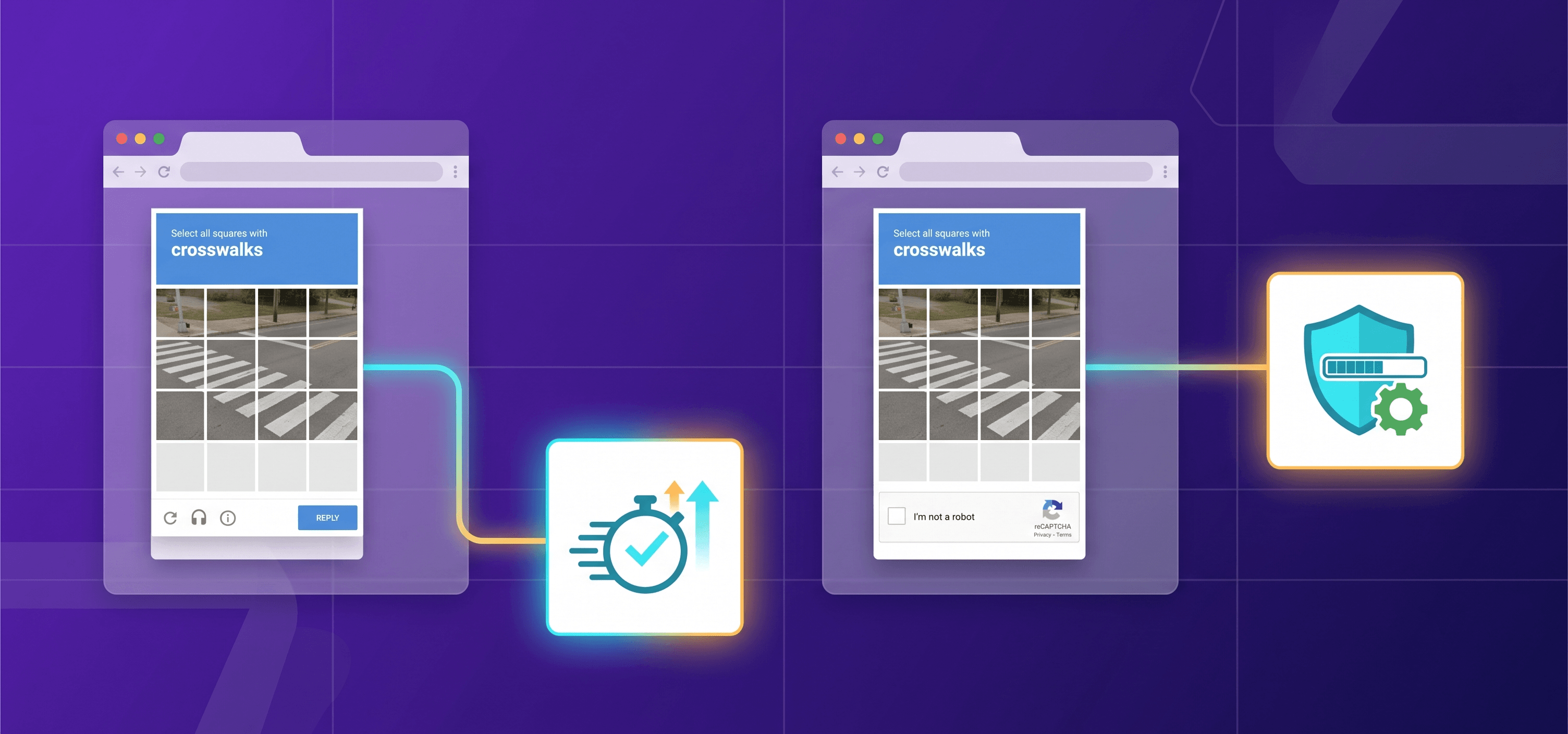
reCAPTCHA functions by requiring individuals to conform to certain tasks; for instance, identifying certain objects in a set of images or providing solutions to certain problems to prove their human status. These challenges are made to be easy for people to solve and very hard to solve for bots.
reCAPTCHA v2 Checkbox
This is the most basic form of CAPTCHA used on the web. To confirm they are not a bot, users are told to click a checkbox. Then, Google checks the user’s activity and whether the action is real or fake.
reCAPTCHA v2 Invisible
As the name suggests, this type of CAPTCHA is invisible to users. Using various algorithms to detect human behavior, Google automatically validates the user’s activity. The recaptcha v2 invisible solver allows automation of this process.
reCAPTCHA v3
This version is also invisible and provides a less intrusive experience for users. It analyzes user behavior on the site and assigns a score that determines the likelihood of bot activity. Website owners can set a threshold to identify suspicious actions.
reCAPTCHA Enterprise
This advanced version is designed for business customers. It offers enhanced tools for analyzing and managing bot activity on websites.
If you’re developing a web scraper, you may encounter reCAPTCHA if the website you’re scraping has implemented it to deter automated traffic. reCAPTCHA can pose a challenge for scrapers because it is designed to identify and block bots. As a result, if you’re using a web scraper, you may find yourself facing reCAPTCHA repeatedly, which can slow down and even halt your scraping process. To overcome this, you might consider using a reCAPTCHA solver.
A reCAPTCHA solver is a tool or service that provides manual solutions to reCAPTCHA challenges. Unlike automated methods, which can identify and solve reCAPTCHA challenges, a solver involves real humans providing the responses. These solutions are provided by freelance workers, often found on platforms like Fiverr or Freelancer, or by established companies that offer CAPTCHA solving services.
The purpose of reCAPTCHA is to protect websites from abuse. However, users may find it frustrating or time-consuming. Below are some legal methods to solve reCAPTCHA:
Using API-based CAPTCHA-solving services: Third-party services offer APIs that allow developers to interact with reCAPTCHA. These services use advanced algorithms to solve CAPTCHA challenges, typically requiring a subscription. The api key is required for authentication.
Using browser extensions: Some extensions automate reCAPTCHA solving using Optical Character Recognition (OCR) and machine learning techniques.
Using automated scripts: Developers can create scripts or software that automate the CAPTCHA-solving process. However, this requires a solid understanding of programming and web automation. Note that using automated scripts to solve reCAPTCHA without authorization violates website terms of service.
Disabling JavaScript: Since reCAPTCHA relies heavily on JavaScript, disabling it may prevent CAPTCHA from loading. However, this method can also break website functionality.
When selecting a reCAPTCHA solver, it’s essential to consider several key factors to ensure you’re getting a reliable and effective service.
Proximity: Choosing a solver that’s close to the location of the website you’re scraping can be beneficial. Since reCAPTCHA is tailored to the region where the request is made, a local solver may more accurately solve the reCAPTCHA, especially for targets in your country.
Price: The cost of using a solver can vary widely, from a few cents per reCAPTCHA to more expensive options. It’s important to find a price that fits your project’s budget while still providing accurate and timely solutions.
Quality: Not all solvers are created equal. Some providers may have higher accuracy rates due to the quality of their workers or the technology they use. Be prepared to pay more for higher-quality solutions.
Availability: The solver’s availability should also be a consideration, especially if you plan to run your scraper regularly. Some solvers may have limited slots available or offer service during specific hours, which could impact your scraping schedule.
CapMonster Cloud allows you to bypass verification based on most existing technologies, and reCAPTCHA v2 is no exception.
To bypass the protection, you only need to integrate a simple JSON request into your code and send it via the POST method to the API endpoint: https://api.capmonster.cloud/createTask. In general, it may look like this:
{
  "clientKey": "API_KEY",
  "task": {
    "type": "RecaptchaV2Task",
    "websiteURL": "https://your_site_with_recaptcha",
    "websiteKey": "your_website_key"
  }
}
The request must contain the following parameters:
Response example:
{
  "errorId": 0,
  "taskId": 7654321
}
Or, in case of an error:
{
  "errorId": 1,
  "errorCode": "ERROR_KEY_DOES_NOT_EXIST",
  "errorDescription": "Account authorization key not found in the system or has incorrect format",
  "taskId": 0
}
Detailed description:
| Property | Type | Description |
Get the reCAPTCHA solution:
Send a request with your CapMonster Cloud API key and task identifier:
POST request to https://api.capmonster.cloud/getTaskResult
{
  "clientKey":"API_KEY",
  "taskId": 407533072
}
Response example:
{
  "errorId": 0,
  "status": "ready",
  "solution": {
    "gRecaptchaResponse": "3AHJ_VuvYIBNBW5yyv0zRYJ75VkOKvhKj9_xGBJKnQimF72rfoq3Iy-DyGHMwLAo6a3"
  }
}