使用 CapMonster Cloud 解决 reCAPTCHA Enterprise:完整指南
现代网站的安全防护系统正变得越来越复杂,以防止各种脚本和自动化程序的滥用。智能算法、机器学习技术以及行为分析构建起强大的安全屏障,用于拦截潜在威胁。即使是标准验证码,如今也已成为一道严峻的防线,而针对大型企业和对安全性要求更高的网站,还开发出了更先进的解决方案 —— 其中之一便是 reCAPTCHA Enterprise。
在本文中,我们将详细介绍什么是 reCAPTCHA Enterprise、它与标准版本之间的区别,以及它如何帮助网站防御各种攻击。您将了解如何识别网站上的这一验证码类型,学习其主要特性与参数,并查看验证码处理示例,以便顺利完成验证并继续与目标网页进行交互。

什么是 reCAPTCHA Enterprise?
那么,reCAPTCHA Enterprise 是 Google 推出的高级安全防护版本,专为对安全性要求较高的网站和应用程序设计。与 обычных reCAPTCHA v2 和 v3 相比,它提供了更多附加功能和更强大的防护机制,因此更加适用于大型企业、金融机构以及其他处理敏感数据的组织。
功能特点与优势
reCAPTCHA Enterprise 采用了比标准版本更加复杂的安全机制。虽然其验证方式基本相同 —— 在 v2 中用户需要完成特定任务,而在 v3 中则主要依赖行为分析 —— 但 Enterprise 版本提供了若干显著优势:
灵活配置与详细分析功能。reCAPTCHA Enterprise 为网站管理员提供了更深入的配置选项和更完善的数据分析能力。这是其最重要的优势之一,可用于精细调整风险评分阈值,并结合更多因素进行判断,例如用户行为、操作速度以及地理位置等。
减少误判。借助复杂算法与风险分析机制,reCAPTCHA Enterprise 能够降低误报(false positives)的发生率。这对于拥有大量用户的大型企业和在线服务尤为重要,因为错误的封锁可能会影响真实用户。与 reCAPTCHA v2 不同,后者的错误通常较为明显(例如错误选择图片),Enterprise 的分析更加全面,还会综合考虑用户行为与信誉等额外因素。
详细报告。系统能够提供关于交互行为的详细信息,包括被拦截或被标记的原因,以及基于风险画像的分析结果。
Enterprise v2 与 v3 有什么区别?
与标准版本(非 Enterprise)类似,这两个版本的主要区别在于用户验证方式:
reCAPTCHA v2:
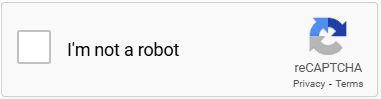
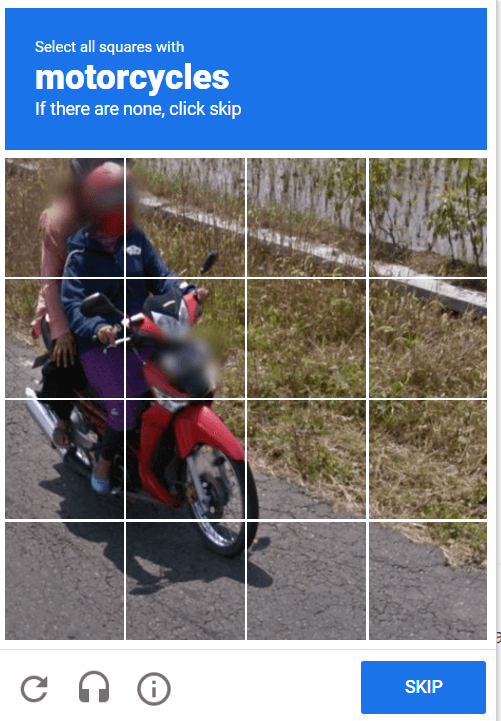
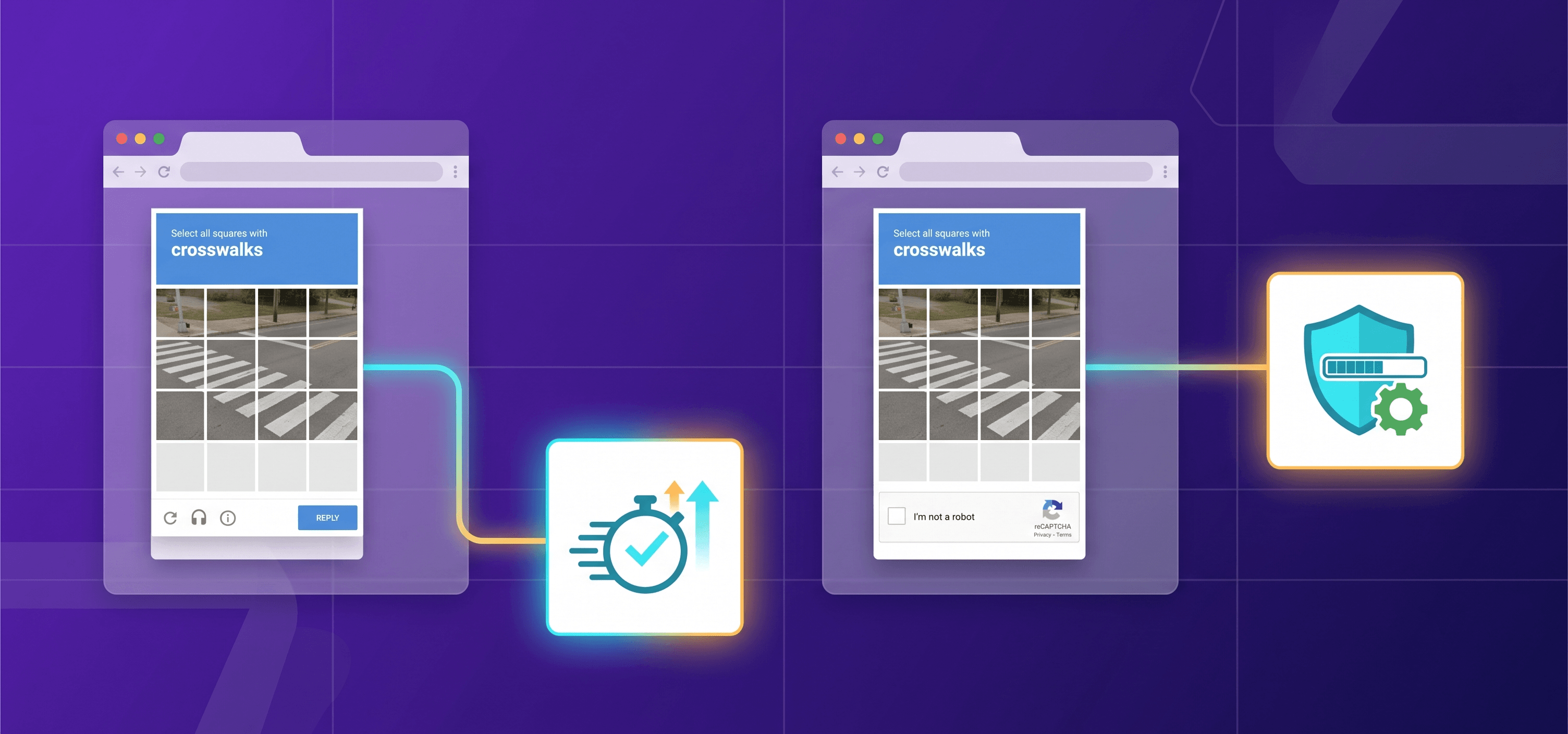
用户需要完成视觉或文本验证任务(例如选择包含红绿灯的图片),或者勾选“我不是机器人”复选框。此类验证通常是显式的(challenge-based),需要用户主动参与。适用于表单提交、登录页面以及其他需要单独验证的场景。
reCAPTCHA v3:
这是一种在后台运行的无感验证机制。系统会分析用户在页面上的行为,并分配一个风险评分(risk score),范围从 0.0 到 1.0(其中 1.0 表示真实用户,0.0 表示疑似机器人)。开发者可根据评分决定后续操作,例如阻止访问或要求额外验证。它非常适用于网站行为监控、支付页面保护以及流量分析等场景。
如何判断 Enterprise 版本?
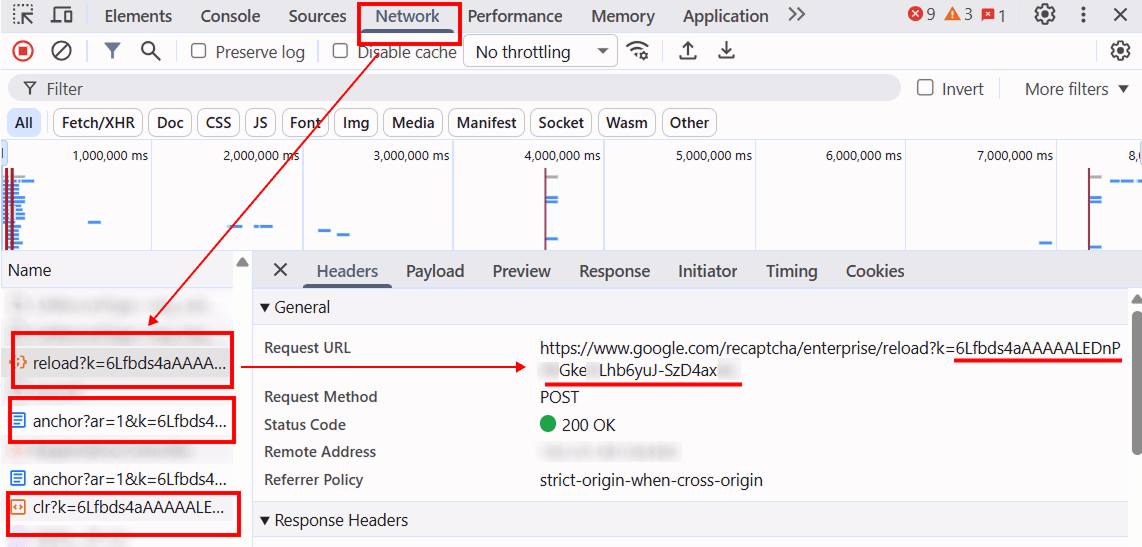
要判断网页中是否使用了 reCAPTCHA Enterprise,请打开 浏览器开发者工具 并查看页面源代码:
查找特定请求,检查请求 URL 和参数。如果请求中包含如下域名:

这表明网站正在使用 reCAPTCHA Enterprise。
在标准配置中,通常会使用以下 URL:

此外,如果发现如下类型的请求 URL,也可能说明正在使用 reCAPTCHA v3 Enterprise:
https://www.google.com/recaptcha/enterprise/anchor?ar=1&k=
https://www.google.com/recaptcha/enterprise.js?render=
https://www.google.com/recaptcha/enterprise/reload?k= https://www.google.com/recaptcha/enterprise/clr?k=
自动化交互
这种验证码能够有效保护网站免受入侵、攻击以及其他恶意行为。不过,在一些“正当”场景下,也可能需要对 reCAPTCHA Enterprise 的交互过程进行自动化处理。想要自行自动处理这类验证码是一项复杂任务,需要较深的技术知识,因此最简单的方法是借助专业服务 —— 例如,CapMonster Cloud 。该服务利用人工智能技术,能够快速高效地处理验证码,大幅降低时间与成本开销。如果您的工作涉及以下方向,它将成为非常实用的辅助工具:
测试与开发
自动化测试
开发人员可以为使用 reCAPTCHA 的 Web 应用创建自动化测试。为了让测试能够正确运行,需要模拟验证码的验证过程。
质量保证(QA)
QA 工程师可以检查系统运行情况,包括网站在验证码验证成功或失败时的行为表现。
合规的网页数据采集
价格与竞争对手监控
从事价格监控的公司可以使用自动化工具,从启用了验证码的网站中收集商品和服务数据。
研究数据分析
研究人员和分析师可以收集用于经济、社会或科学研究的数据。
网络安全工具
渗透测试
信息安全专家会测试 Web 应用中的漏洞,包括其对机器人和攻击的防护能力。因此需要测试安全机制在不同场景下的表现。
漏洞分析
检查验证码在防御自动化攻击方面的有效性。
对于因行动不便或视力障碍而难以完成 reCAPTCHA 验证的用户来说,验证码自动化处理同样能够提供帮助。在这些情况下,相关技术可以让用户以更加方便、更加易于访问的方式与网站进行交互。
使用 CapMonster Cloud 进行处理
该服务可通过浏览器扩展(适用于 Chrome 和 Firefox )以及 API 来处理 reCAPTCHA Enterprise。如果您希望通过 API 将验证码处理功能集成到自己的代码中,请按照以下步骤操作:
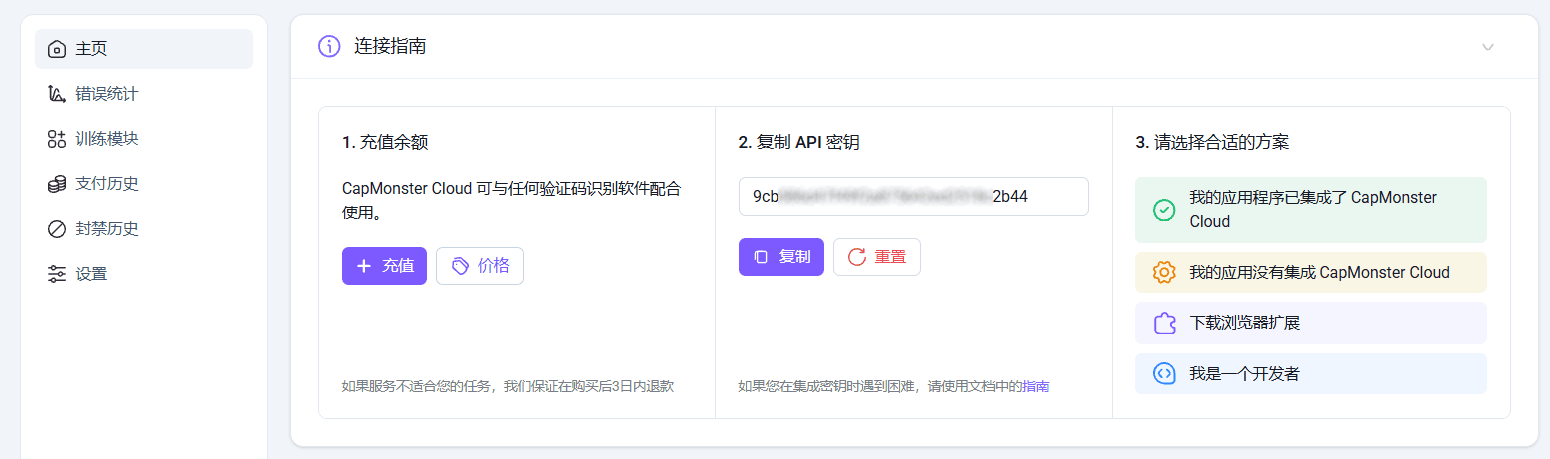
在 CapMonster Cloud 创建账户,充值余额,并在个人后台获取 API 密钥 —— 后续集成时会用到它。
接下来,请了解需要发送到 CapMonster Cloud 服务器用于处理验证码 的必要参数:
请求参数
reCAPTCHA v2 企业版
默认情况下,CapMonster Cloud 使用其自有代理服务器来解决验证码,这些代理已包含在费用中。但在某些情况下,你也可以使用自己的代理——例如当目标网站服务器无法接受返回的 token 时。此时无需指定单独的任务类型,只需在请求中添加代理相关字段即可。
请查看文档版本 2 和 版本 3 以获取更详细的信息,了解如何手动或通过代码获取创建任务所需的全部参数。
type <string> 必填
websiteURL <string> 必填
进行验证码验证的网页地址。
websiteKey <string> 必填
目标页面中的 reCAPTCHA 站点密钥。
<div class="g-recaptcha" data-sitekey="THIS_ONE"></div>或
<iframe title="reCAPTCHA" src="...;k=6LdIFr0ZAAAAAO3vz0O0OQrtAefzdJcWQM2TMYQH&...其中 6LdIFr0ZAAAAAO3vz0O0OQrtAefzdJcWQM2TMYQH 为 websiteKey 的值
enterprisePayload <string> 可选
某些 reCAPTCHA Enterprise 实现可能包含额外字段 s,该字段在调用 grecaptcha.enterprise.render 时与 sitekey 一起传递。
示例:
2JvUXHNTnZl1Jb6WEvbDyB...ugQA
    grecaptcha.enterprise.render("some-div-id", {
        sitekey: "6Lc_aCMTAAAAABx7u2N0D1XnVbI_v6ZdbM6rYf16",
        theme: "dark",
        s: "2JvUXHNTnZl1Jb6WEvbDyB...ugQA"
    });
apiDomain <string> 可选
用于加载 reCAPTCHA Enterprise 的域名,例如:
www.google.com
www.recaptcha.net
userAgent <string> 可选
用于模拟浏览器的 User-Agent。必须使用现代浏览器标识,否则 Google 可能返回“请更新浏览器”的错误。
cookies <string> 可选
与目标页面交互时使用的附加 cookies。
格式:
cookiename1=cookievalue1; cookiename2=cookievalue2
如有需要,可添加代理字段:
proxyType <string> 可选
http— 普通 HTTP/HTTPS 代理;https— 仅在 HTTP 不可用时尝试(某些自定义代理需要);socks4— SOCKS4 代理;socks5— SOCKS5 代理。
proxyAddress <string> 可选
代理 IP 地址(IPv4/IPv6)。
不允许:
使用域名;
使用透明代理(可能暴露客户端 IP);
使用本地代理。
proxyPort <integer> 可选
代理端口。
proxyLogin <string> 可选
代理用户名。
proxyPassword <string> 可选
代理密码。
reCAPTCHA v3 企业版
该任务仅通过 CapMonster Cloud 的代理服务器执行。
type <string> 必填
websiteURL <string> 必填
进行验证码验证的网页地址。
websiteKey <string> 必填
reCAPTCHA v3 站点密钥。
https://www.google.com/recaptcha/enterprise.js?render=THIS_ONEminScore <double> 可选
取值范围:0.1 到 0.9
pageAction <string> 可选
传递给 Google 的 action 参数值,在服务端验证时可见。默认值:verify
示例:
grecaptcha.execute('site_key', {action:'login_test'});
任务创建方法
使用 POST 方法:
https://api.capmonster.cloud/createTask
reCAPTCHA v2 企业版:
{
  "clientKey": "API_KEY",
  "task": {
    "type": "RecaptchaV2EnterpriseTask",
    "websiteURL": "https://mydomain.com/page-with-recaptcha-enterprise",
    "websiteKey": "6Lcg7CMUAAAAANphynKgn9YAgA4tQ2KI_iqRyTwd",
    "enterprisePayload": {
      "s": "SOME_ADDITIONAL_TOKEN"
    }
  }
}
reCAPTCHA v3 企业版:
{
  "clientKey": "API_KEY",
  "task": {
    "type": "RecaptchaV3EnterpriseTask",
    "websiteURL": "https://example.com",
    "websiteKey": "6Le0xVgUAAAAAIt20XEB4rVhYOODgTl00d4TuRTE",
    "minScore": 0.7
  }
}
成功响应:
{
  "errorId": 0,
  "taskId": 407533072
}
获取任务结果的方法
使用 getTaskResult 方法获取解决结果。根据系统负载不同,返回时间大约在 10 秒到 80 秒之间。使用 POST 方法:
https://api.capmonster.cloud/getTaskResult请求:
{
  "clientKey":"API_KEY",
  "taskId": 407533072
}
成功响应:
{
  "errorId": 0,
  "status": "ready",
  "solution": {
    "gRecaptchaResponse": "3AHJ_VuvYIBNBW5yyv0zRYJ75VkOKvhKj9_xGBJKnQimF72rfoq3Iy-DyGHMwLAo6a3"
  }
}
某些网站的响应可能会额外包含 UserAgent:
{
  "errorId": 0,
  "status": "ready",
  "solution": {
    "gRecaptchaResponse": "3AHJ_VuvYIBNBW5yyv0zRYJ75VkOKvhKj9_xGBJKnQimF72rfoq3Iy-DyGHMwLAo6a3",
    "userAgent": "Mozilla/5.0 (Macintosh; Intel Mac OS X 10_15_7) AppleWebKit/537.36 (KHTML, like Gecko) Chrome/138.0.0.0 Safari/537.36"
  }
}
在提交验证结果时,即使返回的 UserAgent 与当前浏览器不同,也必须使用响应中提供的 UserAgent。
| gRecaptchaResponse – 需要填入 reCAPTCHA Enterprise 表单中的哈希值,位于 <textarea id="g-recaptcha-response" ..></textarea> 中。长度约为 500 到 2190 字节。 |
使用 CapMonster Cloud 官方库的代码示例
为了方便使用,该服务提供了用于自动解决多种验证码类型的 官方库。以下以 Python 为例:
reCAPTCHA v2 企业版:
# https://github.com/CapMonsterCloud/capmonster-python-captcha-solver

import asyncio
from capmonstercloudclient import CapMonsterClient, ClientOptions
from capmonstercloudclient.requests import RecaptchaV2EnterpriseRequest
# from capmonstercloudclient.requests.baseRequestWithProxy import ProxyInfo  # 如果需要使用代理请取消注释

API_KEY = "YOUR_API_KEY"  # 请填写你的 CapMonster Cloud API 密钥

async def solve_recaptcha_v2_enterprise():
    client_options = ClientOptions(api_key=API_KEY)
    cap_monster_client = CapMonsterClient(options=client_options)

    # 基础示例(不使用代理)
    # CapMonster Cloud 会自动使用其代理
    recaptcha2request = RecaptchaV2EnterpriseRequest(
        websiteUrl="https://example.com",
        websiteKey="6Kf56sUnAAAAAIKLuONYgRsFUfmI-3Lex3xT5W-s",
        enterprisePayload={
            "s": "SOME_ADDITIONAL_TOKEN"
        }
    )

    # 使用自定义代理示例
    # 如需使用代理请取消注释
    # proxy = ProxyInfo(
    #     proxyType="http",
    #     proxyAddress="123.45.67.89",
    #     proxyPort=8080,
    #     proxyLogin="username",
    #     proxyPassword="password"
    # )
    # recaptcha2request = RecaptchaV2EnterpriseRequest(
    #     websiteUrl="https://example.com",
    #     websiteKey="6Lf56sUnAAAAAIKLuONYgRsFUfmI-3Lex3xT5U-s",
    #     enterprisePayload={
            # "s": "SOME_ADDITIONAL_TOKEN"
    #     },
    #     proxy=proxy,
    #     userAgent="Mozilla/5.0 (Windows NT 10.0; Win64; x64) AppleWebKit/537.36 (KHTML, like Gecko) Chrome/148.0.0.0 Safari/537.36"
    # )

    # 可选:检查余额
    balance = await cap_monster_client.get_balance()
    print("余额:", balance)

    result = await cap_monster_client.solve_captcha(recaptcha2request)
    print("结果:", result)

asyncio.run(solve_recaptcha_v2_enterprise())
reCAPTCHA v3 企业版:
# https://github.com/CapMonsterCloud/capmonster-python-captcha-solver

import asyncio
from capmonstercloudclient import CapMonsterClient, ClientOptions
from capmonstercloudclient.requests import RecaptchaV3EnterpriseRequest

API_KEY = "YOUR_API_KEY"  # 请填写你的 CapMonster Cloud API 密钥

async def solve_recaptcha_v3_enterprise():
    client_options = ClientOptions(api_key=API_KEY)
    cap_monster_client = CapMonsterClient(options=client_options)

    # 基础示例(不使用代理)
    # CapMonster Cloud 会自动使用其代理
    recaptcha3request = RecaptchaV3EnterpriseRequest(
        websiteUrl="https://www.example.com",
        websiteKey="6Kf56sUnAAAAAIKLuONYgRsFUfmI-3Lex3xT5W-s",
    )

    # 可选:检查余额
    balance = await cap_monster_client.get_balance()
    print("余额:", balance)

    result = await cap_monster_client.solve_captcha(recaptcha3request)
    print("结果:", result)

asyncio.run(solve_recaptcha_v3_enterprise())
使用已获取的 token
从我们的服务获取 token 后,可以将其添加到请求参数中(g-recaptcha-response),并与表单中的其他数据一起通过 POST 请求发送到目标网站 API。例如:
const response = await fetch("https://example.com/api/login", {
    method: "POST",
    headers: {
        "Content-Type": "application/json"
    },
    body: JSON.stringify({
        username: "test_user",
        password: "test_password",
        "g-recaptcha-response": "CAPTCHA_TOKEN"
    })
});
const result = await response.json();
console.log(result);
在使用该方法前,建议通过 DevTools(Network 面板)分析目标验证码页面和网站的网络请求,以了解 token 的传递方式以及是否需要额外参数才能成功验证。
同时也可以使用浏览器自动化工具(例如 Puppeteer、Playwright 或 Selenium)。在注入解决结果时,需要分析页面代码并找到对应的表单元素,然后在代码中使用该元素并提交验证。
我们来找到 CapMonster Cloud 解决所需的所有参数,以及需要插入 token 的目标元素。对于 reCAPTCHA,通常是一个隐藏的 textarea 字段,名称为 g-recaptcha-response。
示例中使用 Python 和 Selenium。首先需要分析目标验证码页面,并找到 CapMonster Cloud 所需的所有参数以及 token 的目标输入元素。
需要确保所有必要工具和依赖已在项目中正确安装并引入:

import time
from capmonstercloudclient import CapMonsterClient, ClientOptions
from capmonstercloudclient.requests import RecaptchaV2EnterpriseRequest
from selenium import webdriver
from selenium.webdriver.common.by import By
然后创建 Selenium WebDriver 实例并打开目标页面:
driver = webdriver.Chrome()
driver.get("https://example.com")
接下来配置 CapMonster Cloud 客户端并设置验证码参数。示例使用 reCAPTCHA v3 Enterprise:
client_options = ClientOptions(
   api_key="YOUR_API_KEY"
)
cap_monster_client = CapMonsterClient(
   options=client_options
)
website_url = driver.current_url
website_key = "SITE_KEY" # 请替换为真实网站 key
除了 websiteKey,reCAPTCHA v3 Enterprise 通常还需要指定 pageAction(如果不同于默认值 verify)以及最低评分(minScore):
recaptcha_request = RecaptchaV3EnterpriseRequest(
   websiteUrl=website_url,
   websiteKey=website_key,
   minScore=0.7,
   pageAction="mylogin"
)
之后发送请求并获取 token 并输出:
async def solve_captcha():
   return await cap_monster_client.solve_captcha(
       recaptcha_request
   )
responses = asyncio.run(solve_captcha())
获取到的 token 位于 gRecaptchaResponse:
captcha_token = responses["gRecaptchaResponse"]
print("TOKEN:")
print(captcha_token)- 然后使用 Selenium 找到用于存储 reCAPTCHA 结果的 textarea:
textarea = driver.find_element(
   By.NAME,
   "g-recaptcha-response"
)
许多网站会隐藏 reCAPTCHA 的 textarea(display: none)。在某些浏览器或 Selenium 环境中,完全隐藏的元素可能无法正确接收值,因此示例中会先将其设为可见,并通过 JavaScript 写入 token:
driver.execute_script("""
arguments[0].style.display = 'block';
arguments[0].value = arguments[1];
arguments[0].innerHTML = arguments[1];
""", textarea, captcha_token)
在该情况下,token 会同时写入 value 和 innerHTML,以确保在部分网站中能够正确更新字段。
- 最后提交表单并完成验证码验证,例如点击提交按钮:
button = driver.find_element(
   By.CSS_SELECTOR,
   "button[data-action='myverify']"
)
driver.execute_script("arguments[0].click();", button)注意:有些页面没有独立提交按钮,此时可以直接提交表单: 如果表单通过 JavaScript 提交,有时也可以手动触发 submit 事件: 另外,在某些情况下可以直接调用全局 callback 函数(如果存在): 或通过配置对象: |
如果一切执行正确,表单将成功提交:
print("验证码已成功解决!")解决方案完整代码:
import asyncio
import time

from capmonstercloudclient import CapMonsterClient, ClientOptions
from capmonstercloudclient.requests import RecaptchaV3EnterpriseRequest

from selenium import webdriver
from selenium.webdriver.common.by import By


driver = webdriver.Chrome()

driver.get("https://example.com")

client_options = ClientOptions(
    api_key="YOUR_API_KEY"
)

cap_monster_client = CapMonsterClient(
    options=client_options
)

website_url = driver.current_url

website_key = "SITE_KEY" # 替换为真实的网站密钥

recaptcha_request = RecaptchaV3EnterpriseRequest(
    websiteUrl=website_url,
    websiteKey=website_key,
    minScore=0.7,
    pageAction="mylogin"
)


async def solve_captcha():
    return await cap_monster_client.solve_captcha(
        recaptcha_request
    )


responses = asyncio.run(solve_captcha())

captcha_token = responses["gRecaptchaResponse"]

print("TOKEN:")
print(captcha_token)

textarea = driver.find_element(
    By.NAME,
    "g-recaptcha-response"
)

driver.execute_script("""
arguments[0].style.display = 'block';
arguments[0].value = arguments[1];
arguments[0].innerHTML = arguments[1];
""", textarea, captcha_token)

# 提交表单
button = driver.find_element(
    By.CSS_SELECTOR,
    "button[data-action='myverify']"
)

driver.execute_script("arguments[0].click();", button)

print("验证码已成功解决!")

time.sleep(5)

driver.quit()
对于 reCAPTCHA Enterprise v2,其工作逻辑几乎相同。需要使用 请求对象 RecaptchaV2EnterpriseRequest 替代 RecaptchaV3EnterpriseRequest。与 v3 不同,这里不使用 minScore 和 pageAction 参数:
import asyncio
import time

from capmonstercloudclient import CapMonsterClient, ClientOptions
from capmonstercloudclient.requests import RecaptchaV2EnterpriseRequest

from selenium import webdriver
from selenium.webdriver.common.by import By


driver = webdriver.Chrome()

driver.get("https://example.com")


client_options = ClientOptions(
    api_key="YOUR_API_KEY"
)

cap_monster_client = CapMonsterClient(
    options=client_options
)


website_url = driver.current_url

website_key = "SITE_KEY"  # 替换为真实 sitekey


recaptcha_request = RecaptchaV2EnterpriseRequest(
    websiteUrl=website_url,
    websiteKey=website_key
)


async def solve_captcha():
    return await cap_monster_client.solve_captcha(
        recaptcha_request
    )


responses = asyncio.run(solve_captcha())

captcha_token = responses["gRecaptchaResponse"]

print("TOKEN:")
print(captcha_token)


textarea = driver.find_element(
    By.NAME,
    "g-recaptcha-response"
)


driver.execute_script("""
arguments[0].style.display = 'block';
arguments[0].value = arguments[1];
arguments[0].innerHTML = arguments[1];
""", textarea, captcha_token)


# 提交表单
button = driver.find_element(
    By.CSS_SELECTOR,
    "button[data-action='myverify']"
)

driver.execute_script(
    "arguments[0].click();",
    button
)


print("验证码已成功解决!")

time.sleep(5)

driver.quit()
| 该解决与表单注入 token 的方式仅为示例说明——在不同场景中,元素名称与实现方式可能会有所不同。 |
错误处理与工作优化
在使用 reCAPTCHA Enterprise 时,了解可能出现的错误以及如何高效处理它们非常重要。本节将介绍 API 使用中的典型错误,并提供提升脚本性能与稳定性的建议。这些内容可以帮助你节省时间并避免不必要的问题。
API 常见错误及流程优化建议
- 请求参数不正确
错误通常由于请求中传递了不正确的参数导致。例如 sitekey 错误、URL 错误或验证码 token 错误。为了避免这种情况,请始终确保传入的数据是正确的。
建议:
确保每个页面的 sitekey 和 url 都是正确的。根据验证码类型使用对应参数(例如 Enterprise 可能需要 enterprisePayload)。请参考官方文档。
- 超时错误(timeout)
有时验证码的解决时间可能比预期更长,如果请求未在规定时间内完成,就会发生超时错误。为避免这种情况,应合理设置等待时间并实现重试机制。
建议:
合理设置请求超时时间。
在发生超时的情况下使用重试机制,以避免丢失结果。
- API 限制与请求频率
CapMonster Cloud 对请求频率有一定限制。如果在短时间内超过限制,可能会导致性能问题甚至封禁。因此需要合理分配请求负载。
建议:
注意请求限制,将请求拆分为更小的批次,避免触发封禁。
- 交互式测试与监控
有时使用实时监控工具会很有帮助,可以观察网站交互过程,从而准确定位错误发生的位置。
建议:
使用监控工具(例如 Chrome DevTools 或内置调试器)来实时查看验证码流程。
- 异步请求
如果脚本需要同时处理多个验证码,使用异步请求可以显著提升性能。异步方式可以避免在等待验证码结果时阻塞其他任务。
建议:
可以使用 asyncio 或 aiohttp 等库实现异步请求。
结论
在本文中,我们详细介绍了什么是 reCAPTCHA Enterprise,以及它如何保护网站免受自动化攻击。我们讲解了如何识别该类型验证码,并提供了使用 CapMonster Cloud 官方库进行解决的示例代码。
此外,我们还展示了如何正确将 token 传递到表单中并完成验证流程。
同时,我们分享了一些优化建议和常见错误处理方法,帮助你提升脚本的稳定性与效率。
只要合理应用这些方法,你就能更高效地处理 reCAPTCHA Enterprise,并借助 CapMonster Cloud 提升自动化效率。
常见问题

NB: 请注意,该产品仅用于对您自己拥有合法访问权限的网站和资源进行自动化测试。