



What is Tencent Captcha (TenDI) and how to solve it?
Tencent Captcha is a protection system against automated actions developed by Tencent. It is widely used on various online platforms such as e-commerce websites, social networks, and financial services to protect against spam, fraud, and other types of abuse.

What Tencent Captcha looks like
The main type of Tencent Captcha verification is a slider captcha. It asks the user to move the slider so that the puzzle pieces match:
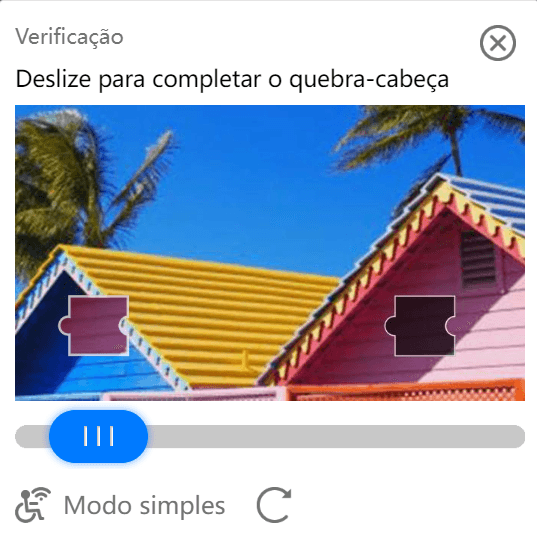
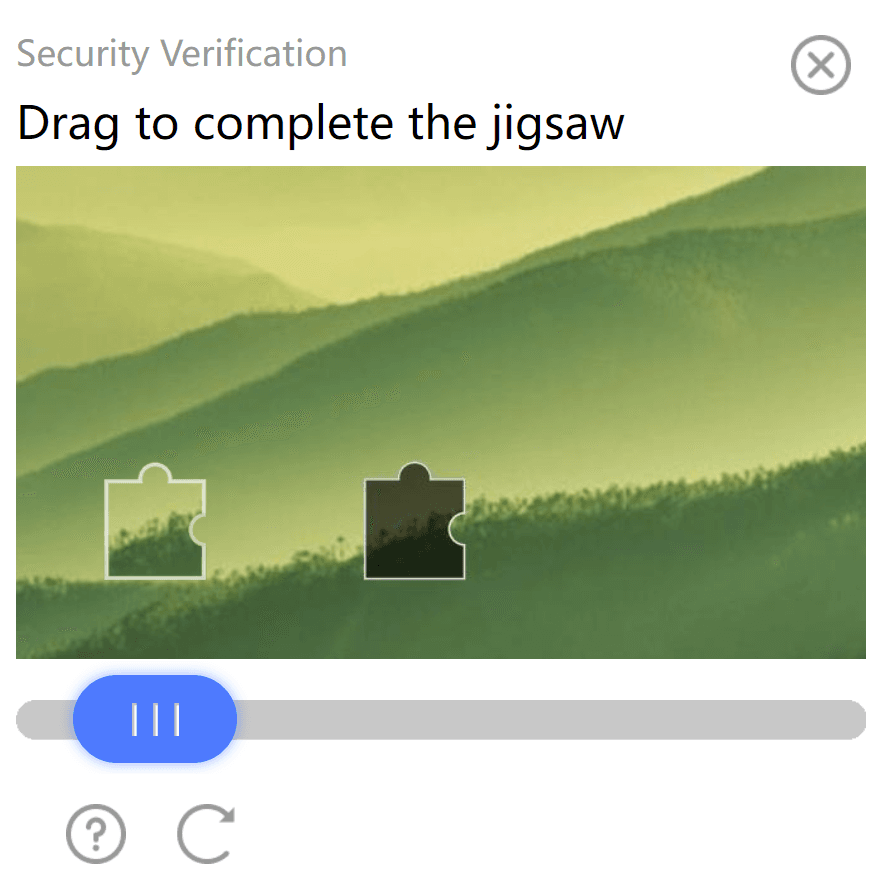
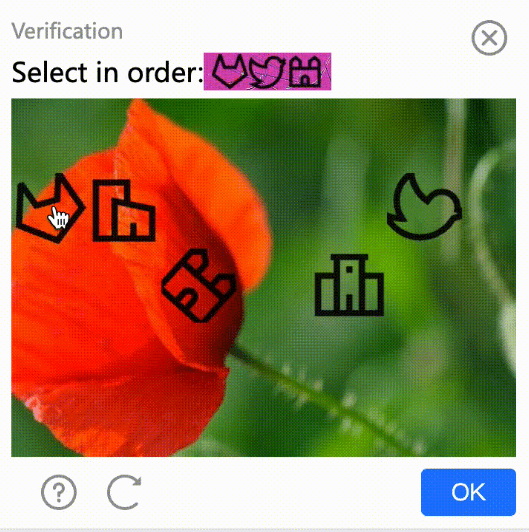
Graphical captchas are also used, where the user must click the required elements in the correct sequence:
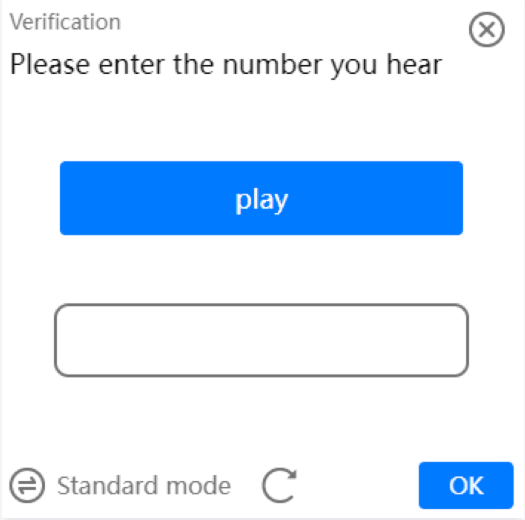
As an alternative, the user may be asked to solve an audio captcha:
Tencent also offers intelligent verification (or "smart verification"), similar to solutions provided by many other systems such as Google's reCAPTCHA. This smart verification uses machine learning algorithms and user behavior analysis to determine whether the activity on a website is legitimate or part of an automated attack.
How to Solve Tencent Captcha Using the CapMonster Cloud Service
CapMonster Cloud helps bypass most types of captchas, including Tencent Captcha. To do this, you need to send a POST request in JSON format to: https://api.capmonster.cloud/createTask. The request should look like this:
{
 "clientKey": "API_KEY",
 "task": {
   "type": "CustomTask",
   "class": "TenDI",
   "websiteURL": "https://example.com",
   "websiteKey": "189123456",
   "userAgent": "Mozilla/5.0 (Windows NT 10.0; Win64; x64) AppleWebKit/537.36 (KHTML, like Gecko) Chrome/148.0.0.0 Safari/537.36",
   "metadata": {
     "captchaUrl": "https://global.captcha.example.com/TCaptcha-global.js"
   }
 }
}
Parameters used in the request:
Example response for a successful task creation (also in JSON format):
{
  "errorId": 0,
  "taskId": 407533072
}
Example of retrieving the captcha solution result:
Method getTaskResult: send a POST request to https://api.capmonster.cloud/getTaskResult with the task_id to receive the solving result from the service:
{
 "clientKey":"API_KEY",
 "taskId": 407533072
}
Response:
{
 "errorId": 0,
 "status": "ready",
 "solution": {
   "data": {
     "randstr": "@EcL",
     "ticket": "tr03lHUhdnuW3neJZu.....7LrIbs*"
   },
   "headers": {
     "User-Agent": "Mozilla/5.0 (Windows NT 10.0; Win64; x64) AppleWebKit/537.36 (KHTML, like Gecko) Chrome/148.0.0.0 Safari/537.36"
   }
 }
}
randstr is a random string that is part of the Tencent Captcha solution and is used for captcha verification and identification.
ticket is a unique identifier that is also part of the captcha solution. It is used to confirm the correctness of the captcha solution and grant access to protected content or functionality.
How to Find websiteKey (captchaAppId)
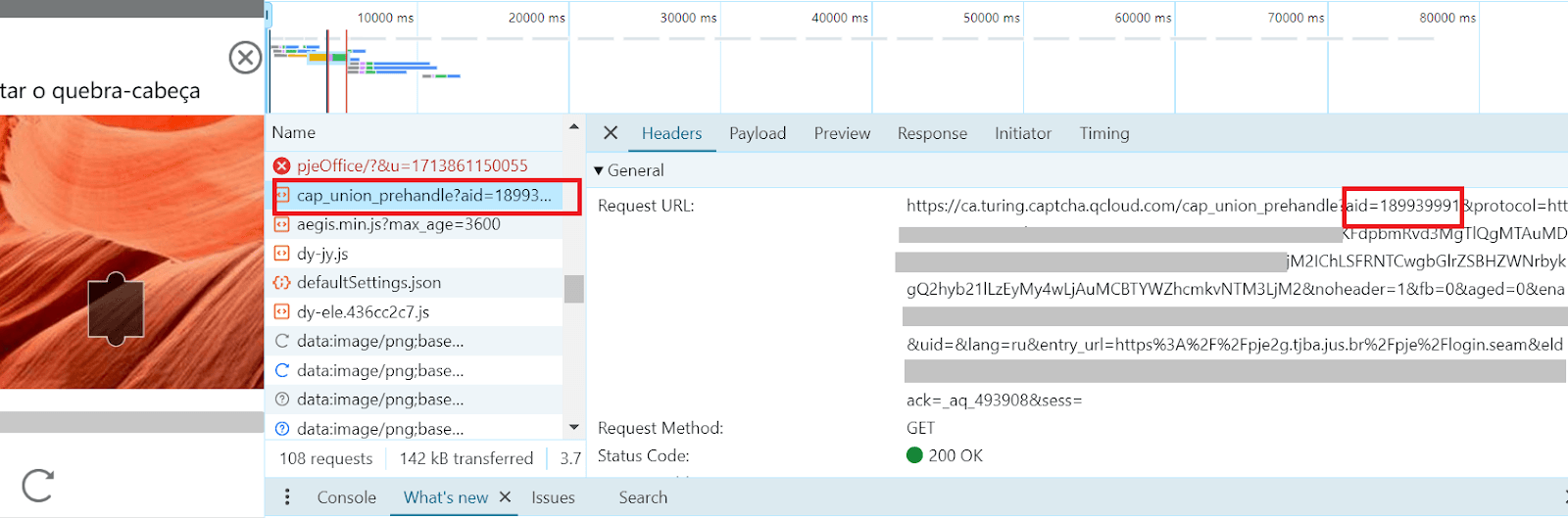
To send a request to the automatic captcha solving server, you first need to obtain the unique captcha identifier — websiteKey (captchaAppId).
It is quite easy to find:
Open the page containing the captcha in your browser.
Trigger the captcha so it becomes visible.
Open Developer Tools.
Go to the Network tab.
Among the network requests, find the request containing the aid parameter — this is the captcha identifier for the current page.
Example:
Code Examples for Solving Tencent Captcha Using Node.js and Python
Below are example scripts for solving this type of captcha on the CapMonster Cloud server using JavaScript and Python with the official service libraries.
Node.js:
// https://github.com/CapMonsterCloud/capmonster-nodejs-captcha-solver
import { CapMonsterCloudClientFactory, ClientOptions, TenDIRequest } from '@zennolab_com/capmonstercloud-client';

const API_KEY = "YOUR_API_KEY";  // Specify your CapMonster Cloud API key

async function solveTenDI() {

   const client = CapMonsterCloudClientFactory.Create(
       new ClientOptions({ clientKey: API_KEY })
   );

   // Basic example without proxy
   // CapMonster Cloud automatically uses its own proxies
   let tenDIRequest = new TenDIRequest({
       websiteURL: "https://example.com",  // URL of the page with captcha
       websiteKey: "183268248",            // Replace with the correct value
   });

   // Example of using your own proxy
   // Uncomment this block if you want to use your own proxy
   /*
   const proxy = {
       proxyType: "http",
       proxyAddress: "123.45.67.89",
       proxyPort: 8080,
       proxyLogin: "username",
       proxyPassword: "password"
   };

   tenDIRequest = new TenDIRequest({
       websiteURL: "https://example.com",
       websiteKey: "websiteKey",
       proxy,
       userAgent: "Mozilla/5.0 (Windows NT 10.0; Win64; x64) AppleWebKit/537.36 (KHTML, like Gecko) Chrome/148.0.0.0 Safari/537.36"
   });
   */

   // You can check your balance if needed
   const balance = await client.getBalance();
   console.log("Balance:", balance);

   const result = await client.Solve(tenDIRequest);

   console.log("Solution:", result);
}

solveTenDI().catch(console.error);
Python:
# https://github.com/CapMonsterCloud/capmonster-python-captcha-solver

import asyncio

from capmonstercloudclient import CapMonsterClient, ClientOptions
from capmonstercloudclient.requests import TenDiCustomTaskRequest

# from capmonstercloudclient.requests.baseRequestWithProxy import ProxyInfo
# Uncomment if you plan to use a proxy

API_KEY = "YOUR_API_KEY"  # Specify your CapMonster Cloud API key

async def solve_tendi_custom():

   client_options = ClientOptions(api_key=API_KEY)

   cap_monster_client = CapMonsterClient(options=client_options)

   # Basic example without proxy
   # CapMonster Cloud automatically uses its own proxies
   tendi_request = TenDiCustomTaskRequest(
       websiteUrl="https://example.com",  # URL of the page with Tencent (TenDI) captcha
       websiteKey="189956587",            # TencentCaptcha appid
       userAgent="Mozilla/5.0 (Windows NT 10.0; Win64; x64) AppleWebKit/537.36 (KHTML, like Gecko) Chrome/148.0.0.0 Safari/537.36"
   )

   # Example of using your own proxy
   # Uncomment this block if you want to use a proxy
   #
   # proxy = ProxyInfo(
   #     proxyType="http",
   #     proxyAddress="123.45.67.89",
   #     proxyPort=8080,
   #     proxyLogin="username",
   #     proxyPassword="password"
   # )
   #
   # tendi_request = TenDiCustomTaskRequest(
   #     websiteUrl="https://example.com",
   #     websiteKey="189956587",
   #     userAgent="Mozilla/5.0 (Windows NT 10.0; Win64; x64) AppleWebKit/537.36 (KHTML, like Gecko) Chrome/148.0.0.0 Safari/537.36",
   #     proxy=proxy
   # )

   # You can check your balance if needed
   balance = await cap_monster_client.get_balance()

   print("Balance:", balance)

   result = await cap_monster_client.solve_captcha(tendi_request)

   print("Solution:", result)

asyncio.run(solve_tendi_custom())
Explore our tools and solutions for easy Tencent Captcha and other CAPTCHA solving:
CapMonster Cloud Documentation (Working with Tencent CAPTCHA)
CapMonster Cloud browser extension for Chrome / Firefox
NB: Please note that the product is intended for automation and testing purposes only on your own websites and resources to which you have legal access rights.

