How to Bypass Antibots: TLS Fingerprinting & CAPTCHA Handling
Modern antibot systems such as Cloudflare, DataDome, and Imperva do not rely on CAPTCHA alone — they also inspect TLS fingerprints, HTTP behavior, and browser consistency to detect non-human traffic.
That means bypassing a WAF (Web Application Firewall) today often requires more than a standard HTTP client: you need browser-matching TLS fingerprints, aligned headers, and a reliable CAPTCHA handling layer.
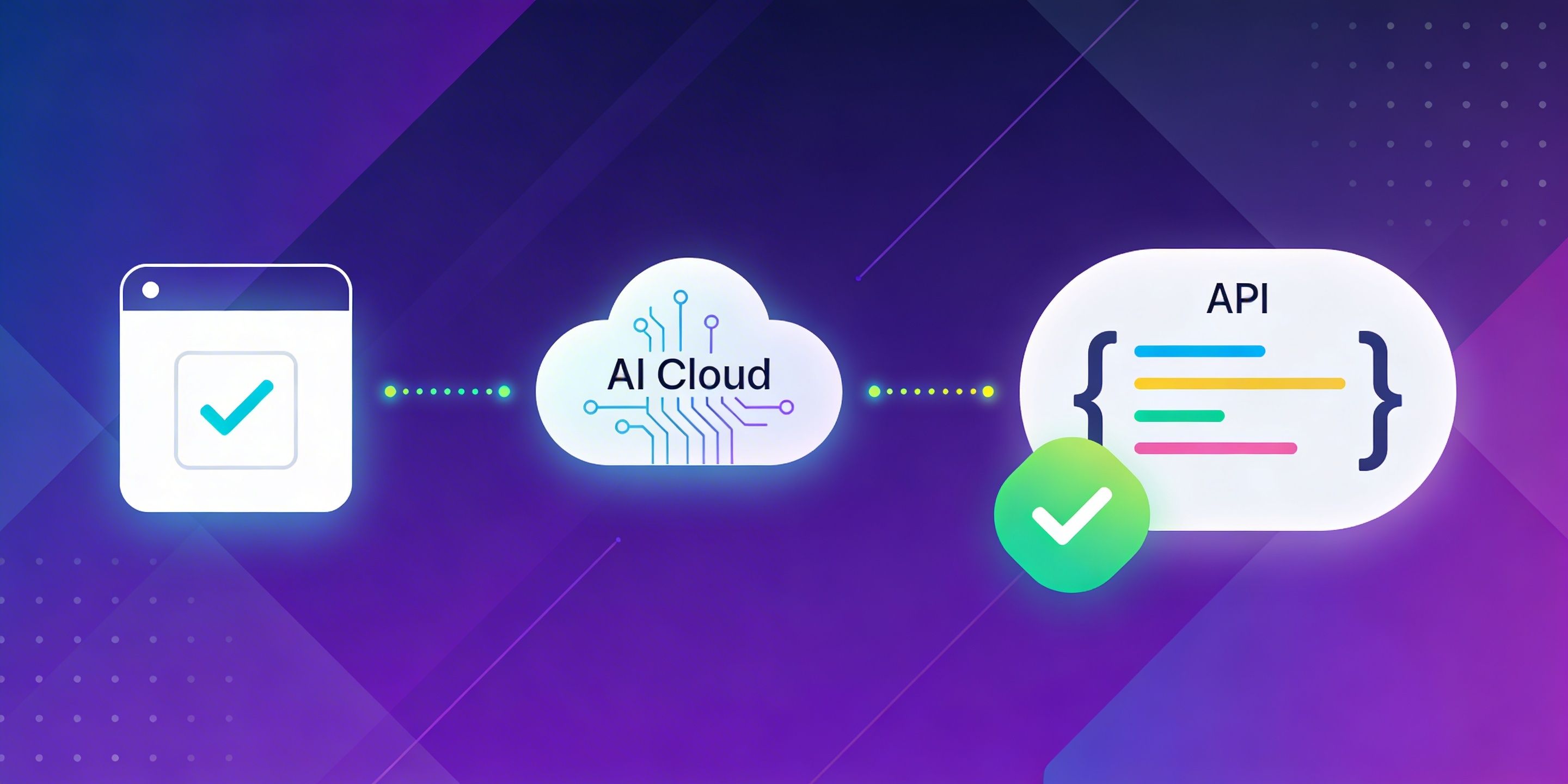
In this guide, you will learn how TLS fingerprinting works, why JA3 and JA4 matter for bot detection, and how tools like tls-client and CapMonster Cloud fit into a modern antibot bypass stack.
Get started now and automate your solution reCAPTCHA v2
Understanding TLS Fingerprinting: JA3, JA4, and WAF Detection
When your code makes an HTTPS request, the TLS handshake reveals details about the client — supported cipher suites, extensions, elliptic curves, and their ordering. This combination forms a TLS fingerprint, commonly captured as a JA3 hash (based on ClientHello fields) or a JA4 fingerprint (a newer, more structured format — not simply an interchangeable alternative to JA3).
Antibot systems compare this fingerprint against known profiles. Standard HTTP libraries like Python's requests, Node's axios, or Go's net/http produce fingerprints that can serve as a strong signal of non-browser traffic — potentially triggering a challenge or block at the edge/WAF layer before your request reaches the application layer. Note that antibot vendors typically combine TLS fingerprinting with a range of other technical, statistical, and behavioral signals rather than relying on it as a sole criterion.
Important: TLS fingerprinting is often one layer in a multi-stage detection pipeline (the exact set of layers depends on the specific protection provider and site configuration). Once a request passes TLS inspection, antibot systems may still challenge the client with JavaScript-based challenges or CAPTCHA — requiring a complete bypass stack, not just fingerprint spoofing.
How Cloudflare and DataDome Use TLS Handshakes to Block Bots
Default HTTP clients are predictable. A requests session from Python always negotiates the same cipher suites in the same order — making it a reliable signal for systems like Cloudflare, DataDome, and Imperva to distinguish bots from real browsers as part of their multi-signal analysis pipeline.
This makes TLS fingerprinting an efficient, low-cost first filter: it can block the majority of naive automation before incurring the computational cost of deeper behavioral analysis.
Bypassing WAF with Browser-Matching TLS Clients
To pass TLS inspection, you need a client that replicates the exact handshake parameters of a real browser. Two options worth evaluating:
tls-client (bogdanfinn) — Go library with pre-built profiles for Chrome, Firefox, Safari, and Opera. Available as a shared library usable from Python, Node, and other languages.
azuretls-client — a Go-based alternative with browser profile support and HTTP/2 fingerprint matching. Verify its current feature set and maintenance status against its repository documentation before use.
Both libraries aim to approximate browser TLS profiles at the socket level, but exact parity with a real browser session is not guaranteed — even the official tls-client documentation notes that internal profiles may not always match a live browser with 100% fidelity.
Python Implementation: Configuring Your TLS Client for Stealth
When initializing your TLS client, use a modern Chrome profile and enable extension order randomization. The exact string identifier for each profile may vary between library versions — always verify against the official profile list before deploying.
import tls_client

try:
    session = tls_client.Session(
        client_identifier="chrome_133",  # verify identifier in your lib version
        random_tls_extension_order=True
    )

    response = session.get(
        "https://target-site.com",
        timeout_seconds=30,
        headers={
            "User-Agent": (
                "Mozilla/5.0 (Windows NT 10.0; Win64; x64) "
                "AppleWebKit/537.36 (KHTML, like Gecko) "
                "Chrome/146.0.0.0 Safari/537.36"
            ),
            "Accept-Language": "en-US,en;q=0.9,ru;q=0.8",
            "Accept-Encoding": "gzip, deflate, br, zstd",
        }
    )

    print(response.status_code)

except Exception as e:
    print(f"Request failed: {e}")
Key parameters:
client_identifier="chrome_146" — targets a recent Chrome fingerprint profile; always verify this identifier against the official profile list for your installed library version
random_tls_extension_order=True — reduces the predictability of a fixed extension sequence. Note that algorithms like JA4 normalize extension order, so this alone is not a universal countermeasure against all fingerprinting methods
Always pair with matching User-Agent and browser-like headers to avoid inconsistency flags at the HTTP layer
Get started now and automate your solution reCAPTCHA v2
Solving the CAPTCHA Layer: Integrating CapMonster Cloud
Passing TLS inspection is necessary, but not always sufficient. Platforms like Cloudflare, DataDome, and Imperva operate in layers: after TLS, they may serve a JavaScript challenge or a CAPTCHA to verify the client is a real browser. A mismatched behavior at any layer will trigger a block.
This is where CapMonster Cloud fits into the stack. It is a cloud-based CAPTCHA-solving service with an API that handles challenge types served by those antibot systems:
CAPTCHA / Challenge Type
CapMonster Cloud Support
Cloudflare Turnstile
✅
Cloudflare Bot Challenge
✅ (requires proxy)
DataDome CAPTCHA
✅ (requires proxy)
Imperva / Incapsula
✅
reCAPTCHA v2 / v3
✅
Amazon WAF CAPTCHA
✅
The general workflow: your TLS-mimicking client handles the transport layer; CapMonster Cloud resolves the challenge token; you inject the token into the subsequent request. In practice, success depends on the specific WAF configuration and additional signals beyond just the token.
The example below covers Cloudflare Bot Challenge — a common scenario where a protected site returns a 403 "Just a moment" page. It uses TurnstileTask with the cloudflareTaskType: "cf_clearance" parameter, which is the dedicated Cloudflare Challenge flow — distinct from the regular Turnstile task (used for standalone Turnstile widgets). Always refer to the current CapMonster Cloud documentation for the exact required fields, as the API schema may change between versions.
import tls_client
import base64
import time
import requests
from urllib.parse import urlparse

# ===================== CONFIG =====================

API_KEY = "YOUR_CAPMONSTER_API_KEY"
TARGET_URL = "https://example.com/protected-page"
WEBSITE_KEY = "xxxxxxxxxx"

USER_AGENT = "Mozilla/5.0 (Windows NT 10.0; Win64; x64) AppleWebKit/537.36 (KHTML, like Gecko) Chrome/146.0.0.0 Safari/537.36"

# Proxy in format: protocol://user:pass@ip:port
PROXY = "http://proxy_login:proxy_password@proxy_ip:proxy_port"

CREATE_TASK_URL = "https://api.capmonster.cloud/createTask"
GET_RESULT_URL = "https://api.capmonster.cloud/getTaskResult"

# ===================== TLS SESSION =====================

session = tls_client.Session(
    client_identifier="chrome_120",
    random_tls_extension_order=True
)

session.headers.update({
    "User-Agent": USER_AGENT,
    "Accept": "text/html,application/xhtml+xml,application/xml;q=0.9,image/webp,*/*;q=0.8",
    "Accept-Language": "en-US,en;q=0.9",
    "Connection": "keep-alive",
})

session.proxies = {
    "http": PROXY,
    "https": PROXY
}

# ===================== PROXY PARSER =====================

def parse_proxy(proxy_url):
    parsed = urlparse(proxy_url)
    return {
        "proxyType": parsed.scheme,
        "proxyAddress": parsed.hostname,
        "proxyPort": parsed.port,
        "proxyLogin": parsed.username,
        "proxyPassword": parsed.password
    }

# ===================== STEP 1 =====================

def get_html_base64():
    try:
        resp = session.get(TARGET_URL, timeout_seconds=30)
        print(f"[INFO] Status: {resp.status_code}")

        html_base64 = base64.b64encode(resp.content).decode()
        print("[INFO] HTML Base64 received")
        return html_base64

    except Exception as e:
        print("[ERROR] Fetch HTML:", e)
        return None

# ===================== STEP 2 =====================

def solve_captcha(html_base64):
    proxy_data = parse_proxy(PROXY)

    payload = {
        "clientKey": API_KEY,
        "task": {
            "type": "TurnstileTask",
            "websiteURL": TARGET_URL,
            "websiteKey": WEBSITE_KEY,
            "cloudflareTaskType": "cf_clearance",
            "htmlPageBase64": html_base64,
            "userAgent": USER_AGENT,
            "proxyType": proxy_data["proxyType"],
            "proxyAddress": proxy_data["proxyAddress"],
            "proxyPort": proxy_data["proxyPort"],
            "proxyLogin": proxy_data["proxyLogin"],
            "proxyPassword": proxy_data["proxyPassword"]
        }
    }

    create = requests.post(CREATE_TASK_URL, json=payload).json()
    print("[INFO] CreateTask:", create)

    if create.get("errorId") != 0:
        raise Exception(create.get("errorDescription"))

    task_id = create["taskId"]
    print(f"[INFO] Task ID: {task_id}")

    while True:
        time.sleep(5)
        result = requests.post(GET_RESULT_URL, json={
            "clientKey": API_KEY,
            "taskId": task_id
        }).json()

        if result.get("status") == "ready":
            print("[INFO] Solution received")
            return result["solution"]

        print("[INFO] Waiting...")

# ===================== STEP 3 (APPLY COOKIES) =====================

def apply_cookies(solution):
    """
    Apply cookies from CapMonster solution
    """
    # Option 1: list of cookies
    if "cookies" in solution:
        for cookie in solution["cookies"]:
            session.cookies.set(
                cookie["name"],
                cookie["value"],
                domain=cookie.get("domain", ".example.com"),
                path=cookie.get("path", "/")
            )
        print("[INFO] Cookies applied from list")

    # Option 2: separate cf_clearance
    if "cf_clearance" in solution:
        session.cookies.set(
            "cf_clearance",
            solution["cf_clearance"],
            domain=".example.com",
            path="/"
        )
        print("[INFO] cf_clearance applied")

# ===================== STEP 4 (ACCESS PROTECTED PAGE) =====================

def access_protected_page():
    try:
        resp = session.get(TARGET_URL, timeout_seconds=30)
        print(f"[INFO] Final Status: {resp.status_code}")

        if "cf-chl" in resp.text or resp.status_code in [403, 503]:
            print("[WARNING] Still blocked by Cloudflare")
        else:
            print("[SUCCESS] Cloudflare bypass successful")

        return resp.text

    except Exception as e:
        print("[ERROR] Final request:", e)

# ===================== MAIN =====================

def main():
    html_base64 = get_html_base64()
    if not html_base64:
        return

    solution = solve_captcha(html_base64)
    print("\n=== CAPTCHA SOLUTION ===")
    print(solution)

    apply_cookies(solution)
    access_protected_page()

if __name__ == "__main__":
    main()
CapMonster Cloud supports proxy-based tasks for challenges that require it (Cloudflare Bot Challenge, DataDome). The proxy you supply influences the IP used during verification, though the ultimate acceptance of the challenge depends on additional logic within the protection service.
Building a Complete Antibot Bypass Stack
A production-grade bypass pipeline for sites using modern antibot protection should address each detection layer independently — though in practice, many protection providers combine and weight these signals together:
✅ TLS fingerprint → tls-client or azuretls-client with a current Chrome profile and randomized extension order
✅ HTTP/2 fingerprint → the same clients are documented to handle HTTP/2; verify HPACK and stream settings support against the library's official README
✅ Header consistency → User-Agent, Accept-Language, Sec-CH-UA and other headers must match the chosen browser profile
✅ CAPTCHA / JS challenges → CapMonster Cloud API — covers Cloudflare Turnstile, Cloudflare Bot Challenge, DataDome, Imperva, reCAPTCHA, and more. Use the correct task type per challenge: regular Turnstile and Cloudflare Bot Challenge are handled differently
✅ IP reputation → residential or mobile proxies are required for Cloudflare Bot Challenge and DataDome tasks in CapMonster Cloud; for other challenge types, verify proxy requirements against current documentation
Handling only one layer while ignoring others is a common reason bypass attempts fail at scale. Most providers use multiple signals — address them together for reliable results.
Pre-Production Checklist for Undetectable Web Scraping
Identify the antibot provider on the target site (Cloudflare, DataDome, Imperva, etc.)
Initialize tls-client with an up-to-date Chrome or Firefox profile; verify the identifier string against the official profile list
Enable random_tls_extension_order (note: this reduces fixed-sequence predictability but is not a complete fingerprint countermeasure on its own)
Set all browser-consistent HTTP headers (User-Agent, Accept, Sec-CH-UA, etc.)
Detect CAPTCHA / challenge presence in responses (HTTP 403, "Just a moment" HTML, redirect through /cdn-cgi/)
Integrate CapMonster Cloud API using the correct task type for each challenge: Turnstile widgets use TurnstileTask; Cloudflare Bot Challenge (cf_clearance) uses TurnstileTask with cloudflareTaskType: "cf_clearance" — verify all required fields against current docs
Add errorId / errorCode checks on all CapMonster API responses
Add timeout to all outbound HTTP calls; handle exceptions explicitly
Set cf_clearance cookie with explicit domain and path
Provide residential or mobile proxies — required for Cloudflare Bot Challenge and DataDome tasks
Test your TLS fingerprint with tls.peet.ws or ja4db.com before production use
How to Avoid CAPTCHA: Effective Methods That Actually Work
Learn why CAPTCHAs appear, what triggers them, and the practical, legitimate ways to reduce them—whether you want a smoother browsing experience or a more reliable automation workflow.