Loading...
Precios de la solución ALTCHA

¿Heredaste un sitio con una captcha u otra capa de protección pero sin acceso al código fuente? Entonces es normal preguntarse: ¿qué solución está instalada, está configurada correctamente y cómo se puede probar?
En este artículo hemos intentado responder a todas las preguntas clave. Para empezar a resolver la tarea, primero hay que determinar qué sistema de protección se está utilizando. Para ello, puedes consultar la lista de captchas y sistemas de protección antibot más populares, donde se muestran ejemplos visuales y señales clave que te ayudarán a identificar rápidamente con qué estás tratando.
Si descubres que tu sitio web utiliza ALTCHA, el siguiente paso será analizar con más detalle sus propiedades y su funcionamiento. En este mismo artículo también puedes consultar la guía de integración de ALTCHA para comprender por completo cómo funciona en tu sitio. Esto te permitirá no solo entender la protección actual, sino también planificar correctamente su mantenimiento.
Qué es ALTCHA
ALTCHA (Alternative CAPTCHA) es un sistema de protección de sitios web contra bots y spam. Ayuda a distinguir usuarios reales de programas automatizados para que el sitio funcione de forma segura y estable. ALTCHA es una alternativa moderna a los CAPTCHAs tradicionales: utiliza un reto criptográfico ligero (proof-of-work) y no recopila cookies ni rastrea a los usuarios.

Ejemplos de ALTCHA
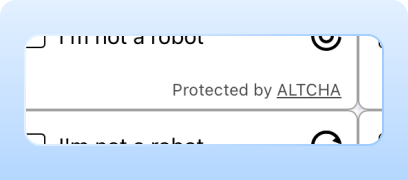
Proof-of-Work (PoW)
El sistema utiliza por defecto el método de verificación Proof-of-Work (PoW), lo que elimina rompecabezas visuales y comprobaciones intrusivas. Este enfoque combina seguridad con comodidad para el usuario, ofreciendo una solución captcha discreta adecuada para la mayoría de los visitantes.
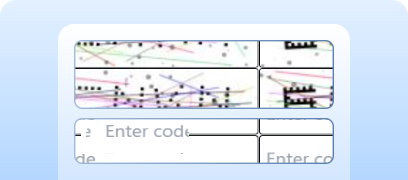
Code Captcha
La protección puede reforzarse hasta requerir un captcha de texto.
Invisible Captcha
La verificación ocurre sin un widget visible y no requiere ninguna acción del usuario.
Cómo resolver ALTCHA a través de CapMonster Cloud
Al probar formularios que incluyen ALTCHA, normalmente debes verificar que la captcha funcione y esté integrada correctamente.
Puedes comprobar manualmente la captcha incrustada en tu sitio.
- Abre la página del formulario y verifica que la captcha se renderice.
- Intenta enviar el formulario sin resolverla: el servidor debe devolver un error.
- Tras una solución correcta, el formulario debe enviarse sin inconvenientes.
Para la resolución automática puedes usar herramientas como CapMonster Cloud, que reciben los parámetros de la captcha, los procesan en sus servidores y devuelven un token listo para usar. Inserta ese token en el formulario para pasar la verificación sin interacción del usuario.
Trabajar con CapMonster Cloud mediante la API suele implicar los siguientes pasos:
 Creación de la tarea
En esta etapa, envía su clave API, tipo de captcha y sus parámetros. El servicio devuelve un taskId único, con el que luego se puede obtener el resultado.
 Enviar una solicitud API
La solicitud para resolver ALTCHA debe incluir los siguientes parámetros:
type - CustomTask
class - altcha
websiteURL - dirección de la página donde se resuelve el captcha
websiteKey - para esta tarea se permite enviar una cadena vacía.
challenge (dentro de metadata) - identificador único de la tarea obtenido de la página web.
iterations (dentro de metadata) - número de iteraciones o valor máximo para los cálculos. Importante: el parámetro iterations corresponde al valor de maxnumber.
salt (dentro de metadata) - salt obtenido del sitio, usado para generar hashes.
signature (dentro de metadata) - firma digital de la solicitud.
userAgent - User-Agent del navegador. Proporcione solo un UA actual de Windows.

Consulta más detalles sobre los parámetros y cómo recopilarlos automáticamente antes de enviar una tarea en la documentación de CapMonster Cloud.
Endpoint para enviar la tarea:
https://api.capmonster.cloud/createTaskEjemplo de solicitud:
{
  "clientKey": "API_KEY",
  "task": {
    "type": "CustomTask",
    "class": "altcha",
    "websiteURL": "https://example.com",
    "websiteKey": "",
    "userAgent": "Mozilla/5.0 (Windows NT 10.0; Win64; x64) AppleWebKit/537.36 (KHTML, like Gecko) Chrome/146.0.0.0 Safari/537.36",
    "metadata": {
      "challenge": "3dd28253be6cc0c54d95f7f98c517e68744597cc6e66109619d1ac975c39181c",
      "iterations": "5000",
      "salt":"46d5b1c8871e5152d902ee3f?edk=1493462145de1ce33a52fb569b27a364&codeChallenge=464Cjs7PbiJJhJZ_ReJ-y9UGGDndcpsnP6vS8x1nEJyTkhjQkJyL2jcnYEuMKcrG&expires=1761048664",
      "signature": "4b1cf0e0be0f4e5247e50b0f9a449830f1fbca44c32ff94bc080146815f31a18"
    }
  }
}
Respuesta:
{
"errorId":0,
"taskId":407533072
} Recepción del resultado
Tras crear la tarea, consulta periódicamente el estado de la solución.
Dirección para recibir el resultado:
https://api.capmonster.cloud/getTaskResultEjemplo de solicitud:
{
  "clientKey":"API_KEY",
  "taskId": 407533072
}
Respuesta:
{
  "errorId": 0,
  "status": "ready",
  "solution": {
    "data": {
      "token": "eyJhbGdvcml0aG0iOiJTSEEtMjU2IiwiY2hhbGxlbmdlIjoiNjMxOGUzYzc2NjhlOTZiMmFlYjg2NGU2NmRmMTliODRkYmYwZDBhMWRjNjYwMDdiMGM5ZGI4ODZiNTUxNjQxNiIsIm51bWJlciI6MTY0NDcsInNhbHQiOiJiMTQ1YWE5ZmU5MjA3NjBiMDgxYTAwNTMiLCJzaWduYXR1cmUiOiI5NzM4MmJlODE2NDUwNzk5MzlhYmU2M2ZkYzZjN2E3ZGYwOTM5MzNjODljZTk0ZjgzNTgxYmUyNDU3ZmI4MDM0IiwidG9vayI6MTczLjl9",
      "number": "16447"
    }
  }
}
 Colocar el token en la página
La respuesta de CapMonster Cloud puede contener dos formatos:
- Token completo — conjunto de parámetros codificado en base64 (incluyendo number).
- Sólo number — si el servidor espera únicamente el identificador de la solución.
Para automatizar la inserción de tokens/números y el envío del formulario, es conveniente utilizar Puppeteer, Playwright o Selenium, ya que permiten emular el comportamiento del usuario, insertar campos ocultos e iniciar el envío del formulario. Al probar, recuerda cubrir ambos escenarios: enviar el token completo y enviar solo el número, así como los casos de error (token caducado, número incorrecto, uso repetido).
Resolución, inserción de token y envío de formulario
Ejemplo en Node.js para un ciclo completo de resolución de captcha en su página web. Posibles enfoques: usar solicitudes HTTP para obtener HTML y parámetros del captcha, enviar la respuesta y procesar el resultado; o usar herramientas de automatización (como Playwright) — abrir la página, esperar al captcha, enviar parámetros (para pruebas puede enviar valores correctos o incorrectos), obtener el resultado a través del cliente de CapMonster Cloud, insertar el token en el formulario y observar el resultado.
// npm install playwright
// npx playwright install chromium

const { chromium } = require("playwright");

const API_KEY = "YOUR_API_KEY";
const ALTCHA_PAGE = "https://example.com"; // Su sitio con ALTCHA

(async () => {
  const browser = await chromium.launch({ headless: false, devtools: true });
  const context = await browser.newContext();
  const page = await context.newPage();

  // Capturando todas las respuestas del endpoint de Altcha
  let challengeResp = null;
  page.on("response", async (response) => {
    try {
      const url = response.url();
      if (url.startsWith("https://captcha.example.com/altcha")) { // Endpoint de Altcha
        challengeResp = await response.json();
        console.log("Captured Altcha response:", challengeResp);
      }
    } catch (err) {
      console.warn("Error parsing Altcha response:", err);
    }
  });

  await page.goto(ALTCHA_PAGE, { waitUntil: "networkidle" });

  // Clic en el widget, si existe
  const widgetHandle = await page.$("altcha-widget");
  if (widgetHandle) {
    try {
      await widgetHandle.click();
    } catch {}
  }

  // Esperando a que aparezca el challenge
  const start = Date.now();
  while (!challengeResp && Date.now() - start < 60000) { // Tiempo de espera aumentado
    await new Promise((r) => setTimeout(r, 300));
  }

  if (!challengeResp) {
    console.error("Failed to capture Altcha challenge.");
    await browser.close();
    return;
  }

  const { challenge, salt, signature, maxnumbers } = challengeResp;

  // Creando tarea en CapMonster Cloud
  const createTaskBody = {
    clientKey: API_KEY,
    task: {
      type: "CustomTask",
      class: "altcha",
      websiteURL: ALTCHA_PAGE,
      websiteKey: "",
      userAgent:"Mozilla/5.0 (Windows NT 10.0; Win64; x64) AppleWebKit/537.36 (KHTML, like Gecko) Chrome/146.0.0.0 Safari/537.36",
      metadata: {
        challenge,
        iterations: maxnumbers || 100000,
        salt,
        signature,
      },
    },
  };

  const taskResp = await fetch("https://api.capmonster.cloud/createTask", {
    method: "POST",
    headers: { "Content-Type": "application/json" },
    body: JSON.stringify(createTaskBody),
  }).then((r) => r.json());

  console.log("CreateTask response:", taskResp);
  if (!taskResp?.taskId) {
    console.error("CreateTask failed:", taskResp);
    await browser.close();
    return;
  }

  const taskId = taskResp.taskId;

  // Obteniendo solución
  let fullSolution = null;
  const pollStart = Date.now();
  while (Date.now() - pollStart < 120000) {
    const res = await fetch("https://api.capmonster.cloud/getTaskResult", {
      method: "POST",
      headers: { "Content-Type": "application/json" },
      body: JSON.stringify({ clientKey: API_KEY, taskId }),
    }).then((r) => r.json());

    if (res.status === "ready") {
      fullSolution = res.solution;
      console.log("Solution:", fullSolution);
      break;
    }
    await new Promise((r) => setTimeout(r, 3000));
  }

  if (!fullSolution) {
    console.error("No solution received in time.");
    await browser.close();
    return;
  }

  const token = fullSolution?.data?.token || fullSolution?.token || fullSolution?.data;

  if (!token) {
    console.error("Token not found in solution:", fullSolution);
    await browser.close();
    return;
  }

  //Insertando token
  await page.evaluate((t) => {
    let input = document.querySelector("#captchaParaValidar");
    if (!input) {
      input = document.createElement("input");
      input.type = "hidden";
      input.id = "captchaParaValidar";
      input.name = "captchaParaValidar";
      (document.querySelector("form") || document.body).appendChild(input);
    }
    input.value = t;

    let alt = document.querySelector('input[name="altcha"]');
    if (!alt) {
      alt = document.createElement("input");
      alt.type = "hidden";
      alt.name = "altcha";
      (document.querySelector("form") || document.body).appendChild(alt);
    }
    alt.value = t;

    const widget = document.querySelector("altcha-widget");
    if (widget) {
      widget.setAttribute("data-state", "verified");
      const checkbox = widget.querySelector("input[type='checkbox']");
      if (checkbox) {
        checkbox.checked = true;
        checkbox.dispatchEvent(new Event("change", { bubbles: true }));
      }
      const label = widget.querySelector(".altcha-label");
      if (label) label.textContent = "Verified";
    }
  }, token);

  console.log("Token injected:", token);
})();Cómo conectar ALTCHA a su sitio web
Para comprender correctamente cómo funciona el captcha en su sitio, entender su lógica de validación, reconectarlo o reconfigurarlo, le recomendamos leer esta sección. Describe el proceso de integración de la protección, ayudándole a entender todos los detalles rápidamente.
1. Instalación del widget
Opción 1 — mediante CDN (la más sencilla). Agregue esto en el <head> de su HTML:
<script async defer src="https://cdn.jsdelivr.net/gh/altcha-org/altcha/dist/altcha.min.js" type="module"></script>Opción 2 — mediante npm:
npm install altchaImporte el widget en su archivo JS:
import "altcha";2. Agregar el widget al formulario.
Inserte el componente <altcha-widget> en el formulario donde se requiera protección:
<form method="POST" action="/submit">
  <altcha-widget challengeurl="/altcha/challenge"></altcha-widget>
  <button type="submit">Send</button>
</form>
challengeurl — su endpoint de servidor para emitir el challenge.
Si usa ALTCHA Sentinel (protección lista para usar contra bots y spam con aprendizaje automático y análisis de tráfico), use su URL en lugar de su propio servidor:
<altcha-widget
  challengeurl="https://sentinel.example.com/v1/challenge?apiKey=YOUR_API_KEY">
</altcha-widget>3. Validación del servidor.
Cómo se realiza la validación:
- 1) El widget genera un payload — JSON codificado en Base64, normalmente enviado como campo de formulario altcha.
- 2) En el servidor, valide el payload criptográficamente (sin solicitudes adicionales a la API).
- 3) Tras la validación exitosa, se puede procesar el formulario.
Validación mediante ALTCHA Sentinel:
 Usando la biblioteca
import { verifyServerSignature } from 'altcha-lib';

// Clave API secreta generada en Sentinel
const apiKeySecret = 'sec_...';

// Payload recibido del widget
const payload = '...';

// Validación
const { verificationData, verified } = await verifyServerSignature(payload, apiKeySecret);

if (verified) {
  // Validación exitosa — se pueden procesar los datos del formulario
}Consejo: almacene los payloads utilizados para evitar reutilización (ataques de repetición).
A través del HTTP API de Sentinel (si la biblioteca no está disponible):
const resp = await fetch('https://sentinel.example.com/v1/verify/signature', {
  method: 'POST',
  headers: { 'Content-Type': 'application/json' },
  body: JSON.stringify({ payload }),
});

const { verified } = await resp.json();

if (verified) {
  // Validación exitosa — procesando el formulario
}
La API previene automáticamente la reutilización del mismo payload.
4. Validación sin Sentinel (servidor propio)
Generación del challenge:
import { createChallenge } from 'altcha-lib';

const hmacKey = '$ecret.key'; // Su clave secreta HMAC

const challenge = await createChallenge({ hmacKey });

// Devolvemos el challenge en JSON para el widget
Validación del payload al enviar el formulario:
import { verifySolution } from 'altcha-lib';

const hmacKey = '$ecret.key'; // Su clave secreta HMAC

const verified = await verifySolution(payload, hmacKey);

if (verified) {
  // Validación exitosa — procesando los datos del formulario
}
En este caso, crea su propio endpoint /altcha/challenge para emitir tareas y validarlas en el servidor.
El código fuente de ALTCHA está disponible en GitHub para estudio, personalización e integración.
Posibles errores y depuración

challengeurl o API Key incorrectos
El widget no se carga o devuelve un error durante la validación.
Tiempo de resolución agotado
El servidor no tuvo tiempo de validar el payload. Aumente el tiempo de espera o asegúrese de que la validación del servidor funcione correctamente.
Payload vacío
Error al enviar el resultado del widget al servidor.
Verification failed
El payload ha expirado, se ha reutilizado o ha sido manipulado. Para diagnóstico, active el registro y revise los campos verified y verificationData en la respuesta del servidor o Sentinel.
Pruebas de resistencia de la protección
Después de la integración, asegúrate de que el sistema realmente proteja el sitio contra acciones automatizadas.

Intente realizar una solicitud sin resolver el captcha — el servidor debería devolver success: false.
Realice pruebas de carga (por ejemplo, con k6 o JMeter) a más de 100 solicitudes por segundo — el captcha debería mostrarse correctamente y el sistema de validación mantenerse estable.
Compruebe la reacción del servidor con un token caducado o reutilizado — la respuesta esperada es 403 Forbidden.
Consejos de seguridad y optimización
Guarde las claves secretas (HMAC o API Key para Sentinel) solo en el servidor — no las envíe al frontend.
Registre errores y eventos de verificación (verified: false y verificationData) para entender por qué fallaron las verificaciones.
Para transparencia y confianza del usuario, agregue enlaces a la política de privacidad y a los términos de uso de ALTCHA si es necesario.
Captchas compatibles
 reCAPTCHA v2reCAPTCHA v3reCAPTCHA v2 EnterprisereCAPTCHA v3 Enterprise
 GeeTest
 Cloudflare TurnstileCloudflare Bot Challenge
 DataDome
 Tencent CAPTCHA
 Amazon Waf
 Faucet Pay
 Imperva (Incapsula)
 Prosopo
 Text CAPTCHA
 BinanceComplexImageTask Recaptcha
 ComplexImageTask Recognition
 BLS CaptchareCAPTCHA Enterprise (Spotify, Yahoo)
 Yidun
Yidun MTCaptcha
 Altcha
 Funcaptcha
 Castle
 TSPD
TSPD Hunt
Hunt Alibaba
 Friendly
Conclusión
Si has heredado un sitio web que ya tiene un captcha u otro sistema de protección instalado y no tienes acceso al código, no pasa nada. Identificar qué tecnología se está utilizando es bastante sencillo. Para comprobar que todo funciona correctamente, puedes usar el servicio de reconocimiento CapMonster Cloud en un entorno de pruebas aislado, para asegurarte de que el mecanismo de procesamiento de tokens y la lógica de verificación funcionan correctamente.
En el caso de ALTCHA, basta con detectar el sistema, analizar su comportamiento y confirmar que la protección funciona correctamente. En el artículo hemos mostrado cómo identificar ALTCHA y dónde encontrar las instrucciones para su integración o reconfiguración, de modo que puedas mantener la protección con confianza y controlar su funcionamiento.